php+上传大文件
理清思路:
引入了两个概念:块(block)和片(chunk)。每个块由一到多个片组成,而一个资源则由一到多个块组成
块是服务端的永久数据存储单位,片则只在分片上传过程中作为临时存储的单位。服务端会以约一个月为单位周期性的清除上传后未被合并为块的数据片
实现过程:
将文件分割,分片上传,然后合并
前端核心code:
var fileForm = document.getElementById("file");
var upstartBtn = document.getElementById(\'upstart\');
var stopBtn = document.getElementById(\'stop\');
var startBtn = document.getElementById(\'restart\');
var rate = document.getElementById(\'rate\');
var divlog = document.getElementById(\'divlog\');
//---------------------------
const LENGTH = 1024 * 1024 * 1;
var start = 0;
var end = start + LENGTH;
var blob;
var blob_num = 1;
var is_stop = 0
var file = null;
var md5filename = \'\';
//-----------------------------
var upload_instance = new Upload();
fileForm.onchange = function()
{
browserMD5File(fileForm.files[0], function (err, md5) { //如果文件大,md5值生成较慢 md5值生成后才能上传处理,自己优化下吧
md5filename = md5; //如果需要刷新后也能断点,可利用cookie记录,自行完善
divlog.innerHTML = \'文件md5为:\' + md5filename;
});
}
upstartBtn.onclick = function(){
upload_instance.addFileAndSend(fileForm);
}
stopBtn.onclick = function(){
upload_instance.stop();
}
startBtn.onclick = function(){
upload_instance.start();
}
function Upload(){
var xhr = new XMLHttpRequest();
var form_data = new FormData();
//对外方法,传入文件对象
this.addFileAndSend = function(that){
file = that.files[0];
blob = cutFile(file);
sendFile(blob,file);
blob_num += 1;
}
//停止文件上传
this.stop = function(){
xhr.abort();
is_stop = 1;
}
this.start = function(){
sendFile(blob,file);
is_stop = 0;
}
//切割文件
function cutFile(file){
var file_blob = file.slice(start,end);
start = end;
end = start + LENGTH;
return file_blob;
};
//发送文件
function sendFile(blob,file){
var total_blob_num = Math.ceil(file.size / LENGTH);
form_data.append(\'file\',blob);
form_data.append(\'blob_num\',blob_num);
form_data.append(\'total_blob_num\',total_blob_num);
form_data.append(\'md5_file_name\',md5filename);
form_data.append(\'file_name\',file.name);
xhr.open(\'POST\',\'./index.php\',false);
xhr.onreadystatechange = function () {
var progress;
var progressObj = document.getElementById(\'finish\');
if(total_blob_num == 1){
progress = \'100%\';
}else{
progress = (Math.min(100,(blob_num/total_blob_num)* 100 )).toFixed(2) +\'%\';
}
console.log(\'progress-----\'+progress);
progressObj.style.width = progress;
rate.innerHTML = progress;
var t = setTimeout(function(){
if(start < file.size && is_stop === 0){
blob = cutFile(file);
sendFile(blob,file);
blob_num += 1;
}else{
//setTimeout(t);
}
},1000);
}
xhr.send(form_data);
}
}
后端code
<?php
class Upload{
private $filepath = \'./upload\'; //上传目录
private $tmpPath; //PHP文件临时目录
private $blobNum; //第几个文件块
private $totalBlobNum; //文件块总数
private $fileName; //文件名
private $md5FileName;
public function __construct($tmpPath,$blobNum,$totalBlobNum,$fileName, $md5FileName){
$this->tmpPath = $tmpPath;
$this->blobNum = $blobNum;
$this->totalBlobNum = $totalBlobNum;
$this->fileName = $this->createName($fileName, $md5FileName);
$this->moveFile();
$this->fileMerge();
}
//判断是否是最后一块,如果是则进行文件合成并且删除文件块
private function fileMerge(){
if($this->blobNum == $this->totalBlobNum){
$blob = \'\';
for($i=1; $i<= $this->totalBlobNum; $i++){
$blob .= file_get_contents($this->filepath.\'/\'. $this->fileName.\'__\'.$i);
}
file_put_contents($this->filepath.\'/\'. $this->fileName,$blob);
$this->deleteFileBlob();
}
}
//删除文件块
private function deleteFileBlob(){
for($i=1; $i<= $this->totalBlobNum; $i++){
@unlink($this->filepath.\'/\'. $this->fileName.\'__\'.$i);
}
}
private function moveFile(){
$this->touchDir();
$filename = $this->filepath.\'/\'. $this->fileName.\'__\'.$this->blobNum;
move_uploaded_file($this->tmpPath,$filename);
}
//API返回数据
public function apiReturn(){
if($this->blobNum == $this->totalBlobNum){
if(file_exists($this->filepath.\'/\'. $this->fileName)){
$data[\'code\'] = 2;
$data[\'msg\'] = \'success\';
$data[\'file_path\'] = \'http://\'.$_SERVER[\'HTTP_HOST\'].dirname($_SERVER[\'DOCUMENT_URI\']).str_replace(\'.\',\'\',$this->filepath).\'/\'. $this->fileName;
}
}else{
if(file_exists($this->filepath.\'/\'. $this->fileName.\'__\'.$this->blobNum)){
$data[\'code\'] = 1;
$data[\'msg\'] = \'waiting\';
$data[\'file_path\'] = \'\';
}
}
header(\'Content-type: application/json\');
echo json_encode($data);
}
private function touchDir(){
if(!file_exists($this->filepath)){
return mkdir($this->filepath);
}
}
private function createName($fileName, $md5FileName){
return $md5FileName . \'.\' . pathinfo($fileName)[\'extension\'];
}
}
$upload = new Upload($_FILES[\'file\'][\'tmp_name\'],$_POST[\'blob_num\'],$_POST[\'total_blob_num\'],$_POST[\'file_name\'],$_POST[\'md5_file_name\']);
$upload->apiReturn();
---------------------
版权声明:本文为CSDN博主「橙虚缘」的原创文章,遵循CC 4.0 by-sa版权协议,转载请附上原文出处链接及本声明。
原文链接:https://blog.csdn.net/qq43599939/article/details/79762042
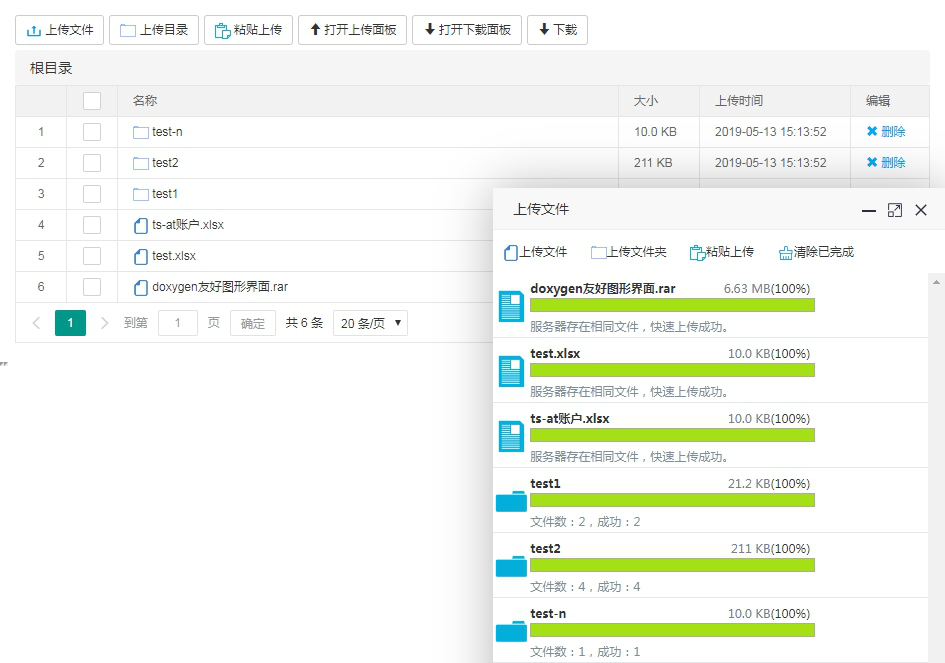
效果展示:
批量上传文件和文件夹
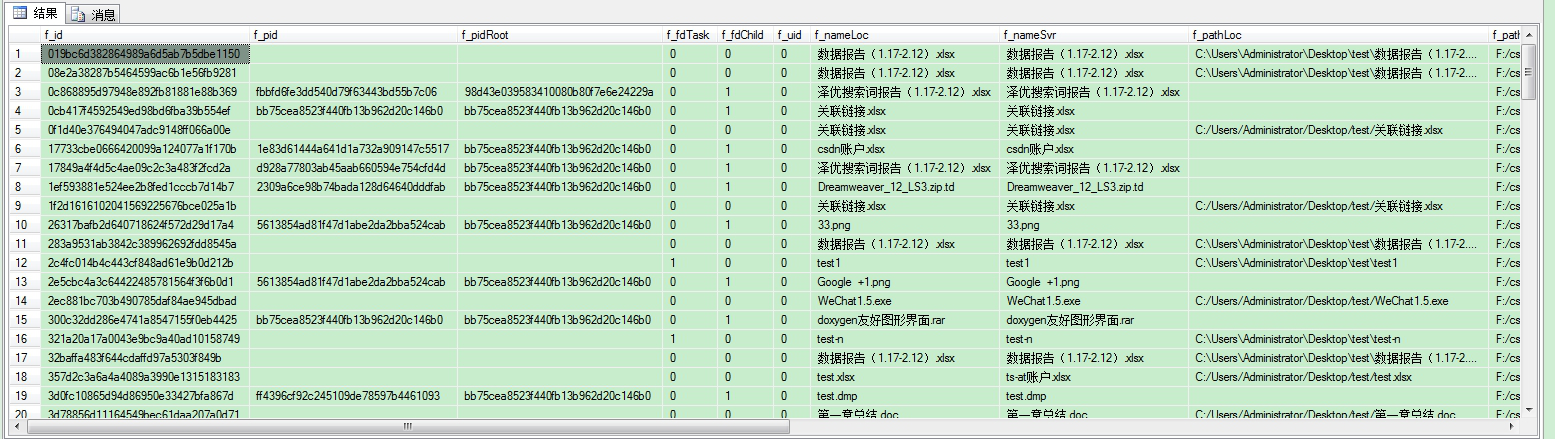
数据库记录
Mac控件安装教程与演示说明:
Linux控件安装教程与演示说明:
控件包下载:
MacOS:http://t.cn/Aijg65dZ
Linux:http://t.cn/Aijg6fRV
cab(x86):http://t.cn/Ai9pmG8S
cab(x64):http://t.cn/Ai9pm04B
示例下载:
php: http://t.cn/Ai9p3CKQ
在线教程:
php-文件管理器教程:http://t.cn/AiNhmilv
个人博客:http://t.cn/AiY7heL0