VLC Player https://www.vlchelp.com/skipping-and-playing-audio-and-video-portions-in-vlc/
PotPlayer 直接带了书签功能,且可以自动保存书签到视频文件夹。
PotPlayer官网下载 http://potplayer.daum.net/?lang=zh_CN
一、在potplayer中进行书签管理器快捷键的设置
左上角—>选项
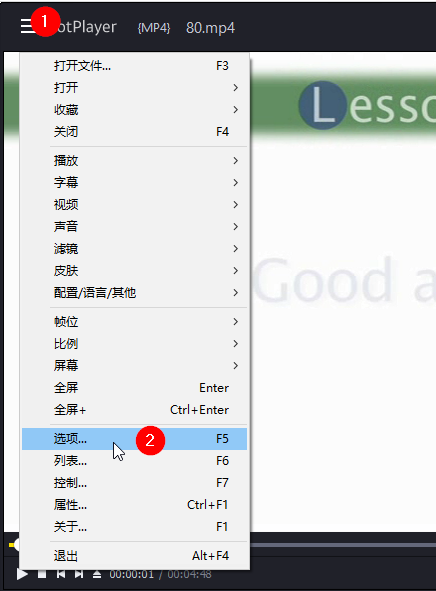
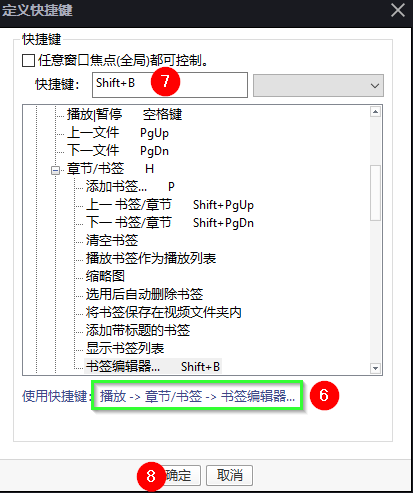
快捷键—>添加

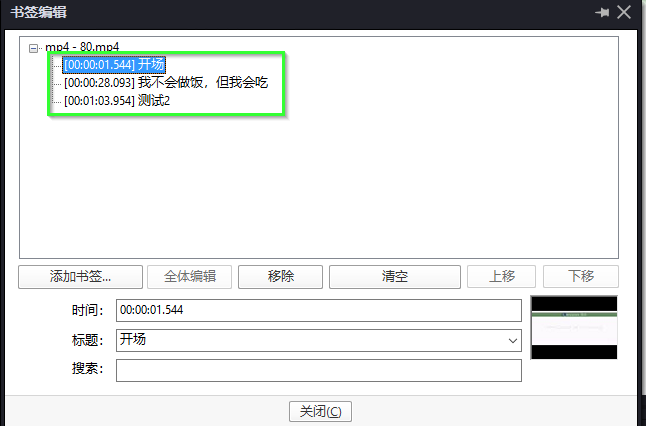
找到功能 “播放—>章节—>书签编辑器”, 设定你方便记忆和使用的快捷键,我这里使用了 Shift+B(B代表bookmark)

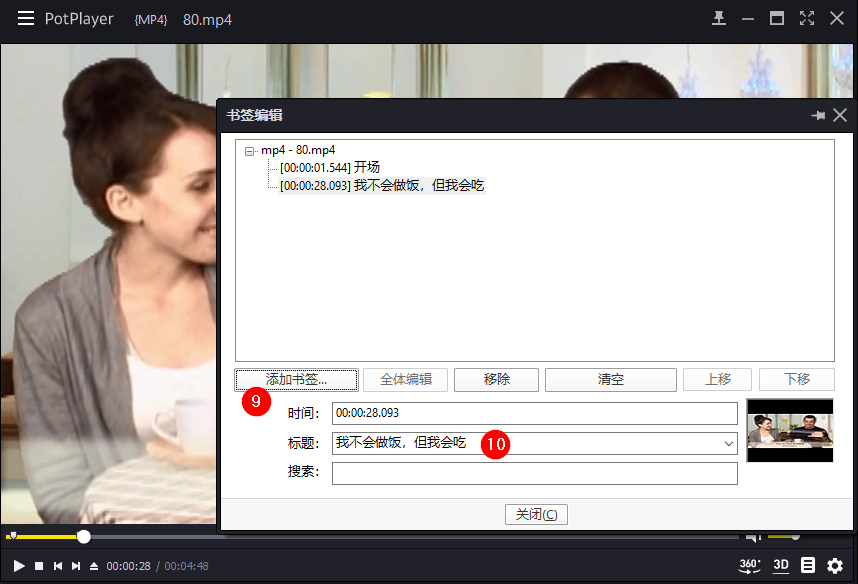
给新添加的标签设定标题,方便记忆和检索
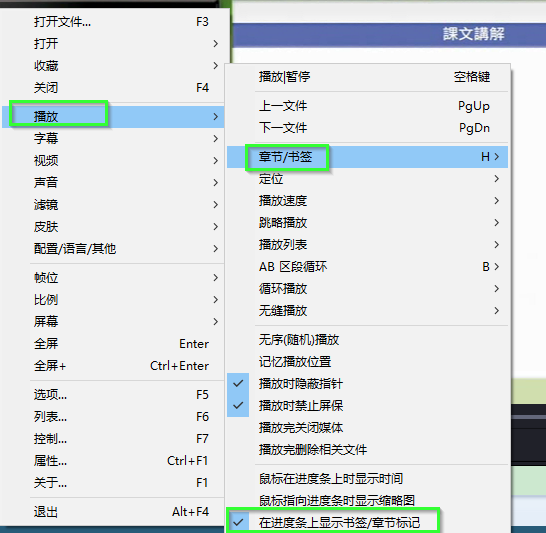
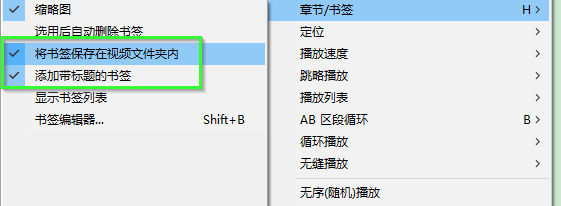
有绿色边框的,建议设置。这里我设置了两个功能
1.在进度条上显示书签,章节标记
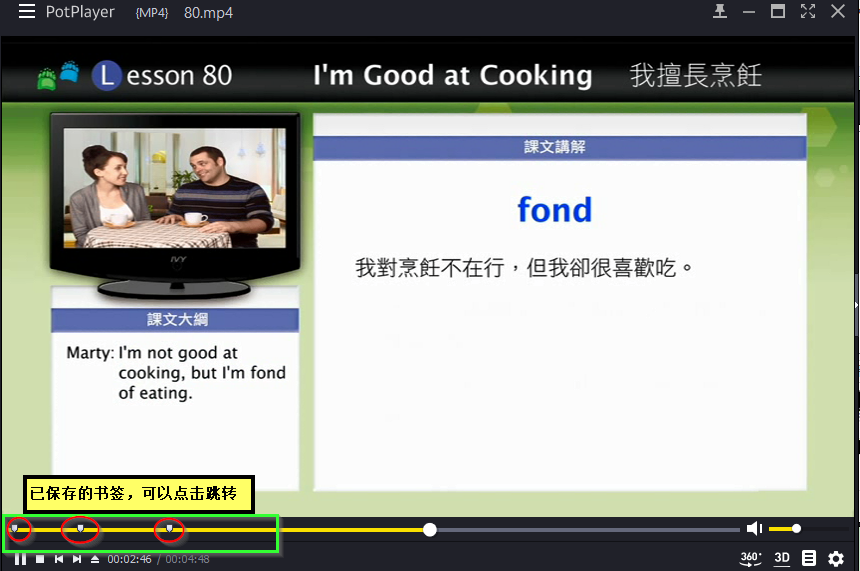
效果: 进度条上显示书签,章节标记
2. 将书签保存在视频文件夹内
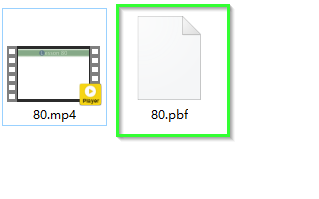
在播放器退出播放时, 视频文件夹下会生成一个同名的 xx.pbf文件,此为书签文件
跳转方式:
① 在播放进度条上点击书签标记
②在书签编辑器中双击标记
③快捷键 Shift+PguP/PgDn来进行上/下章节的快速跳转
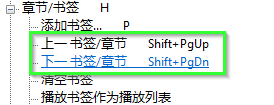
快速添加书签 P
事后可以 Shift+B在书签编辑器中进行标题的编辑。
版权所有,谢绝转载。