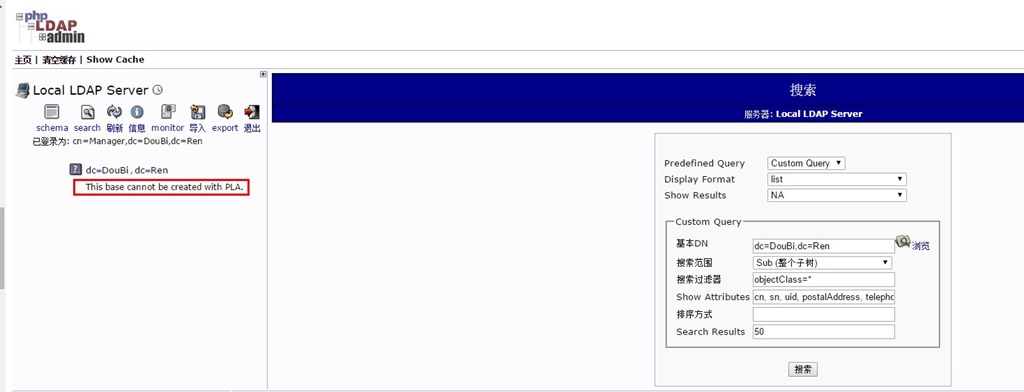
关于OpenLDAPAdmin管理页面提示“This base cannot be created with PLA“问题. Strong Authentication Required问题

经过查询,最终总结和处理如下:

1、首先需要在/etc/openldap/目录下,创建一个base.ldif文件,如下所示:

         关于OpenLDAPAdmin管理页面提示“This base cannot be created with PLA“问题. Strong Authentication Required问题

2、在base.ldif文件中,写入如下信息,为创建初始化根节点做准备工作:

关于OpenLDAPAdmin管理页面提示“This base cannot be created with PLA“问题. Strong Authentication Required问题


关于OpenLDAPAdmin管理页面提示“This base cannot be created with PLA“问题. Strong Authentication Required问题

3、执行ldapadd  -f base.ldif  -x -D  cn=Manager,dc=DouBi,dc=Ren –W   输入之前配置OpenLDAP的密码后,即可完成创建LDAP根节点,如下图所示:    关于OpenLDAPAdmin管理页面提示“This base cannot be created with PLA“问题. Strong Authentication Required问题

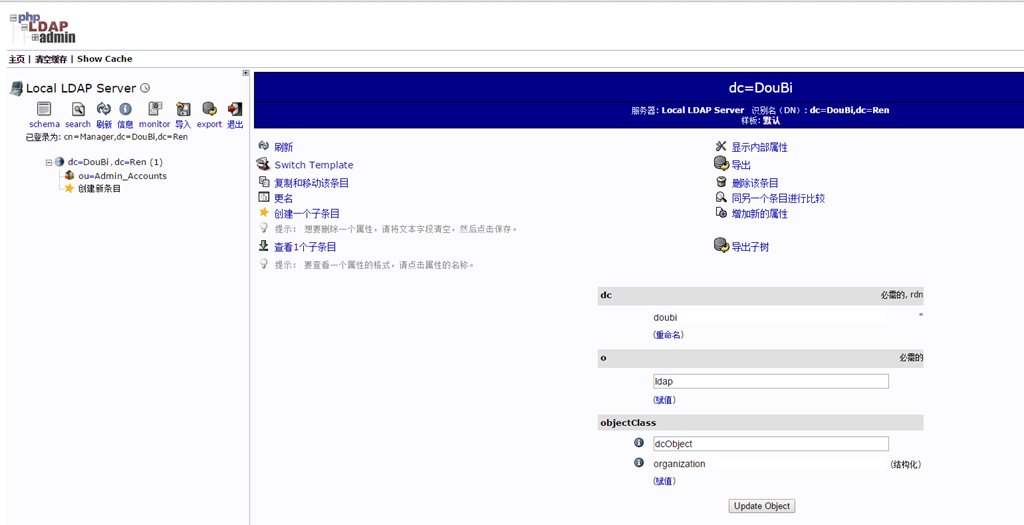
完成以上操作后,再回到phpldapadmin页面,可以看到,已经正常出现了根节点,并可以创建相关OU、Group、Account等对象,如下图所示:
      关于OpenLDAPAdmin管理页面提示“This base cannot be created with PLA“问题. Strong Authentication Required问题

相关文章:

  • 2022-12-23
  • 2022-12-23
  • 2021-04-05
  • 2022-12-23
  • 2021-11-20
  • 2022-12-23
  • 2021-12-14
  • 2021-12-05
猜你喜欢
  • 2022-01-05
  • 2022-01-14
  • 2022-12-23
  • 2021-08-21
  • 2022-12-23
  • 2021-11-21
  • 2022-03-07
相关资源
相似解决方案