1. 配置Yum源及关闭SeLinux
[root@localhost ~]# mkdir /media/rhel
[root@localhost ~]# mount /dev/cdrom /media/rhel
mount: /dev/sr0 is write-protected, mounting read-only
[root@localhost ~]# vi /etc/yum.repos.d/iso.repo

[iso]
name=iso
baseurl=file:///media/rhel
enabled=1
gpgcheck=0
[root@localhost ~]# vi /etc/selinux/config
# modify
SELINUX=disabled
2. 安装桌面环境(如果未安装)
[root@localhost ~]# yum -y group install "Server with GUI"
3. 安装软件包
[root@localhost ~]# yum -y install binutils binutils-devel compat-libcap1 compat-libstdc++-33 compat-libstdc++-33.i686 ksh elfutils-libelf elfutils-libelf-devel glibc glibc-common glibc-devel glibc-headers gcc gcc-c++ libaio libaio.i686 libaio-devel libaio-devel.i686 libgcc libstdc++ libstdc++.i686 libstdc++-devel libstdc++-devel.i686 make sysstat unixODBC unixODBC-devel libXp libXp-devel libXpm-devel telnet
4. 建立用户
[root@localhost ~]# groupadd oinstall
[root@localhost ~]# groupadd dba
[root@localhost ~]# useradd -g oinstall -G dba oracle
[root@localhost ~]# passwd oracle
[root@localhost ~]# vi /etc/profile

#在末尾加入
if [ \$USER = "oracle" ];then
        if [ \$SHELL = "/bin/ksh" ];then
                ulimit -p 16384
                ulimit -n 65536
        else
                ulimit -u 16384 -n 65536
        fi
        umask 022
fi
5. 建立文件夹
[root@localhost ~]# mkdir -p /u01/oracle
[root@localhost ~]# mkdir -p /u01/oracle/11.2.0/db_1
[root@localhost ~]# chown -R oracle:oinstall /u01/oracle/
[root@localhost ~]# chown -R oracle:oinstall /u01/oracle/11.2.0/db_1/
[root@localhost ~]# chmod -R 755 /u01/oracle/
[root@localhost ~]# chmod -R 755 /u01/oracle/11.2.0/db_1/
6. 配置系统核心参数,Oracle用户资源限制,Oracle用户环境变量
[root@localhost ~]# MEMTOTAL=$(free -b | sed -n '2p' | awk '{print $2}')
[root@localhost ~]# SHMMAX=$(expr $MEMTOTAL / 2)
[root@localhost ~]# SHMMNI=4096
[root@localhost ~]# PAGESIZE=$(getconf PAGE_SIZE)
[root@localhost ~]# cat >> /etc/sysctl.conf << EOF
fs.aio-max-nr = 1048576
fs.file-max = 6815744
kernel.shmmax = $SHMMAX
kernel.shmall = $(expr \( $SHMMAX / $PAGESIZE \) \* \( $SHMMNI / 16 \))
kernel.shmmni = $SHMMNI
kernel.sem = 250 32000 100 128
net.ipv4.ip_local_port_range = 9000 65500
net.core.rmem_default = 262144
net.core.rmem_max = 4194304
net.core.wmem_default = 262144
net.core.wmem_max = 1048576
EOF
[root@localhost ~]# sysctl -p
[root@localhost ~]# vi /etc/security/limits.conf
# add to the end
oracle  soft  nproc   2047
oracle  hard  nproc   16384
oracle  soft  nofile  1024
oracle  hard  nofile  65536
oracle  soft  stack   10240
oracle  hard  stack   32768
[root@localhost ~]# vi /home/oracle/.bash_profile
# add to the end
export ORACLE_SID=sdzy;
export ORACLE_BASE=/u01/oracle;
export ORACLE_HOME=/u01/oracle/11.2.0/db_1;
export PATH=$ORACLE_HOME/bin:$PATH:$HOME/bin
export LD_LIBRARY_PATH=$ORACLE_HOME/lib
[root@localhost ~]# reboot
7. 编辑主机名
[root@localhost ~]# vi /etc/hosts
# add
192.168.10.11 oracle
[root@localhost ~]# vi /etc/hostname
# modify
oracle
[root@localhost ~]# vi /etc/sysconfig/network
8. 解压安装文件
[root@localhost ~]# cd /opt
[root@localhost opt]# unzip p13390677_112040_Linux-x86-64_1of7.zip ;unzip p13390677_112040_Linux-x86-64_2of7.zip
9. 开始安装
[oracle@localhost ~]$ cd $ORACLE_HOME/sysman/lib
[oracle@localhost lib]$ cp ins_emagent.mk ins_emagent.mk.bak
[oracle@localhost lib]$ vi ins_emagent.mk
查找$(MK_EMAGENT_NMECTL)
更改为$(MK_EMAGENT_NMECTL) -lnnz11
[root@localhost rhel]# xhost +
access control disabled, clients can connect from any host
[root@localhost rhel]# su - oracle
[oracle@localhost ~]$ export DISPLAY=10.1.105.52:0.0  #此处IP请改为客户端的IP
[oracle@localhost ~]$ cd /opt/database/
[oracle@localhost database]$ ./runInstaller
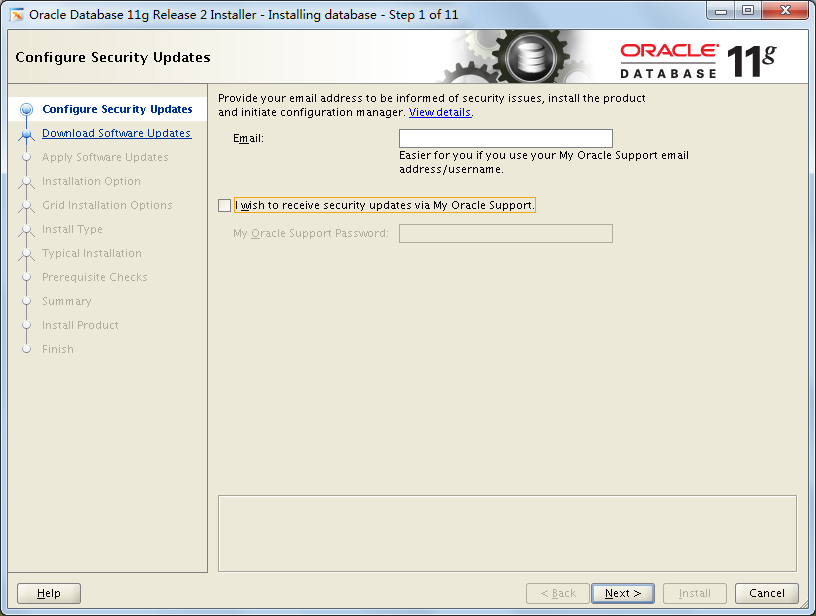
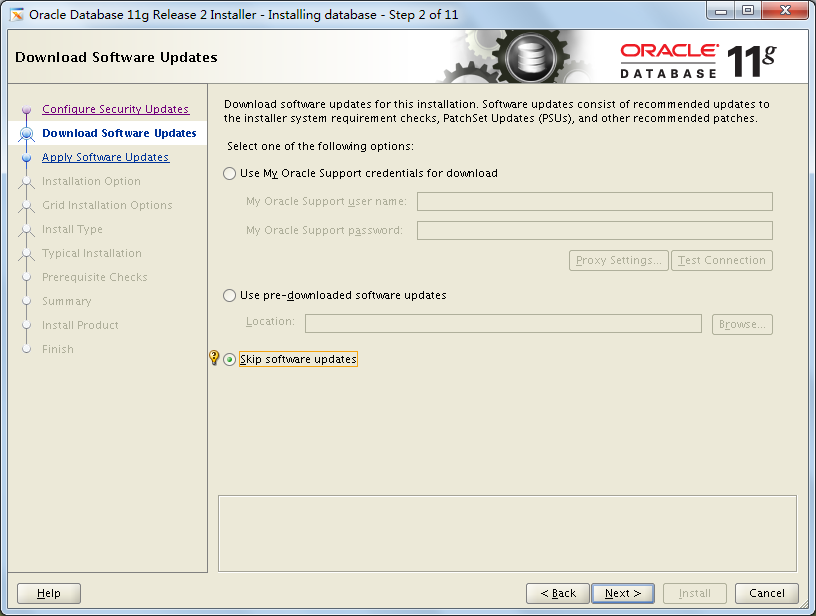
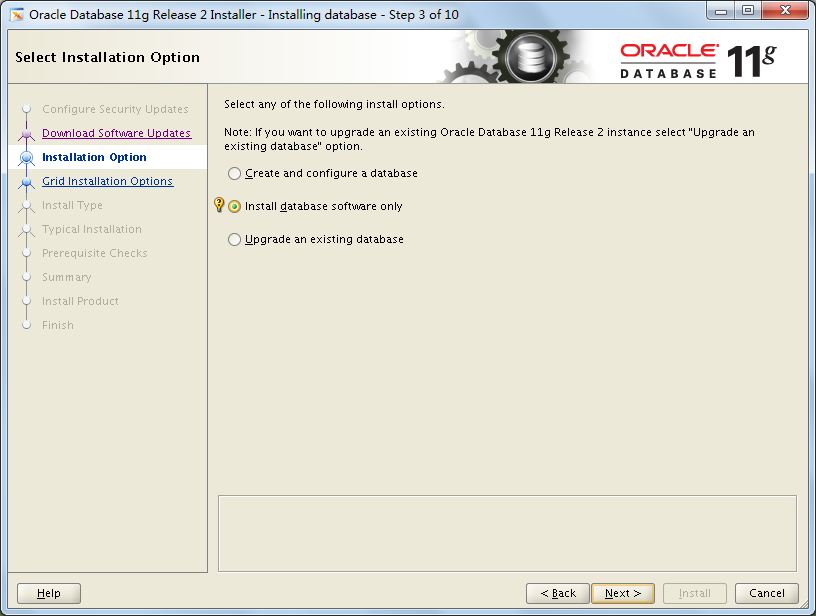
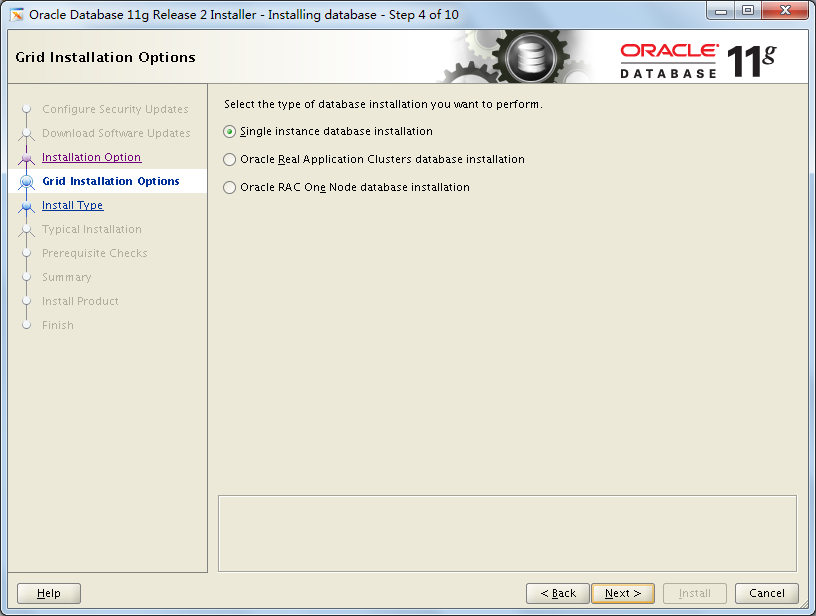
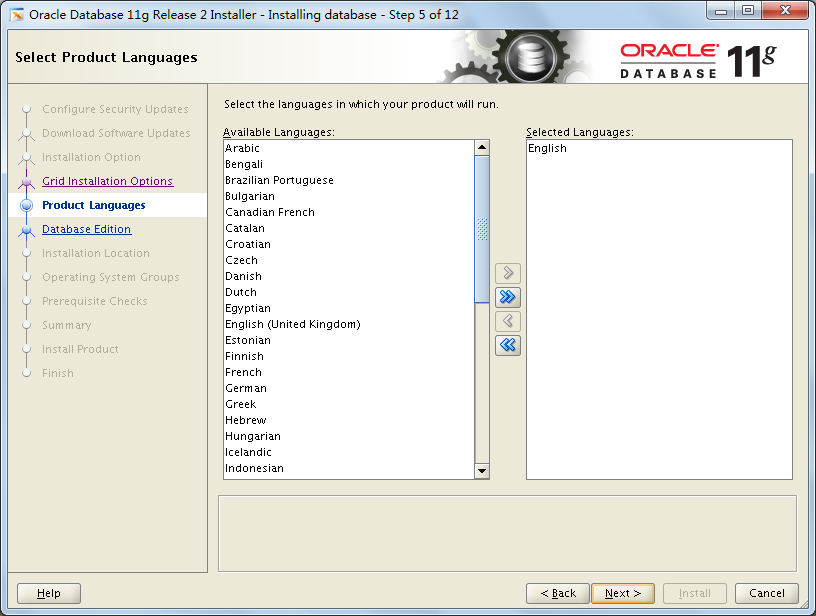

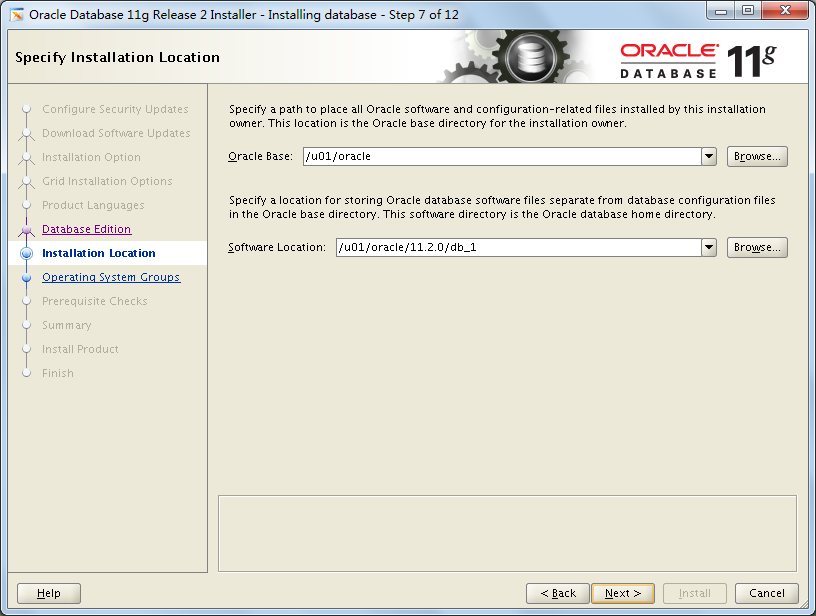

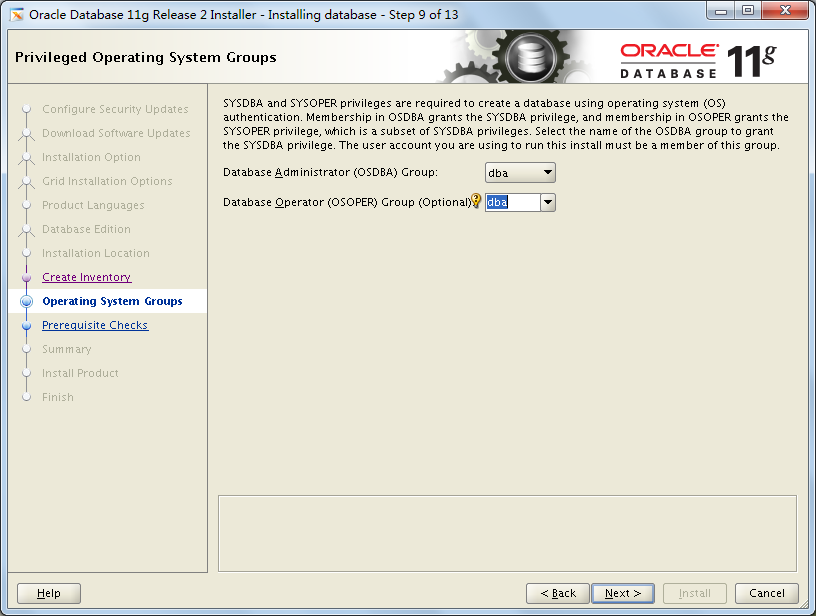
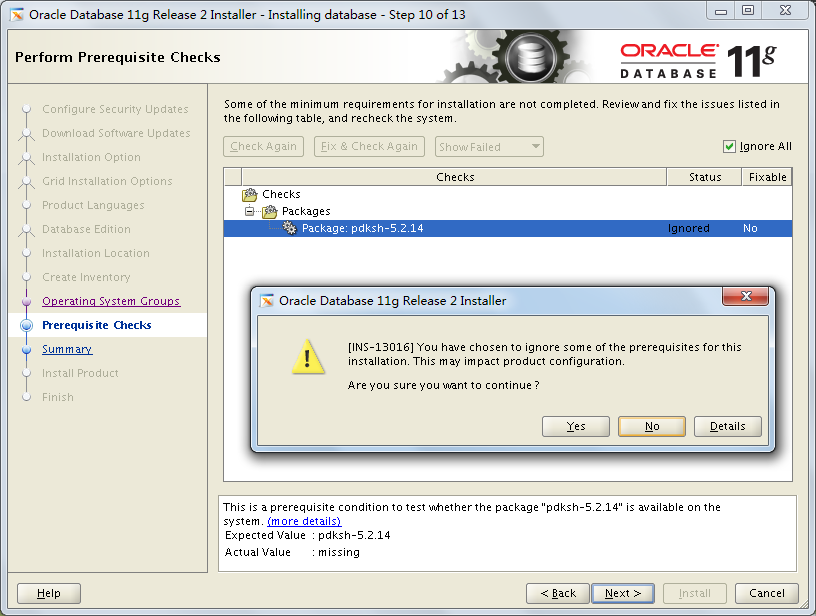
检查发现少了一个软件包,且在光盘中搜不到,需要网上下载后手动安装。
[root@localhost opt]# rpm -ivh compat-libstdc++-33-3.2.3-72.el7.x86_64.rpm
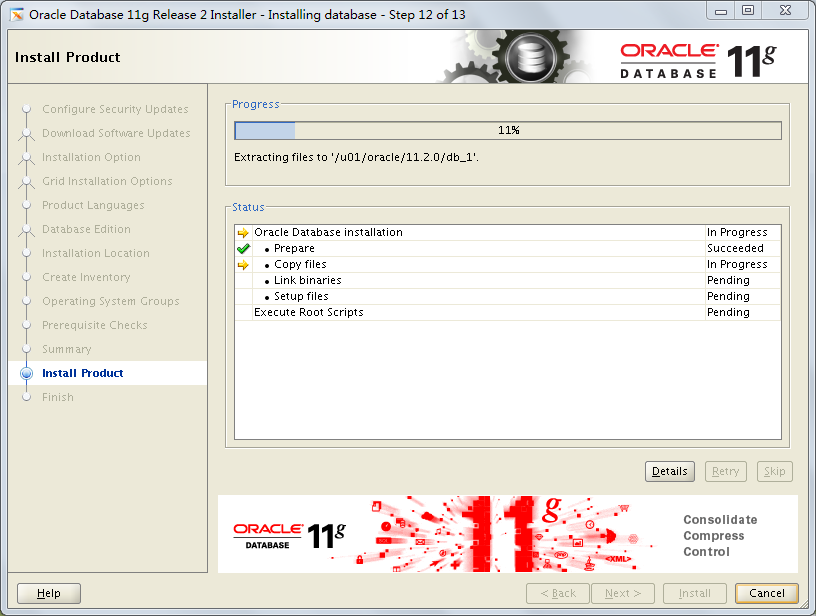
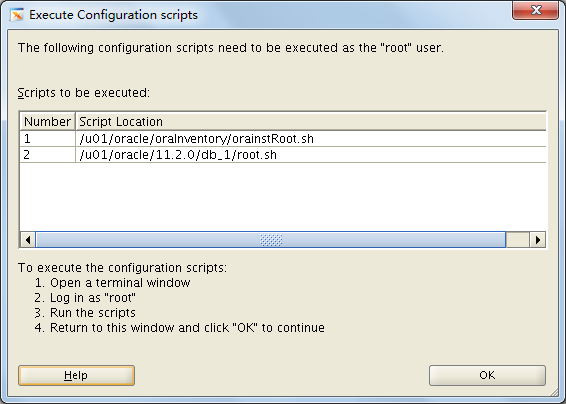
[root@localhost opt]# /u01/oracle/oraInventory/orainstRoot.sh
[root@localhost opt]# /u01/oracle/11.2.0/db_1/root.sh
至此安装完成!