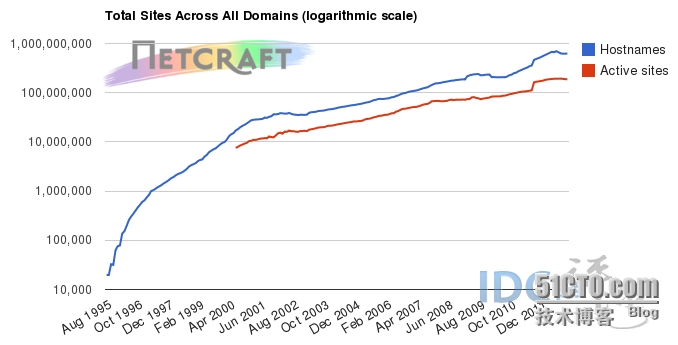
Apache是世界使用排名第一的Web服务器软件。它可以运行在几乎所有广泛使用的计算机平台上,由于其跨平台和安全性被广泛使用,是最流行的Web服务器端软件之一。下图为
全球主流Web服务器份额:
Apache工作模式有多种,其中最常用的有两种:
Prefork模式:PreforkMPM 使用多个子进程,每个子进程只有一个线程。每个进程在某个确定的时间只能维持一个连接。
在大多数平台上,Prefork MPM在效率上要比Worker MPM要高,但是内存使用大得多。prefork的无线程设计在某些情况下将比worker更有优势:它可以使用那些没有处理好线程安全的第三方模块,并且对于那些线程调试困难的平台而言,它也更容易调试一些。
Worker模式:WorkerMPM 使用多个子进程,每个子进程有多个线程。每个线程在某个确定的时间只能维持一个连接。通常来说,在一个高流量的HTTP服务器上,Worker MPM是个比较好的选择,因为Worker MPM的内存使用比Prefork MPM要低得多。
Worker MPM也由不完善的地方,如果一个线程崩溃,整个进程就会连同其所有线程一起"死掉".由于线程共享内存空间,所以一个程序在运行时必须被系统识别为"每个线程都是安全的"。
环境:
CentOS 6.5 x86_64
Server IP:192.168.1.2
安装Apache服务器
http://apache.dataguru.cn/httpd/httpd-2.2.27.tar.gz
安装之前需要安装 gcc、apr、apr-util
|
1
2
3
4
5
6
7
8
9
10
11
12
13
14
|
[[email protected] ~]# cd /software/
[[email protected] software]# ls
httpd-2.2.27.tar.gz
[[email protected] software]# tar -zxf httpd-2.2.27.tar.gz
[[email protected] software]# ls
httpd-2.2.27 httpd-2.2.27.tar.gz
[[email protected] httpd-2.2.27]#
./configure --prefix=/usr/local/apache2 &&make && make install
[[email protected] httpd-2.2.27]# echo $?
0启动Apache服务[[email protected] ~]# /usr/local/apache2/bin/apachectl start
httpd: apr_sockaddr_info_get() failed for jacken
httpd: Could not reliably determine the server'sfully qualified domain name, using 127.0.0.1 for ServerName
|

之所以启动Apache的时候报
httpd: apr_sockaddr_info_get() failed for jacken
httpd: Could not reliably determine the server'sfully qualified domain name, using 127.0.0.1 for ServerName
这不能属于一个错误,因为这个不影响服务的正常运行,但我看着就是不爽。
原因:这个问题应该是没有在 httpd.conf 中设定 ServerName
解决办法:
|
1
2
3
4
5
6
7
8
9
|
[[email protected] /]# vim /usr/local/apache2/conf/httpd.conf
[[email protected] /]# cat/usr/local/apache2/conf/httpd.conf | grep ^ServerName
ServerName localhost:80[[email protected] /]# /usr/local/apache2/bin/apachectlstop
[[email protected] /]# /usr/local/apache2/bin/apachectlstart
[[email protected] /]#
[[email protected] /]# netstat -ntl | grep 80
tcp 0 0 :::80 :::* LISTEN [[email protected] /]#
|
Apache安装成功。
添加自启动脚本
|
1
2
3
4
5
6
7
8
9
10
11
12
13
14
15
16
|
[[email protected] bin]# cp -p/usr/local/apache2/bin/apachectl /etc/init.d/httpd
[[email protected] ~]# vim /etc/init.d/httpd
在文件头部加入如下内容### # Comments to support chkconfig on RedHatLinux # chkconfig: 2345 90 90 # description:http server ###[[email protected] bin]# chkconfig --add httpd
[[email protected] bin]# chkconfig --level 35httpd on
[[email protected] bin]# chkconfig | grep httpd
httpd 0:off1:off2:on3:on4:on5:on6:off[[email protected] bin]# /etc/init.d/httpd stop
[[email protected] bin]# /etc/init.d/httpd start
[[email protected] bin]# /etc/init.d/httpd status
[[email protected] bin]#
|