6 准备站点EXCHANGE-数据中心2
6.1 安装域控
在第二个数据中心中安装辅助域控。
Add-WindowsFeature -Name ad-domain-services –IncludeManagementTools
Install-ADDSDomainController -DomainName itservice.vip -DatabasePath c:\windows\NTDS -LogPath c:\windows\NTDS -InstallDns -ReplicationSourceDC AD01.itservice.vip -SiteName "Datacenter2" -SafeModeAdministratorPassword (ConvertTo-SecureString "[email protected]" -AsPlainText -Force) -Confirm:$false -NoRebootOnCompletion:$false -Credential (Get-Credential itservice\administrator)
6.2 安装Exchange
6.2.1 Exchange前提条件准备
1、安装Microsoft Unified Communications Managed API 4.0, Core Runtime 64-bit
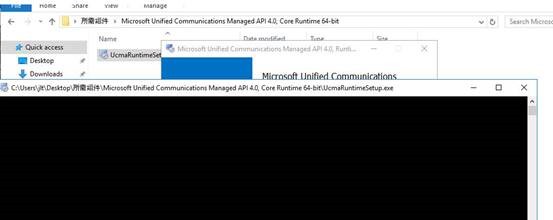
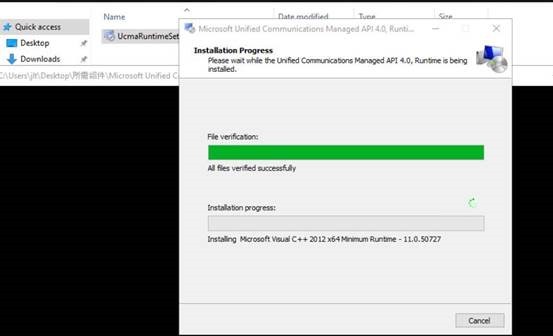
2、安装必要组件
Install-WindowsFeature AS-HTTP-Activation,Desktop-Experience,NET-Framework-45-Features,RPC-over-HTTP-proxy,RSAT-Clustering,RSAT-Clustering-CmdInterface,RSAT-Clustering-Mgmt,RSAT-Clustering-PowerShell,Web-Mgmt-Console,WAS-Process-Model,Web-Asp-Net45,Web-Basic-Auth,Web-Client-Auth,Web-Digest-Auth,Web-Dir-Browsing, Web-Dyn-Compression,Web-Http-Errors,Web-Http-Logging,Web-Http-Redirect,Web-Http-Tracing,Web-ISAPI-Ext,Web-ISAPI-Filter,Web-Lgcy-Mgmt-Console,Web-Metabase,Web-Mgmt-Console,Web-Mgmt-Service,Web-Net-Ext45,Web-Request-Monitor,Web-Server,Web-Stat-Compression,Web-Static-Content,Web-Windows-Auth,Web-WMI,Windows-Identity-Foundation

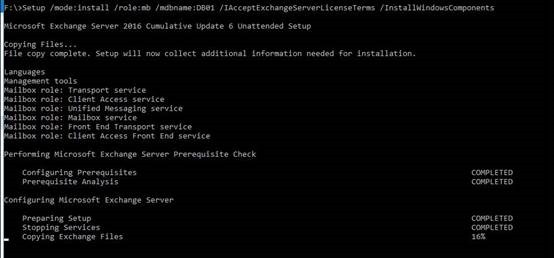
6.2.2 安装Exchange 2016服务器角色
Setup /mode:install /role:mb /mdbname:DB01 /IAcceptExchangeServerLicenseTerms /InstallWindowsComponents
本文转自 jialt 51CTO博客,原文链接:http://blog.51cto.com/jialt/1979951