首先生成本机**
本机执行命令: ssh-****** -t rsa
一路回车
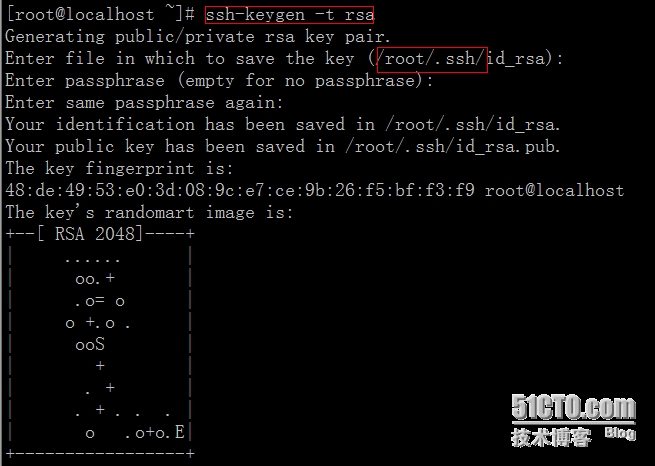
在/root/.ssh生成了id_rsa和id_rsa.pub,我们要用这个id_rsa.pub
2.安装expect
yum -y install expect
3.用脚本把密码拷贝过去
#!/bin/bash
###############需要同步ssh的设备和密码#########
ip=(
    192.168.132.130
    192.168.132.131
)
passwd=123456
##############本机生成ssh公钥####################
cat /root/.ssh/id_rsa.pub>/root/.ssh/authorized_keys
#############在远程主机创建/root/.ssh###########
for ip in in ${ip[@]}
do
   expect -c "
        spawn ssh [email protected]$ip \"mkdir /root/.ssh\"
                expect {
                        \"*yes/no*\" { send \"yes\r\";exp_continue }
                        \"*password*\" { send \"$passwd\r\";exp_continue }
                        \"*password*\" { send \"$passwd\r\"; }
                        }
             "
   expect -c "
        spawn scp  /root/.ssh/authorized_keys [email protected]$ip:/root/.ssh/
                expect {
                        \"*yes/no*\" { send \"yes\r\";exp_continue }
                        \"*password*\" { send \"$passwd\r\";exp_continue }
                        \"*password*\" { send \"$passwd\r\"; }
                        }
             "
done
4.执行脚本,然后就可以直接ssh IP 进入IP列表中的主机了
转载于:https://blog.51cto.com/fantefei/1548846