构建AIX环境下的RAC之--安装配置CRS(6)
环境:
操作系统: AIX 5300-09
集群软件: CRS 10.2.0.1
数据库: Oracle 10.2.0.1
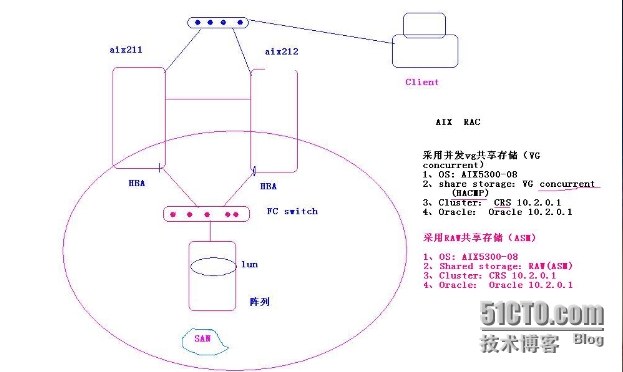
本案例是用于基于VG Concurrent 的共享存储,通过HACMP 实现卷组的并发
1、解压CRS安装软件
[email protected]@ /]#ls /soft
10gr2_aix5l64_cluster.cpio.gz
[[email protected]@ /]#gunzip 10gr2_aix5l64_cluster.cpio.gz
[[email protected]@ /]#cpio -icmdv <10gr2_aix5l64_cluster.cpio
解压完后生成 Disk1的安装目录!
2、以oracle 用户登录,在图像下安装
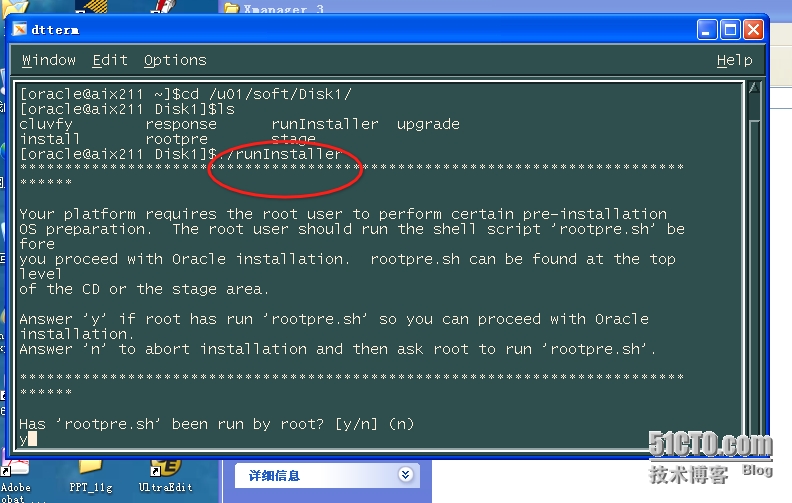
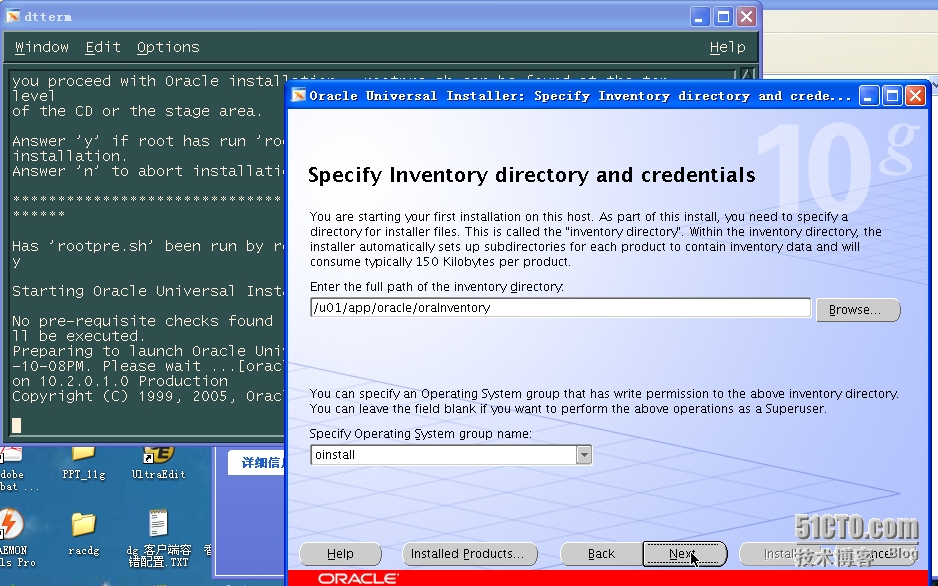
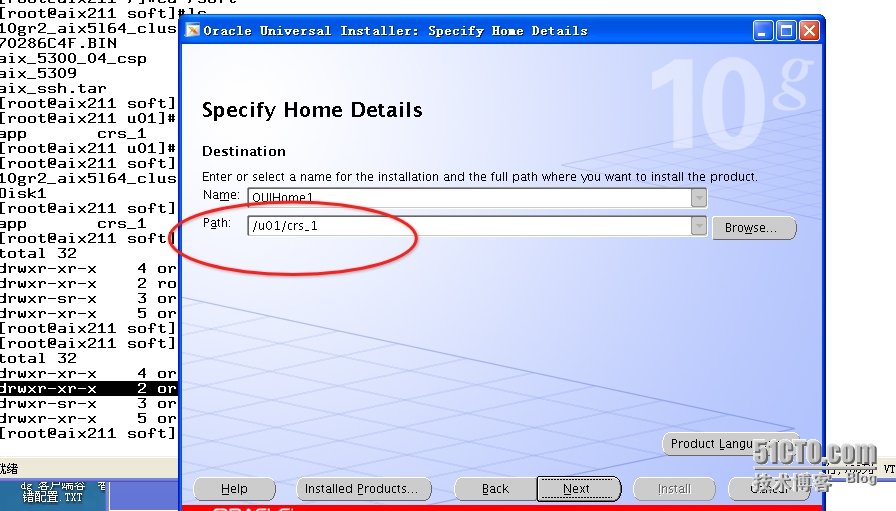
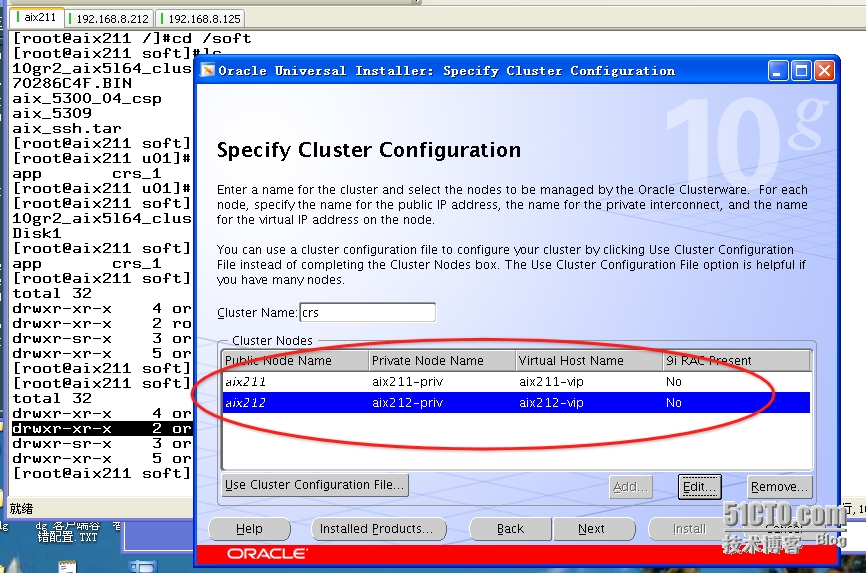
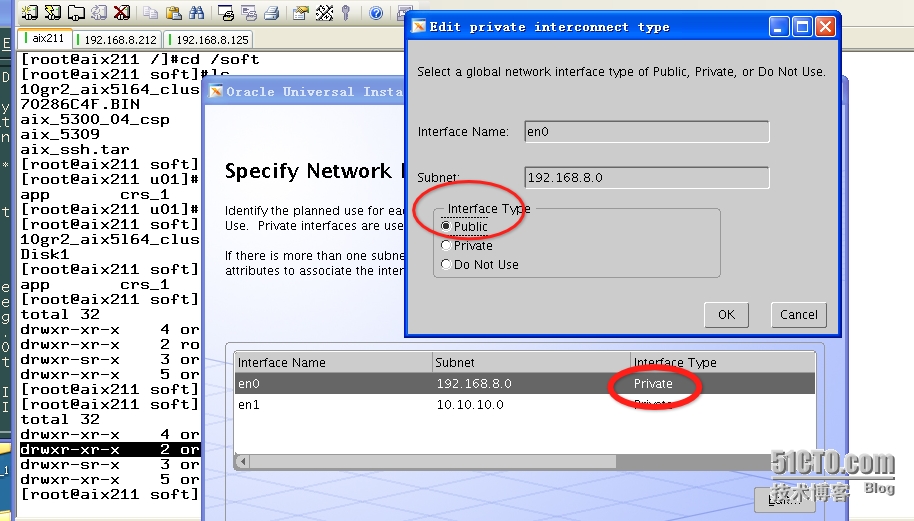
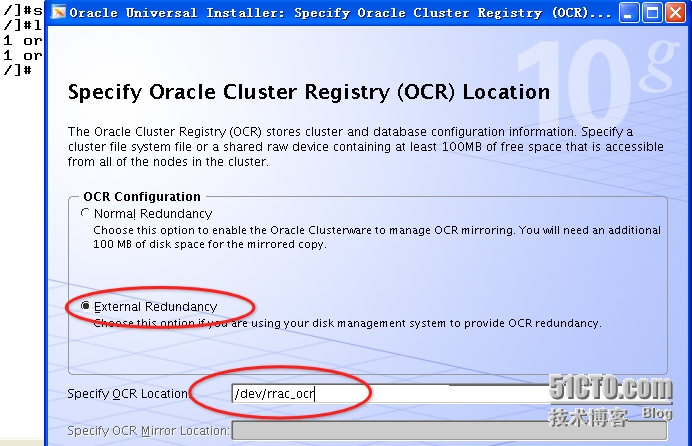
对于ocr disk 和 vote disk 在Oracle 10g RAC中均使用raw 设备,在安装时选择“external redundancy”,使用一个raw 设备及可以!
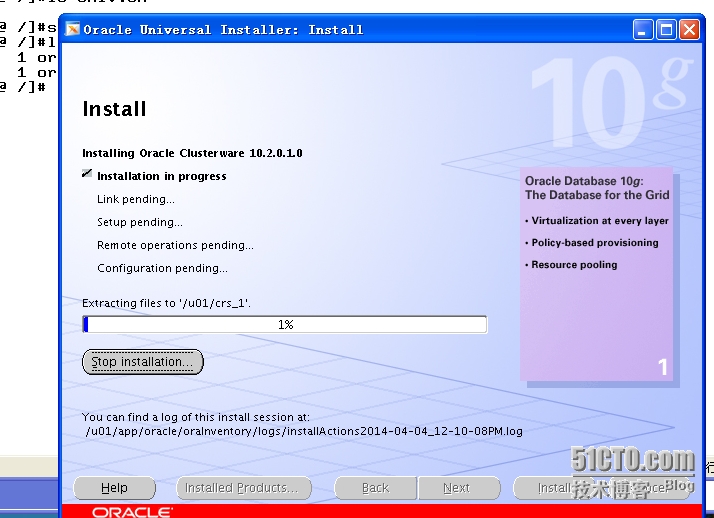
3、按照安装提示运行脚本(root)
[[email protected] /]#/u01/crs_1/root.sh
|
1
2
3
4
5
6
7
8
9
10
11
12
13
14
15
16
17
18
19
20
21
22
23
24
25
26
27
|
WARNING: directory '/u01' is not owned by root
Checking to see if Oracle CRS stack is already configured
Checking to see if any 9i GSD is up
/etc/oracle does not exist. Creating it now.
Setting the permissions on OCR backup directory
Setting up NS directoriesOracle Cluster Registry configuration upgraded successfullyWARNING: directory '/u01' is not owned by root
Successfully accumulated necessary OCR keys.Using ports: CSS=49895 CRS=49896 EVMC=49898 and EVMR=49897.
node <nodenumber>: <nodename> <private interconnect name> <hostname>
node 1: aix211 aix211-priv aix211
node 2: aix212 aix212-priv aix212
Creating OCR keys for user 'root', privgrp 'system'..
Operation successful.Now formatting voting device: /dev/rrac_voteFormat of 1 voting devices complete.
Startup will be queued to init within 30 seconds.
Adding daemons to inittabAdding daemons to inittabExpecting the CRS daemons to be up within 600 seconds.
CSS is active on these nodes.
aix211
CSS is inactive on these nodes.
aix212
Local node checking complete.Run root.sh on remaining nodes to start CRS daemons.
|
在第二个节点出现错误:
[[email protected] /]#/u01/crs_1/root.sh
WARNING: directory '/u01' is not owned by root
Checking to see if Oracle CRS stack is already configured
Checking to see if any 9i GSD is up
/u01/crs_1/bin/lsdb: Cannot allocate memory of size 0
9i GSD is running on node ''. Stop the GSD and rerun root.sh
----解决方法:修改rootconfig文件
[[email protected]@ /]#cat /u01/crs_1/root.sh
#!/bin/sh
/u01/crs_1/install/rootinstall
/u01/crs_1/install/rootconfig
注释关于“9i GSD”的信息:
|
1
2
3
4
5
6
7
8
9
10
11
|
#LSDB=$ORA_CRS_HOME/bin/lsdb#if $CRS_VNDR_CLUSTER;
#then
# $ECHO "Checking to see if any 9i GSD is up"
# GSDNODE=`$LSDB -g`# GSDCHK_STATUS=$?# if [ $GSDCHK_STATUS != 0 ];then
# $ECHO "9i GSD is running on node '$GSDNODE'. Stop the GSD and rerun root.sh"
# exit 1
# fi#fi |
再重新运行:
[[email protected]@ /]#/u01/crs_1/root.sh
|
1
2
3
4
5
6
7
8
9
10
11
12
13
14
15
16
17
18
19
20
21
22
23
24
25
26
27
28
29
30
31
32
|
WARNING: directory '/u01' is not owned by root
Checking to see if Oracle CRS stack is already configured
/etc/oracle does not exist. Creating it now.
Setting the permissions on OCR backup directory
Setting up NS directoriesOracle Cluster Registry configuration upgraded successfullyWARNING: directory '/u01' is not owned by root
clscfg: EXISTING configuration version 3 detected.
clscfg: version 3 is 10G Release 2.
Successfully accumulated necessary OCR keys.Using ports: CSS=49895 CRS=49896 EVMC=49898 and EVMR=49897.
node <nodenumber>: <nodename> <private interconnect name> <hostname>
node 1: aix211 aix211-priv aix211
node 2: aix212 aix212-priv aix212
clscfg: Arguments check out successfully.NO KEYS WERE WRITTEN. Supply -force parameter to override.
-force is destructive and will destroy any previous cluster
configuration.Oracle Cluster Registry for cluster has already been initialized
Startup will be queued to init within 30 seconds.
Adding daemons to inittabAdding daemons to inittabExpecting the CRS daemons to be up within 600 seconds.
CSS is active on these nodes.
aix211
aix212
CSS is active on all nodes.
Waiting for the Oracle CRSD and EVMD to start
Waiting for the Oracle CRSD and EVMD to start
Oracle CRS stack installed and running under init(1M)
Running vipca(silent) for configuring nodeapps
The given interface(s), "en0" is not public. Public interfaces should be used to configure virtual IPs.
|
在aix212上运行vipca 解决(192.168.8.0 非公网ip)
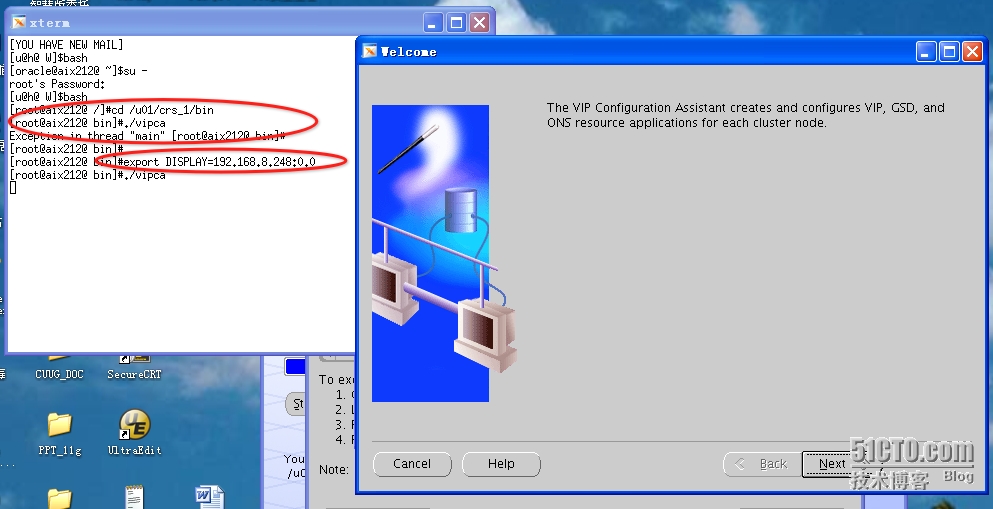
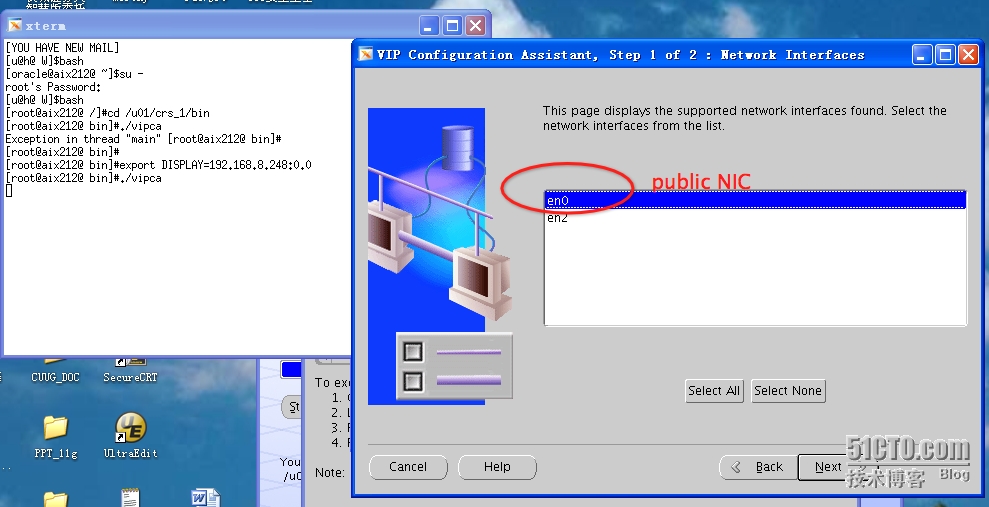
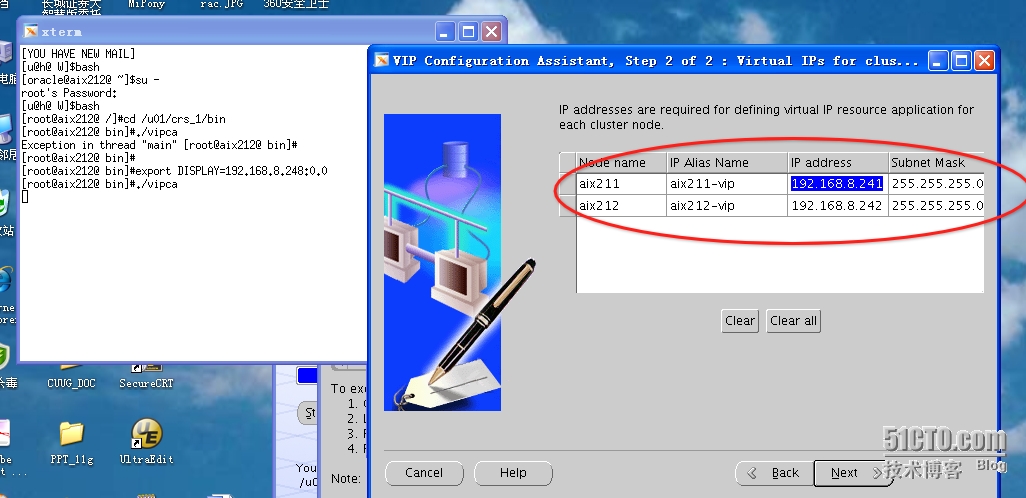
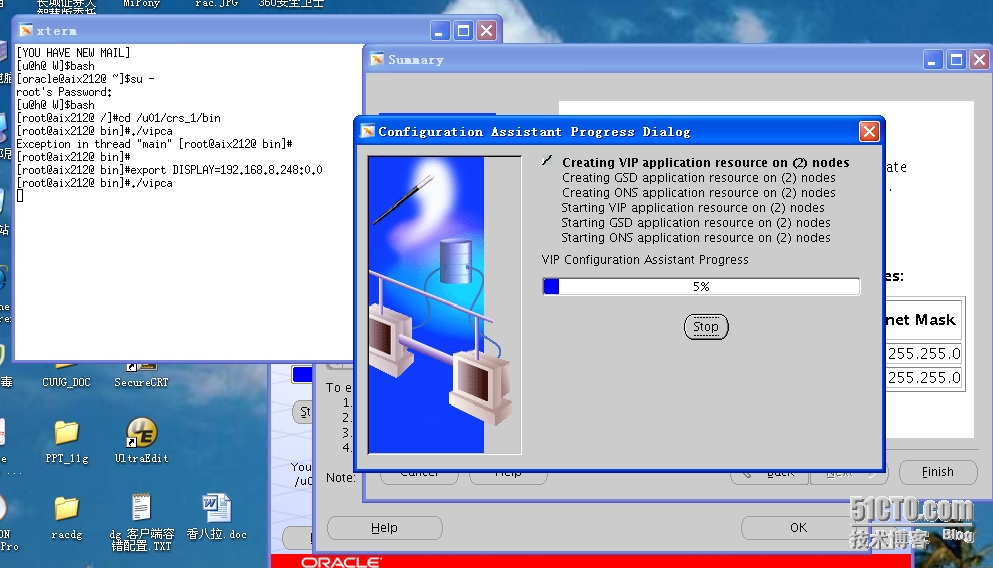
运行完成后,完成安装:
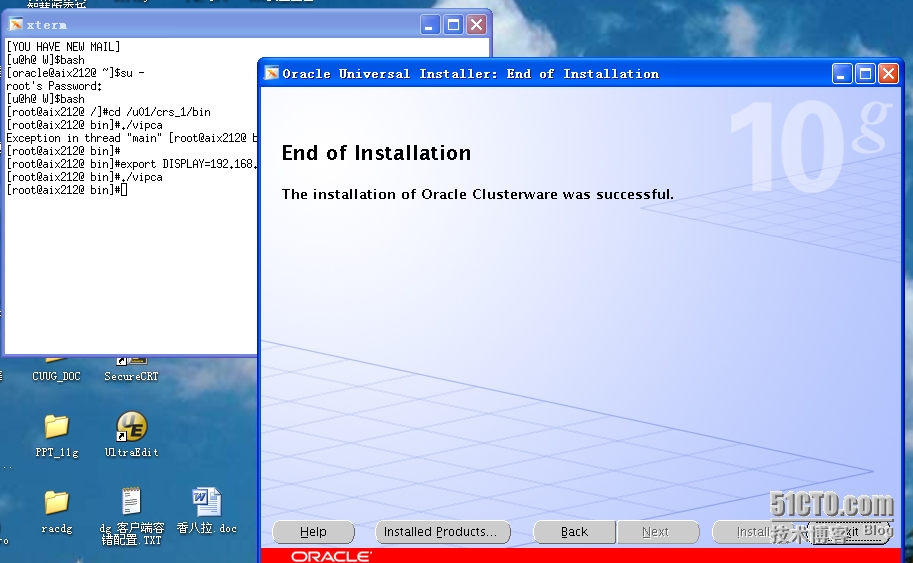
4、验证CRS服务启动:
[[email protected] /]#crsctl check crs
|
1
2
3
|
CSS appears healthyCRS appears healthyEVM appears healthy |
[[email protected]@ /]#crsctl check crs
|
1
2
3
|
CSS appears healthyCRS appears healthyEVM appears healthy |
[[email protected] /]#/u01/crs_1/bin/crs_stat -t
|
1
2
3
4
5
6
7
8
|
Name Type Target State Host ------------------------------------------------------------ora.aix211.gsd application ONLINE ONLINE aix211 ora.aix211.ons application ONLINE ONLINE aix211 ora.aix211.vip application ONLINE ONLINE aix211 ora.aix212.gsd application ONLINE ONLINE aix212 ora.aix212.ons application ONLINE ONLINE aix212 ora.aix212.vip application ONLINE ONLINE aix212 |
[[email protected] ~]$/u01/crs_1/bin/crs_stat -t
|
1
2
3
4
5
6
7
8
|
Name Type Target State Host ------------------------------------------------------------ora.aix211.gsd application ONLINE ONLINE aix211 ora.aix211.ons application ONLINE ONLINE aix211 ora.aix211.vip application ONLINE ONLINE aix211 ora.aix212.gsd application ONLINE ONLINE aix212 ora.aix212.ons application ONLINE ONLINE aix212 ora.aix212.vip application ONLINE ONLINE aix212 |
@至此,CRS安装配置成功!