实验目的:
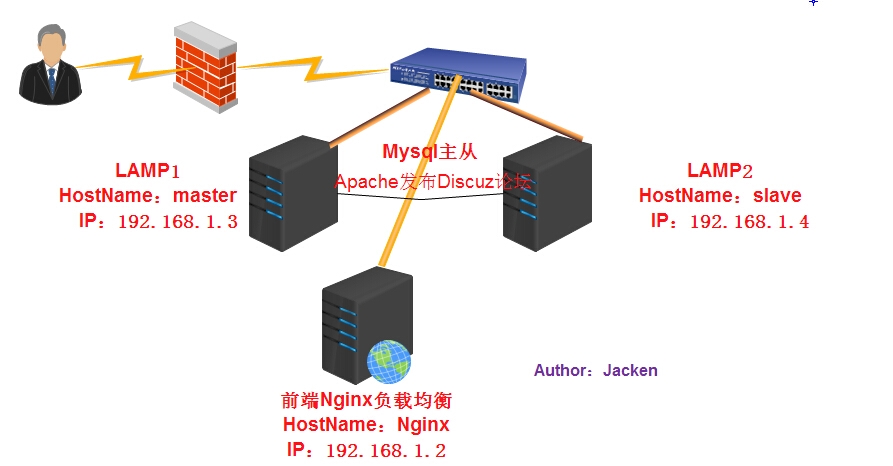
利用nginx均衡两台lamp下Discuz,其中任意一台lamp的web 宕机,不影响discuz的使用!
实验拓扑:
实验环境:
服务器 主机名 IP地址
Nginx服务器 nginx 192.168.1.2
Discuz论坛(主mysql) master 192.168.1.3
Discuz论坛(从mysql) slave 192.168.1.4
Mysql主从授权账户为”tongbu” 密码为”123456”
所有的服务器均是Centos 6.5 x86_x64
实验步骤:
一、安装Nginx服务器
1、安装环境依赖包
|
1
|
[[email protected] ~]# yum -y install pcre pcre-devel gcc openssl-devel
|
2、下载Nginx并安装
|
1
2
3
4
5
6
7
8
9
10
11
|
[[email protected] ~]# wget http://nginx.org/download/nginx-1.6.3.tar.gz
[[email protected] ~]# tar -zxf nginx-1.6.3.tar.gz
[[email protected] ~]# cd nginx-1.6.3
[[email protected] nginx-1.6.3]# ./configure--prefix=/usr/local/nginx --with-http_stub_status_module --with-http_ssl_module
[[email protected] ~]#make && make install
[[email protected] nginx-1.6.3]#/usr/local/nginx/sbin/nginx ##启动Nginx
[[email protected] nginx-1.6.3]# ps -ef | grepnginx
root 4432 1 0 22:12 ? 00:00:00 nginx: master process/usr/local/nginx/sbin/nginx
nobody 4433 4432 0 22:12 ? 00:00:00 nginx: worker process root 4437 2037 0 22:12 pts/2 00:00:00 grep nginx
[[email protected] nginx-1.6.3]#
|
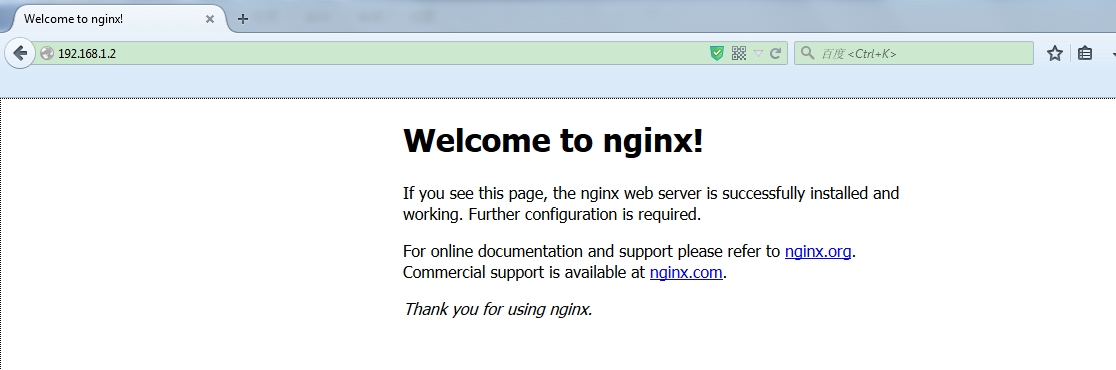
Nginx安装成功!
二、在主机master上安装lamp环境!
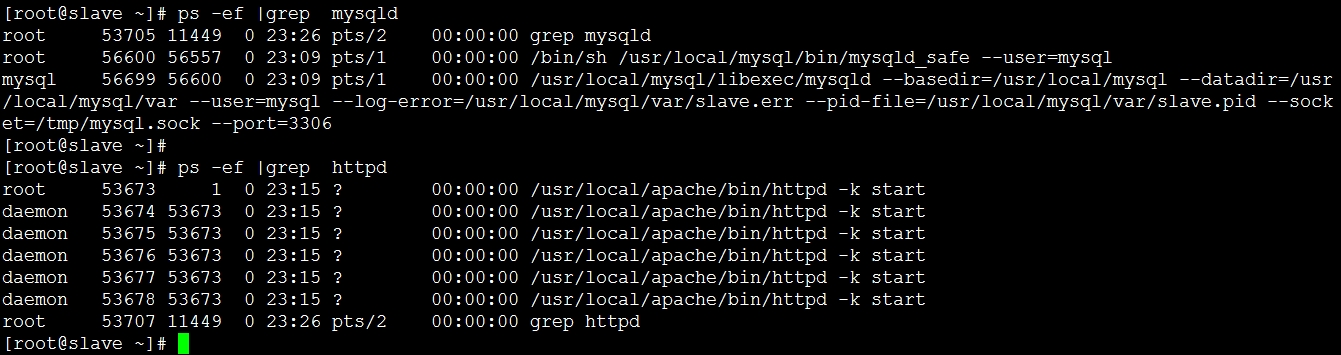
执行脚本Auto_Install_Discuz_V2.sh,选择7 构建LAMP平台!脚本文件在附件当中,内容可参加<<Linux Shell实战之二一键安装Discuz_v2>>
|
1
2
3
4
5
6
7
|
[[email protected] ~]#./Auto_Install_Discuz_V2.sh
1) Yum install Environment 6) Integrate Php and Mysql
2) Install Apache 7) AutomaticInstall LAMP3) Install Mysql 8) ConfigureDiscuz4) Configure Mysql 9) Automatic InstallALL5) Install Php 10) ExitPlease Enter Your choose: 7 |
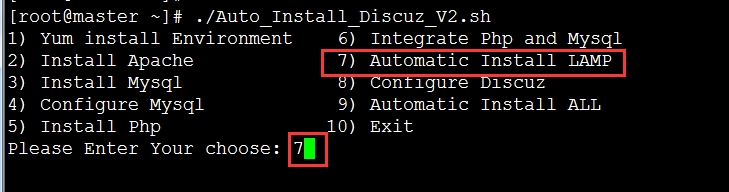
脚本中定义的数据库名、数据库用户名、数据库密码都为discuz
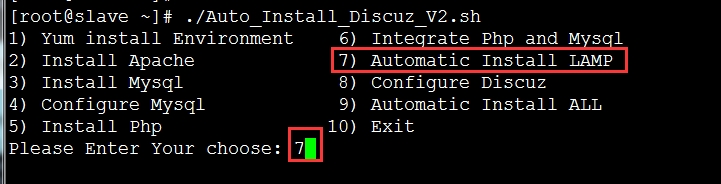
执行脚本Auto_Install_Discuz_V2.sh选择7 构建LAMP平台!
四、做mysql主从!
在master上:
默认bin-log和server-id已经开启无需设置!
进入mysql,新建操作主从的用户!
|
1
2
3
4
5
6
7
8
9
10
11
12
13
14
15
|
mysql> grant replication slave on *.* to'tongbu'@'%' identified by '123456';
Query OK, 0 rows affected (0.00 sec)
mysql> flush privileges;
Query OK, 0 rows affected (0.00 sec)
mysql> show master status;+------------------+----------+--------------+------------------+
| File | Position | Binlog_Do_DB |Binlog_Ignore_DB |+------------------+----------+--------------+------------------+
| mysql-bin.000003 | 325 | | |+------------------+----------+--------------+------------------+
1 row in set (0.00 sec)
mysql> |
在slave上:
把/etc/my.cnf中的server-id改为2 然后重启musql
|
1
2
3
|
[[email protected] ~]# pkill mysqld
[[email protected] ~]#/usr/local/mysql/bin/mysqld_safe --user=mysql &
[[email protected] ~]# /usr/local/mysql/bin/mysql
|
|
1
2
3
4
5
6
7
8
9
10
11
12
13
14
15
16
17
18
19
20
21
22
23
24
25
26
27
28
29
30
31
32
33
34
35
36
37
38
39
40
41
42
43
44
45
46
47
48
49
50
51
52
53
54
55
56
|
mysql> change master tomaster_host='192.168.1.3',
-> master_user='tongbu',
-> master_password='123456',
-> master_log_file='mysql-bin.000003',
-> master_log_pos=325;
Query OK, 0 rows affected (0.03 sec)
mysql> slave start;Query OK, 0 rows affected (0.00 sec)
mysql> show slave status \G;*************************** 1. row*************************** Slave_IO_State: Waiting formaster to send event
Master_Host: 192.168.1.3
Master_User: tongbu
Master_Port: 3306
Connect_Retry: 60
Master_Log_File: mysql-bin.000003
Read_Master_Log_Pos: 325
Relay_Log_File:slave-relay-bin.000003
Relay_Log_Pos: 251
Relay_Master_Log_File: mysql-bin.000003
Slave_IO_Running: Yes
Slave_SQL_Running: Yes
Replicate_Do_DB:
Replicate_Ignore_DB:
Replicate_Do_Table:
Replicate_Ignore_Table:
Replicate_Wild_Do_Table:
Replicate_Wild_Ignore_Table:
Last_Errno: 0
Last_Error:
Skip_Counter: 0
Exec_Master_Log_Pos: 325
Relay_Log_Space: 406
Until_Condition: None
Until_Log_File:
Until_Log_Pos: 0
Master_SSL_Allowed: No
Master_SSL_CA_File:
Master_SSL_CA_Path:
Master_SSL_Cert:
Master_SSL_Cipher:
Master_SSL_Key:
Seconds_Behind_Master: 0
Master_SSL_Verify_Server_Cert: No
Last_IO_Errno: 0
Last_IO_Error:
Last_SQL_Errno: 0
Last_SQL_Error:
1 row in set (0.01 sec)
ERROR:No query specified
mysql> |
测试主从:
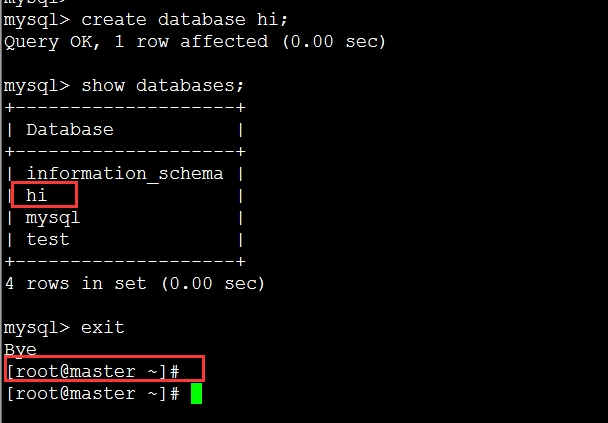
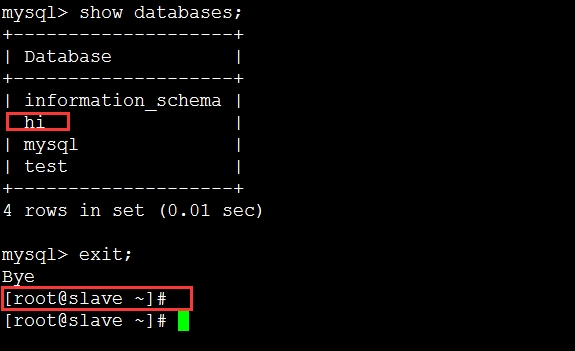
在master上创建一个数据库hi,slave上已同步,主从构建成功!
五、在master上安装discuz论坛
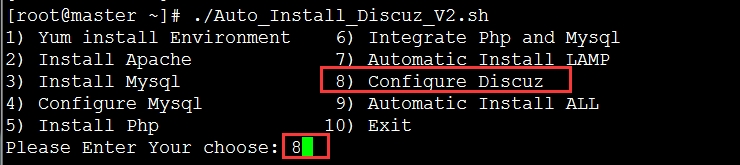
直接利用脚本安装配置Discuz!
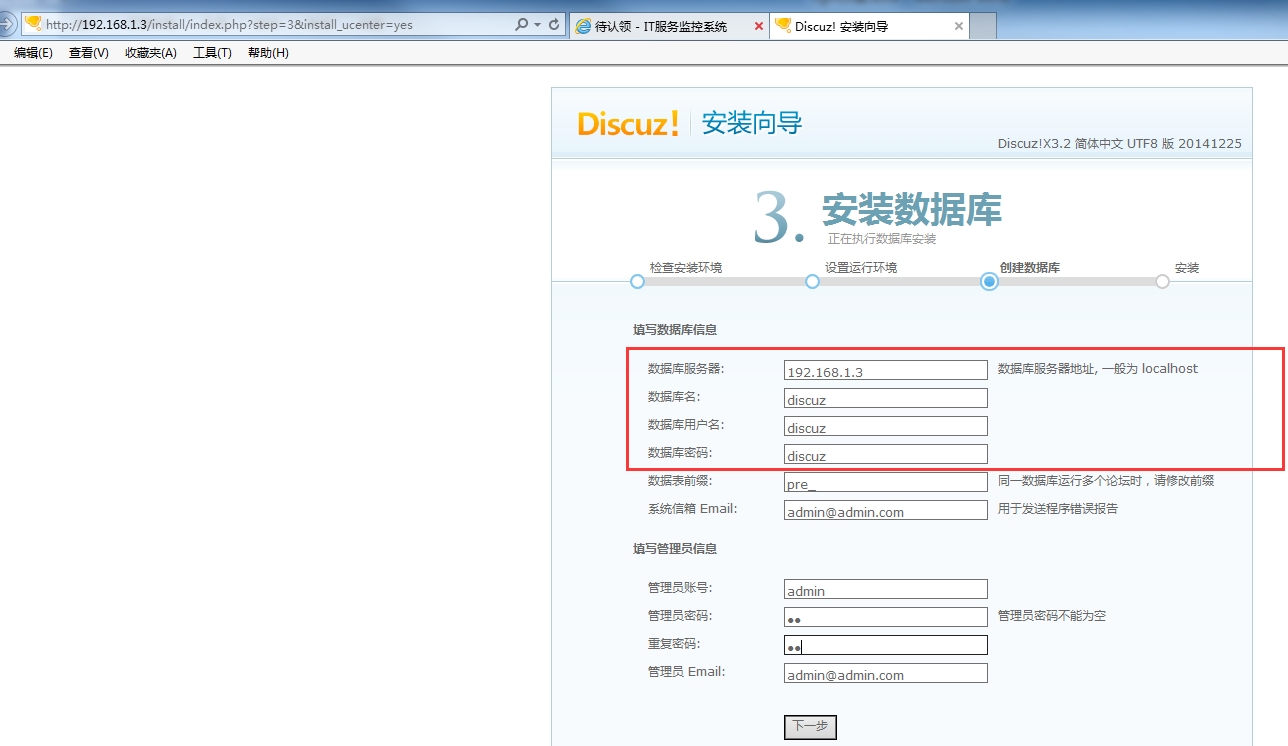
脚本中的数据库名、用户名、密码均为”discuz”
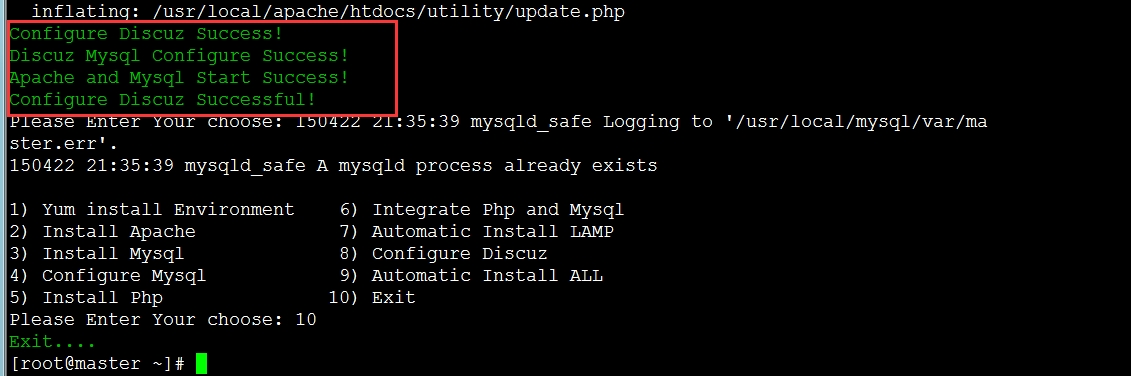
开始安装discuz
master上授权(因为脚本中是只允许localhost)
|
1
2
|
Query OK, 0 rows affected (0.02 sec)
|
这里一定要注意,数据库服务器地址可以写为localhost,但是拷贝discuz论坛文件到mysql从服务器上web发布目录的时候,需要更改discuz配置文件中连接主mysql的IP地址,所以这里建议直接写主服务器的IP地址,这样discuz论坛文件复制到从服务器上的时候,无需更改discuz配置文件。
六、在slave上建立discuz
把master上的apache网站目录打包复制到slave的网络目录再解压(不打包容易出问题)。
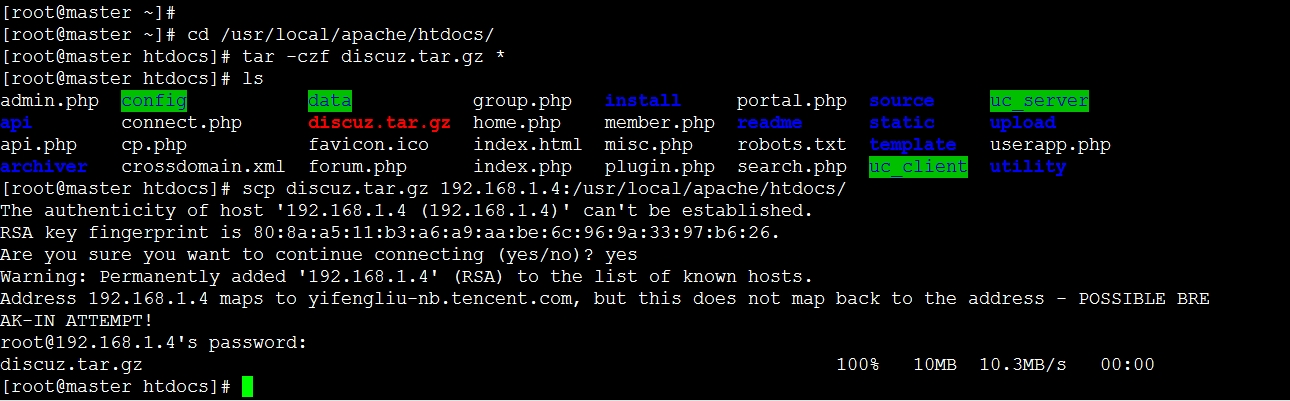
在slave上解压

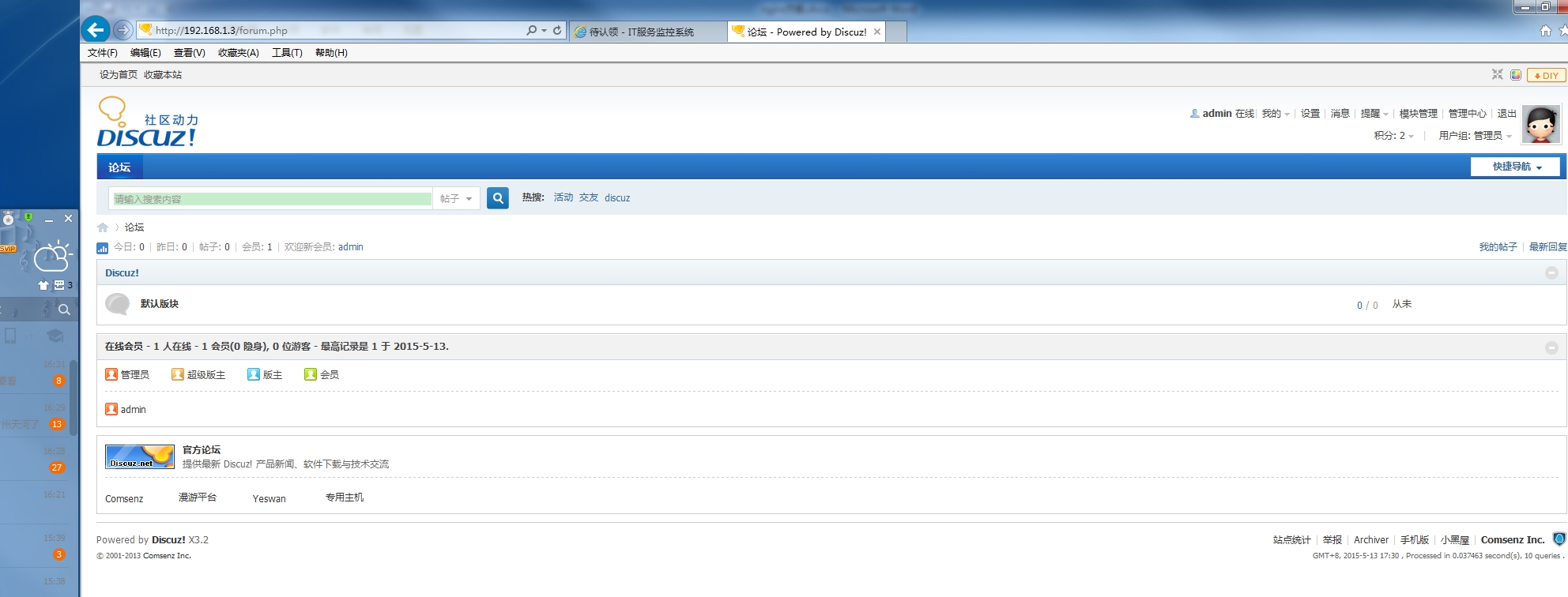
分别登录发贴!
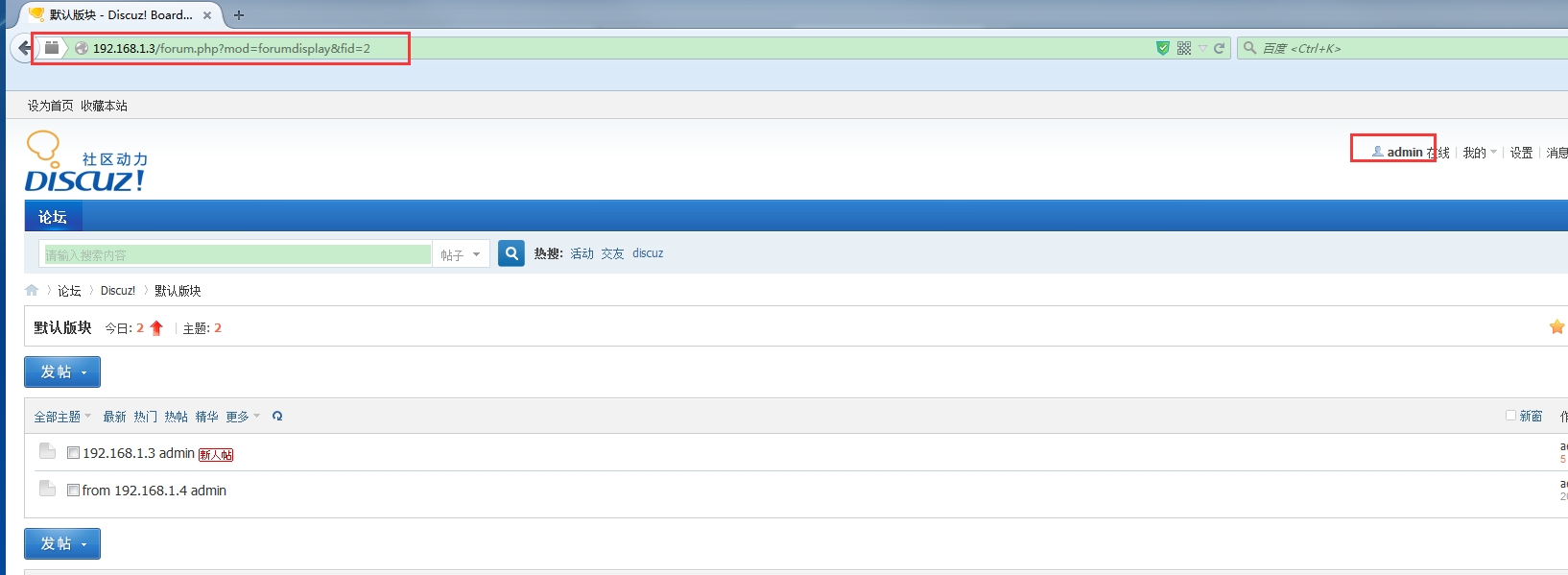
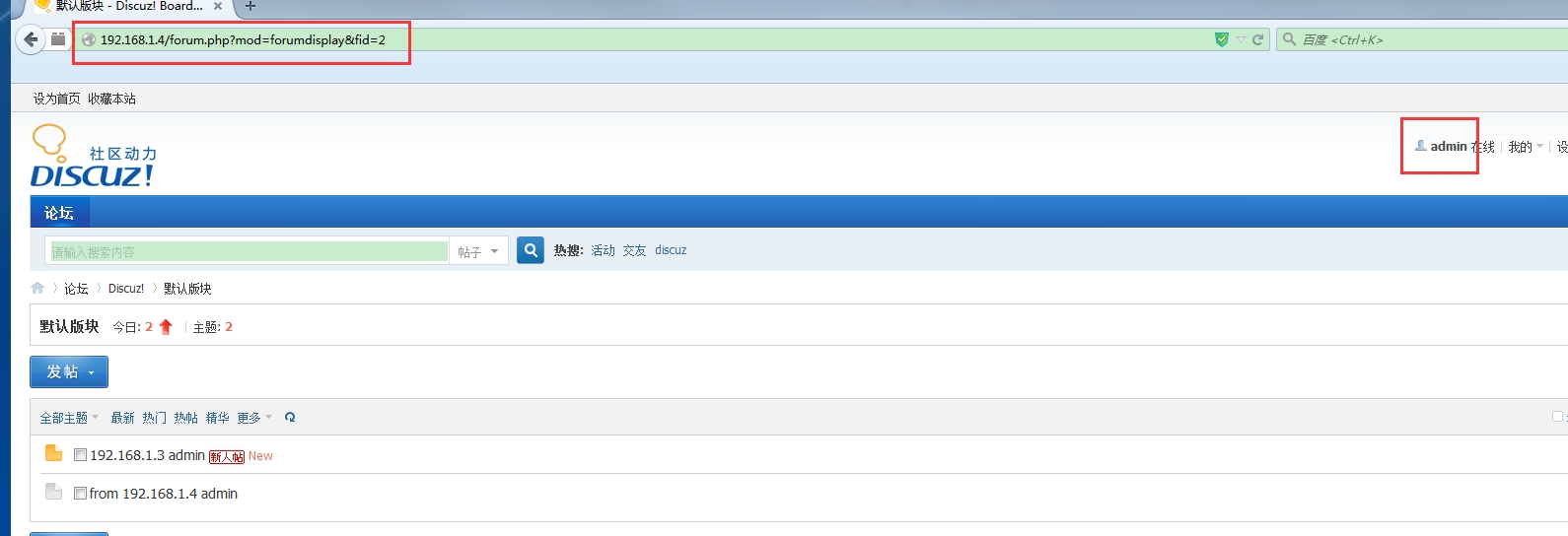
登录master上查看
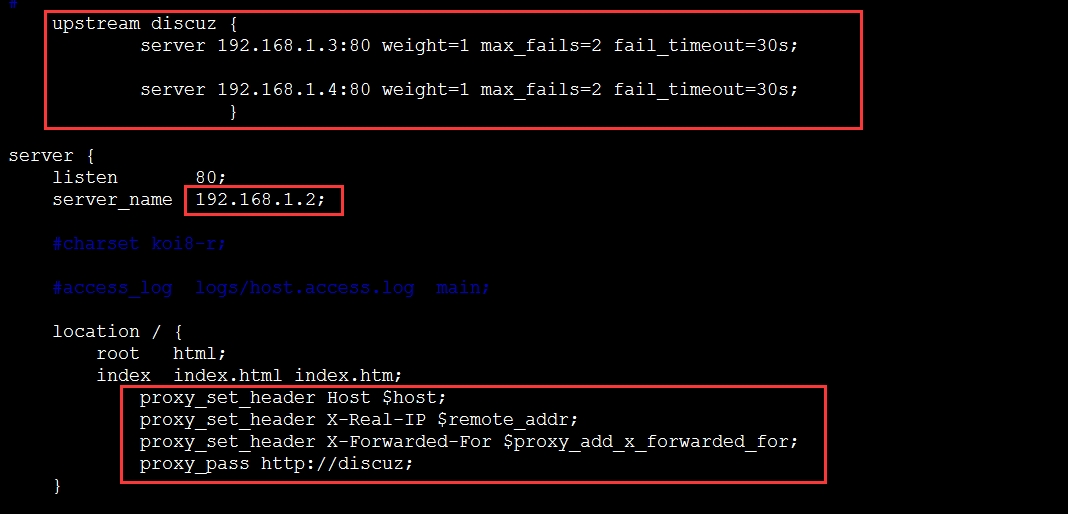
七、Nginx做负载均衡
|
1
|
[[email protected] ~]# vim/usr/local/nginx/conf/nginx.conf
|
在http中添加以下内容:
|
1
2
3
4
5
6
7
8
9
10
11
12
|
upstream discuz { server 192.168.1.3:80 weight=1 max_fails=2 fail_timeout=30s;
server 192.168.1.4:80 weight=1 max_fails=2 fail_timeout=30s;
}
location / { root html;
index index.html index.htm;
proxy_set_header Host $host;
proxy_set_header X-Real-IP $remote_addr;
proxy_set_header X-Forwarded-For $proxy_add_x_forwarded_for;
proxy_pass http://discuz;
}
|
|
1
2
3
4
5
6
7
8
9
10
11
|
[[email protected] ~]# /usr/local/nginx/sbin/nginx-t
nginx: the configuration file/usr/local/nginx/conf/nginx.conf syntax is ok
nginx: configuration file/usr/local/nginx/conf/nginx.conf test is successful
[[email protected] ~]#
[[email protected] ~]# /usr/local/nginx/sbin/nginx-s reload
[[email protected] ~]#
[[email protected] ~]# ps -ef | grep nginx
root 4351 1 0 20:57 ? 00:00:00 nginx: master process/usr/local/nginx/sbin/nginx
nobody 13696 4351 0 23:31 ? 00:00:00 nginx: worker process root 13698 1924 0 23:31 pts/0 00:00:00 grep nginx
[[email protected] ~]#
|
访问nginx服务器测试!
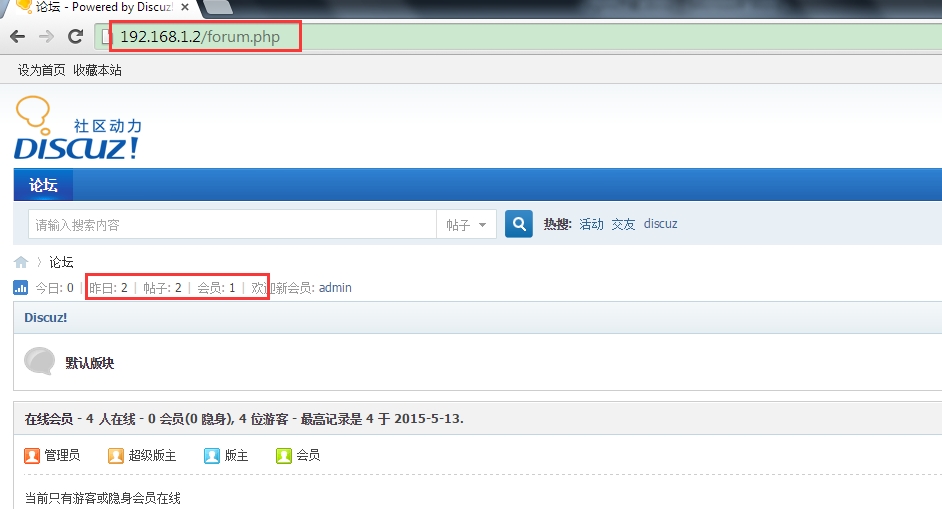
停止master上的http
|
1
2
3
4
5
|
[[email protected] ~]#/usr/local/apache/bin/apachectl stop
[ro[email protected] ~]#
[[email protected] ~]# ps -ef | grep httpd
root 53460 1715 0 23:34 pts/0 00:00:00 grep httpd
[[email protected] ~]#
|
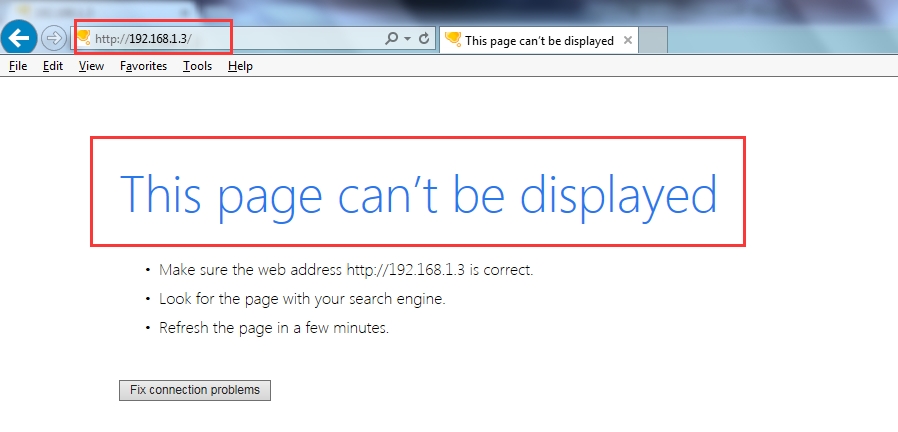
master上的web已经无法访问!
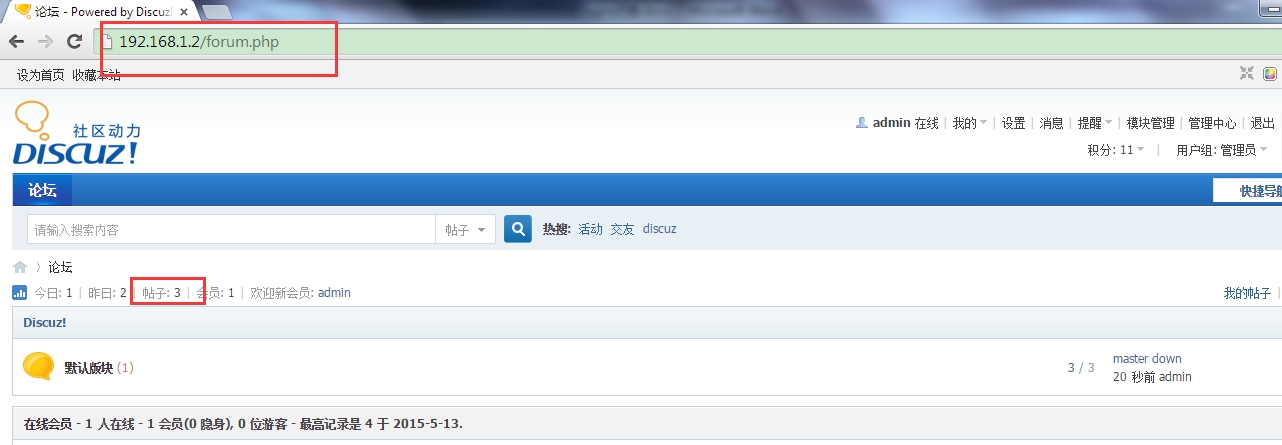
访问nginx可以继续发帖,此时已经指向slave!
至此,实验已经全部结束!至于说如果Nginx服务器挂了,Mysql主服务器挂了,如何保证论坛网站的高可用呢?会在后续博客继续写......
本文转自Jacken_yang 51CTO博客,原文链接:http://blog.51cto.com/linuxnote/1651439,如需转载请自行联系原作者