好吧,我承认官网的邮件配置教程我又没看懂,这里记录下我的配置方法
[[email protected]]# vi /usr/local/lepus/test_send_mail.py
|
1
2
3
4
5
6
7
8
9
10
11
12
13
14
15
16
17
18
19
|
#!/usr/bin/envpython# -*- coding: utf8-*-from datetime import*
import sys
path='./include'
sys.path.insert(0,path)import functions asfunc
#mail_to_list = func.get_option('mail_to_list')send_mail_to_list =func.get_option('send_mail_to_list')
mailto_list=send_mail_to_list.split(';')
result =func.send_mail(mailto_list," I hope you can learn","BeautifulDay")
print resultif result:
send_mail_status = "success"
else:
send_mail_status = "fail"
print"send_mail_status:"+send_mail_status
|
注释掉原有的mail_to_list,添加一行send_mail_to_list =func.get_option('send_mail_to_list')
原有的mailto_list=mail_to_list.split(';')改为mailto_list=send_mail_to_list.split(';')
去申请一个新的126邮箱,选择设置-POP3/SMTP/IMAP-客户端授权密码
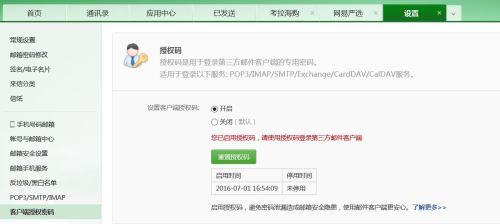
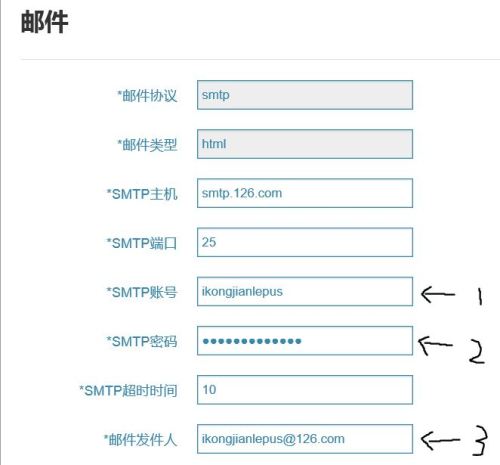
1处填写你刚刚申请的126邮箱账号
2处填写你刚刚开启的客户端授权密码
3处填写你的126邮箱地址
|
1
2
3
|
编译通过
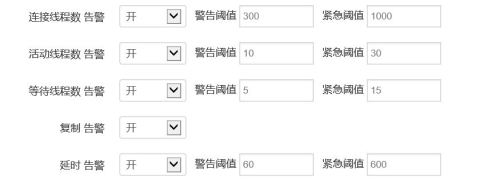
OK,turn on your lepus alert button!~ 适当调低报警阈值,不出10s,你的收件箱应该就收到告警邮件了~
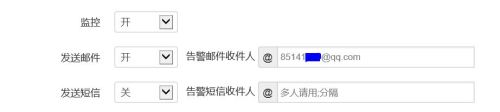
------------------------------慢查询推送配置-------------------------
|
1
2
|
[[email protected] lepus]# yum install links
[[email protected] lepus]# links http://mysqlmtop1.ikongjian.com/index.php/task/send_mysql_slowquery_mail
|
执行上述命令进行测试,这里的web的页面是你自己的监控页面地址请勿直接复制
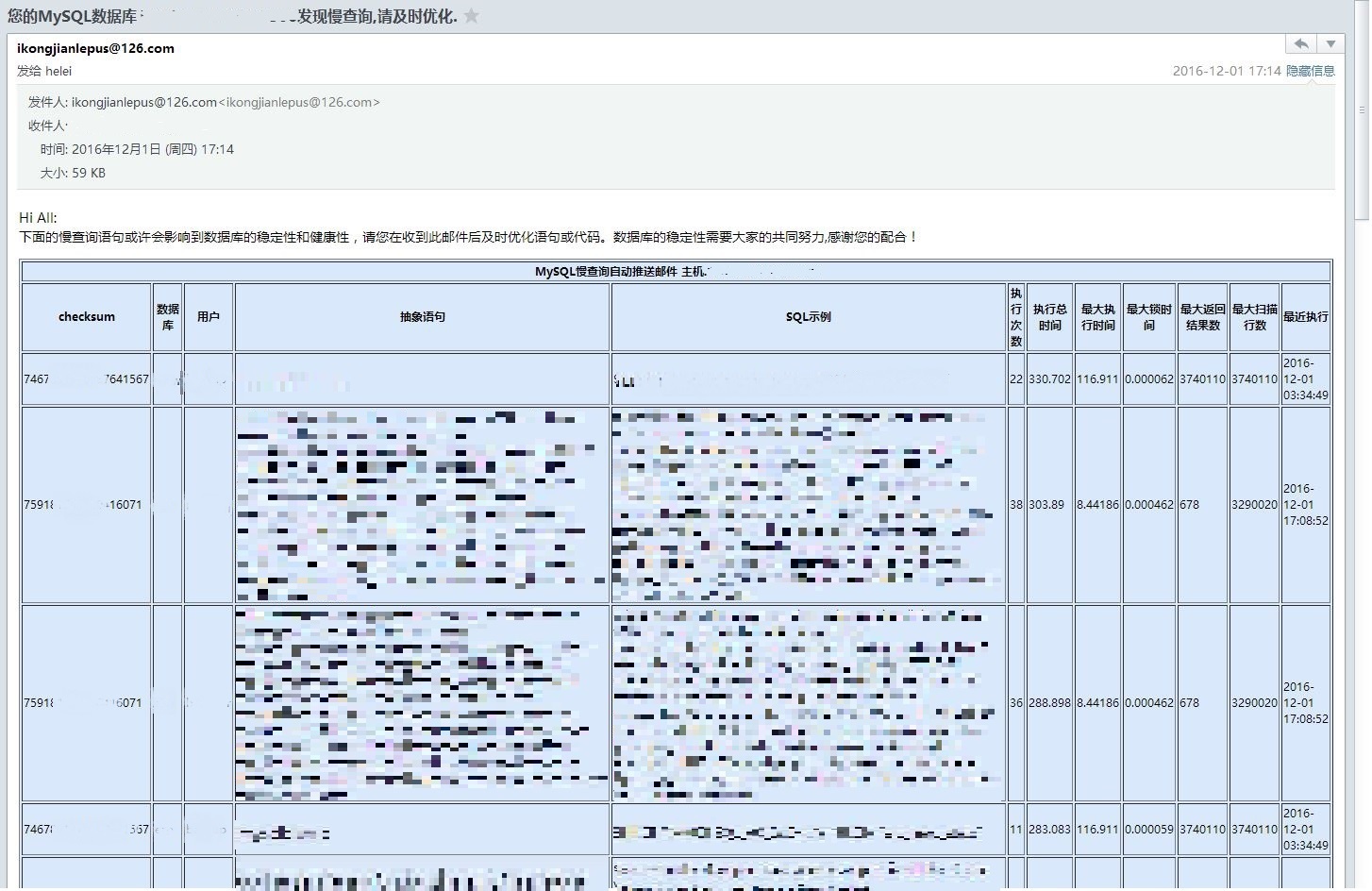
然后将该命令加入执行计划即可
|
1
|
00 08 * * * links http://mysqlmtop1.ikongjian.com/index.php/task/send_mysql_slowquery_mail > /dev/null 2>&1
|
本文转自 dbapower 51CTO博客,原文链接:http://blog.51cto.com/suifu/1795014,如需转载请自行联系原作者