1、Windows Server Backup系统默认是有的,但这时还不能备份,必须要在功能里面添加该功能;

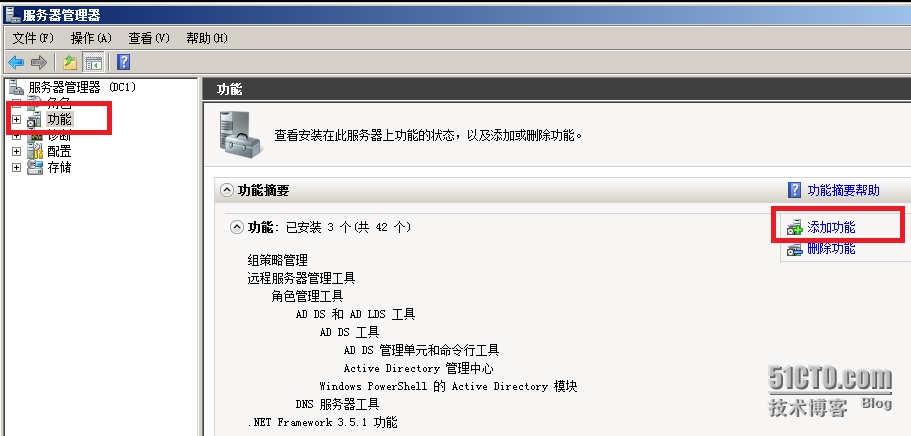
2、打开“服务器管理器”,选择“功能”,在右边,选择“添加功能”;
3、在选择功能对话框中选中“Windows Server Backup功能”,选择“下一步”;

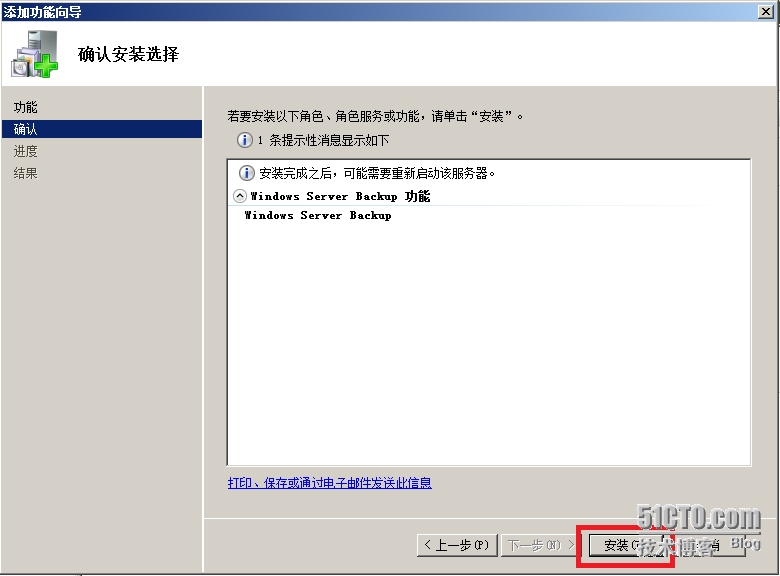
4、选中“安装”选项卡;
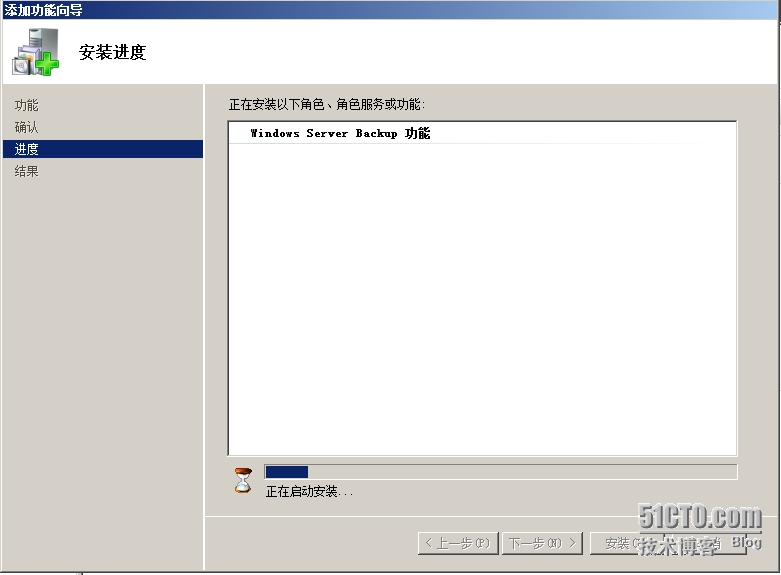
5、正在安装;
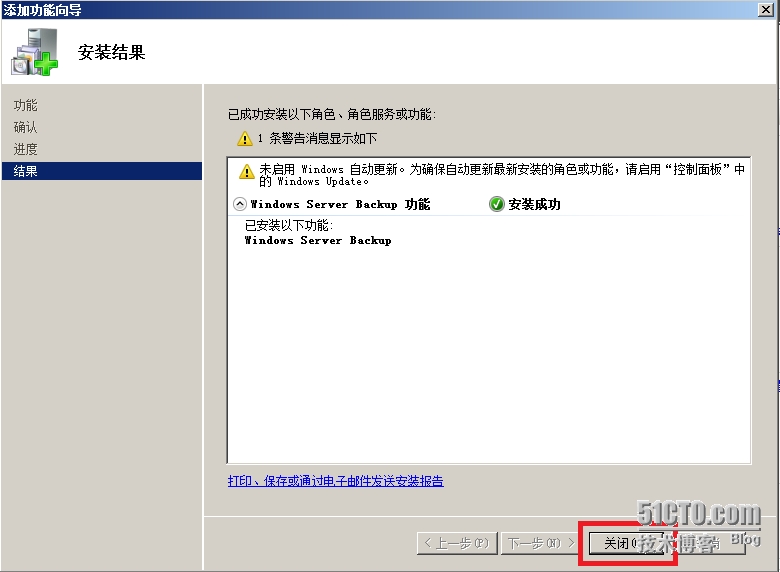
6、安装完成,选择“关闭”;
本文转自 as900 51CTO博客,原文链接:http://blog.51cto.com/yupeizhi/1586316,如需转载请自行联系原作者
1、Windows Server Backup系统默认是有的,但这时还不能备份,必须要在功能里面添加该功能;
2、打开“服务器管理器”,选择“功能”,在右边,选择“添加功能”;
3、在选择功能对话框中选中“Windows Server Backup功能”,选择“下一步”;
4、选中“安装”选项卡;
5、正在安装;
6、安装完成,选择“关闭”;
本文转自 as900 51CTO博客,原文链接:http://blog.51cto.com/yupeizhi/1586316,如需转载请自行联系原作者
相关文章: