【效果图】
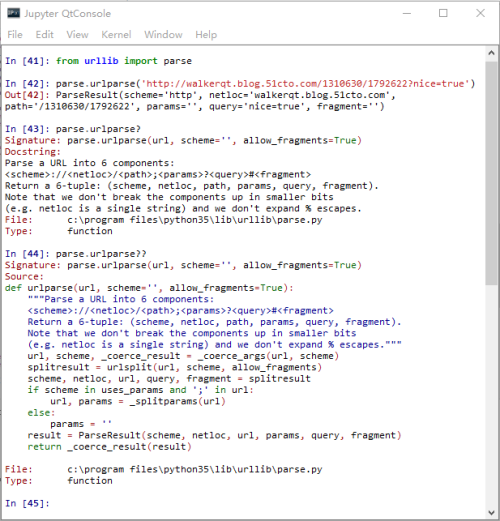
walker喜欢的功能:代码补全,一个问号(?)给出注释,两个问号浏览代码。
【环境】
Windows7 x64,Python 3.5。
【步骤】
1、安装ipython。
|
1
|
pip3 install ipython -i https://pypi.doubanio.com/simple/
|
2、安装pyreadline。
|
1
|
pip3 install pyreadline -i https://pypi.doubanio.com/simple/
|
3、安装jupyter
|
1
|
pip3 install jupyter -i https://pypi.doubanio.com/simple/
|
4、安装pyqt。
|
1
|
pip3 install pyqt5 -i https://pypi.doubanio.com/simple/
|
5、启动。
|
1
|
jupyter qtconsole |
6、用bat文件避开黑框控制台。(过时)
|
1
2
3
4
5
6
|
@echo off
if "%1"=="h" goto begin
start mshta vbscript:createobject("wscript.shell").run("""%~nx0"" h",0)(window.close)&&exit :beginjupyter qtconsole |
*** 2016-07-11 ***
walker发现最新版本的组件直接启动 Python35\Scripts 下的 jupyter-qtconsole.exe 即可没有黑框。
相关阅读:
3、可选镜像站:https://pypi.doubanio.com/simple/
*** walker * 2016-06-24 ***
本文转自walker snapshot博客51CTO博客,原文链接http://blog.51cto.com/walkerqt/1792622如需转载请自行联系原作者
RQSLT