环境:Centos 6.4(最小化安装)
Oracle 11g R2(11.2.0.4)

IP规划:
| Node | Public IP(Bond0) | Heartbeat(eth2) | Private IP | System |
hostname | Memory |
RAC1 |
192.168.100.241/24 |
192.168.90.1/24 |
eth3:192.168.80.1/24 |
CentOS6.4 |
rac1.example.com | 3G |
| RAC2 | 192.168.100.242/24 |
192.168.90.2/24 |
eth3:192.168.80.1/24 |
CentOS6.4 |
rac2.example.com |
3G |
| Storage | - | - |
bond0:192.168.80.3/24 |
CentOS6.4 |
iscsi |
512M |
Storage磁盘规划:
| 存储组件 | 文件系统 |
卷大小 |
ASM卷组名 |
ASM冗余 |
ASM磁盘组 |
| OCR/表决磁盘 | ASM |
2G |
+CRS |
External | DISK1 |
| 数据库文件 |
ASM |
40G |
+RACDB_DATA |
External |
DISK2 |
| 快速恢复区 | ASM |
40G |
+FRA |
External |
DISK3 |
利用ISCSI搭建后台存储
[[email protected] ~]# tgt-admin -s|grep -i target
Target 1: iqn.disk1
Target 2: iqn.disk2
Target 3: iqn.disk3
[[email protected] ~]#
rac1和rac2挂载后分区
[[email protected] software]# fdisk -l|grep sd|tail -n 3
Disk /dev/sdb: 2147 MB, 2147483648 bytes
Disk /dev/sdc: 42.9 GB, 42949672960 bytes
Disk /dev/sdd: 42.9 GB, 42949672960 bytes
[[email protected] software]#
[[email protected] ~]# hostname
rac1.example.com
[[email protected] ~]#
[[email protected] ~]# hostname
rac2.example.com
[[email protected] ~]#
[[email protected] ~]# ping rac2.example.com -c 3
PING rac2 (192.168.100.242) 56(84) bytes of data.
64 bytes from rac2 (192.168.100.242): icmp_seq=1 ttl=64 time=0.622 ms
64 bytes from rac2 (192.168.100.242): icmp_seq=2 ttl=64 time=0.369 ms
在rac1和rac2上需要做地址解析
[[email protected] ~]# tail -n 19 /etc/hosts
#Public Network
192.168.100.241rac1rac1.example.com
192.168.100.242 rac2rac2.example.com
#Public Virtual IP (VIP) addresses
192.168.100.244rac1-vip
192.168.100.245rac2-vip
#Single Client Access Name (SCAN)
192.168.100.246racscan
#Private Interconnect
192.168.90.1 rac1-priv
192.168.90.2 rac2-priv
#Private Storage Network
192.168.80.1 rac1-s
192.168.80.2 rac2-s
192.168.80.3 iscsi
[[email protected] ~]#
关闭防火墙和Selinux
要求:内存至少2G,swap:16GB内存以内内存的1.5或者1倍,16GB内存以上设置16GB
[[email protected] software]# uname -a
Linux rac1 2.6.32-358.el6.x86_64 #1 SMP Fri Feb 22 00:31:26 UTC 2013 x86_64 x86_64 x86_64 GNU/Linux
[[email protected] ~]#
[[email protected] ~]# ntpdate time.windows.com
[[email protected] ~]# df -h|grep shm
tmpfs                  10G     0   10G   0% /dev/shm
[[email protected] ~]#

[[email protected] ~]# yum -y install binutils* elfutils-libelf* compat-libstdc++* compat-libcap1* gcc gcc-c++ ksh libaio* libgcc* libstdc++* make* sysstat unixODBC* glibc*
[[email protected] ~]# rpm -ivh pdksh-5.2.14-1.i386.rpm --nodeps --force
[[email protected] ~]# yum -y install xhost
[[email protected] ~]# groupadd oinstall
[[email protected] ~]# groupadd dba
[[email protected] ~]# groupadd oper
[[email protected] ~]# groupadd asmadmin
[[email protected] ~]# groupadd asmoper
[[email protected] ~]# groupadd asmdba
[[email protected] ~]# useradd -g oinstall -G asmadmin,asmdba,asmoper,dba grid
[[email protected] ~]# useradd -g oinstall -G dba,asmdba,oper oracle
[[email protected] ~]# tail -n 12 /etc/security/limits.conf         //资源限制
#for oracle
oracle soft nproc 2047
oracle hard nproc 16384
oracle soft nofile 1024
oracle hard nofile 65536
oracle soft stack 10240
#for grid
grid soft nproc 2047
grid hard nproc 16384
grid soft nofile 1024
grid hard nofile 65536
grid soft stack 10240
[[email protected] ~]#
[[email protected] ~]# tail -n 2 /etc/pam.d/login
#oracle
session   requiredpam_limits.so
[[email protected] ~]#
[[email protected] ~]# tail -n 12 /etc/sysctl.conf
#oracle
fs.aio-max-nr = 1048576
fs.file-max = 6815744
kernel.shmall = 2097152
kernel.shmmax = 4294967295
kernel.shmmni = 4096
kernel.sem = 250 32000 100 128
net.ipv4.ip_local_port_range = 9000 65500
net.core.rmem_default = 262144
net.core.rmem_max = 4194304
net.core.wmem_default = 262144
net.core.wmem_max = 1048576
[[email protected] ~]#
[[email protected] ~]# mkdir -p /u01/app/grid
[[email protected] ~]# mkdir -p /u01/app/11.2.0/grid
[[email protected] ~]# chown -R grid:oinstall /u01
[[email protected] ~]# mkdir -p /u01/app/oracle
[[email protected] ~]# chown -R oracle:oinstall /u01/app/oracle
[[email protected] ~]# chmod -R 775 /u01
[[email protected] ~]# mkdir /oradata
[[email protected] ~]# su - oracle
[[email protected] ~]$ tail -n 8 .bash_profile
#oracle
export ORACLE_BASE=/u01/app/oracle
export ORACLE_SID=racdb1
export ORACLE_HOME=$ORACLE_BASE/product/11.2.0/db_1
export LD_LIBARY_PATH=$ORACLE_HOME/lib
export PATH=$ORACLE_HOME/bin:$PATH
export ORACLE_UNQNAME=racdb
umask 022
[[email protected] ~]$ source .bash_profile
[[email protected] ~]$ echo $ORACLE_HOME
/u01/app/oracle/product/11.2.0/db_1
[[email protected] ~]$ echo $ORACLE_BASE
/u01/app/oracle
[[email protected] ~]$
[[email protected] ~]$ tail -n 7 .bash_profile
#oracle
export ORACLE_BASE=/u01/app/grid
export ORACLE_SID=+ASM1
export ORACLE_HOME=/u01/app/11.2.0/grid
export LD_LIBRARY_PATH=$ORACLE_HOME/lib
export PATH=$ORACLE_HOME/bin:$PATH
umask 022
[[email protected] ~]$ source .bash_profile
[gr[[email protected] ~]$ echo $ORACLE_BASE
/u01/app/grid
[[email protected] ~]$ echo $ORACLE_HOME
/u01/app/11.2.0/grid
[[email protected] ~]$
[[email protected] ~]$ grep SID .bash_profile
export ORACLE_SID=+ASM2
[[email protected] ~]$
[[email protected] ~]$ grep SID .bash_profile
export ORACLE_SID=racdb2
[[email protected] ~]$
以上步骤第二个节点也同样操作
配置SSH互信:
[[email protected] sshsetup]$ pwd
/software/grid/sshsetup
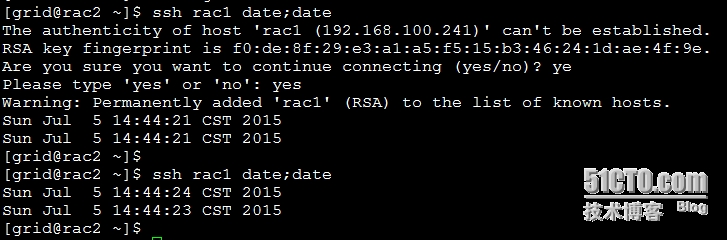
[[email protected] sshsetup]$ ./sshUserSetup.sh -user grid -hosts rac2.example.com -advanced -exverify -confirm -noPromptPassphrase
[[email protected] sshsetup]$


检查下会不会出现下面的情况。如果出现在测试SSH互信时会包INS-06006的错误



安装cvuqdisk,发现共享磁盘(rac1和rac2都安装)
[[email protected] ~]# CVUQDISK_GRP=oinstall && export CVUQDISK_GRP
[[email protected] software]# yum -y install smartmontools
[[email protected] software]# yum -y install cvuqdisk-1.0.9-1.rpm
使用UDEV绑定ASM
[[email protected] ~]# echo "options=--whitelisted --replace-whitespace"  >> /etc/scsi_id.config
declare -i num =0
for i in b c d;
do
let num=$num+1
echo "KERNEL==\"sd*\", BUS==\"scsi\", PROGRAM==\"/sbin/scsi_id --whitelisted --replace-whitespace --device=/dev/\$name\", RESULT==\"`/sbin/scsi_id --whitelisted --replace-whitespace --device=/dev/sd$i`\", NAME=\"asm-disk$num\", OWNER=\"grid\", GROUP=\"asmadmin\", MODE=\"0660\"" >> /etc/udev/rules.d/12-oracle-asmdevices.rules
done
[[email protected] ~]# start_udev
Starting udev:                                             [  OK  ]
[[email protected] ~]#

固化磁盘后Linux就无法读取到/dev/sdb、/dev/sdc、/dev/sdd了,在rac1上固化磁盘后,rac2上也需要执行下上面的脚本,注意匹配PROGRAM的值,需要与节点一的相同
注:如果使用UDEV绑定磁盘后所属组不是asmadmin,需要手动改下,否则在创建数据库(dbca)时会报错,如下图:

[[email protected] ~]# chown grid:asmadmin /dev/asm-disk*
[[email protected] ~]# echo "chown grid:asmadmin /dev/asm-disk*" >>/etc/rc.local
更改后:

用grid用户登录
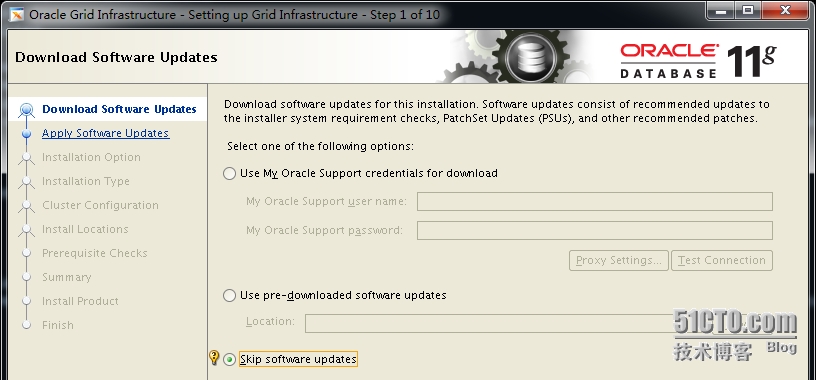
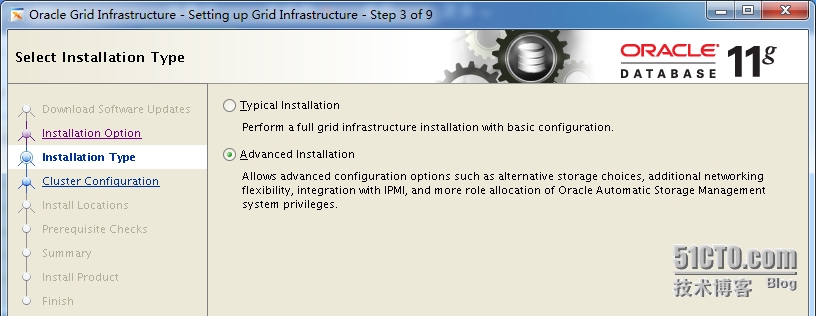
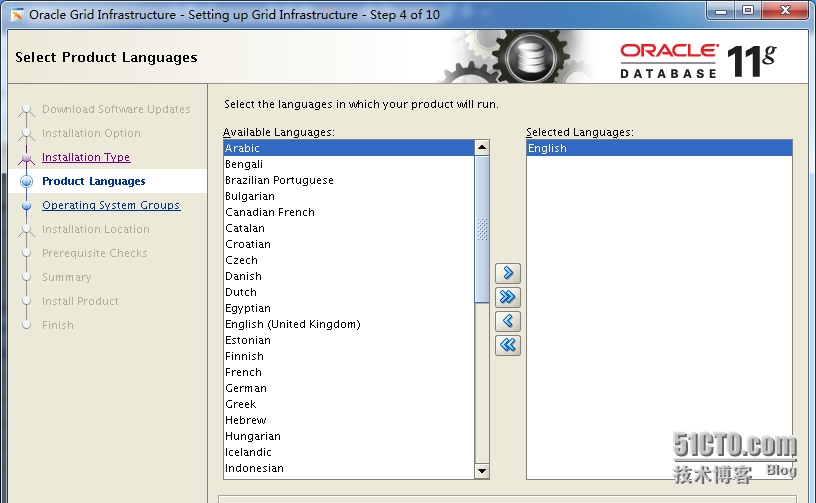
[[email protected] grid]$ export DISPLAY=192.168.100.251:0.0
[[email protected] grid]$ ./runInstaller

需要在/etc/hosts里面解析racscan,否则会报:
[INS-40718] Single Client Access Name (SCAN):RACSCAN1 could not be resolved.
但racscan不是真实存在的地址

Test和Setup均能通过
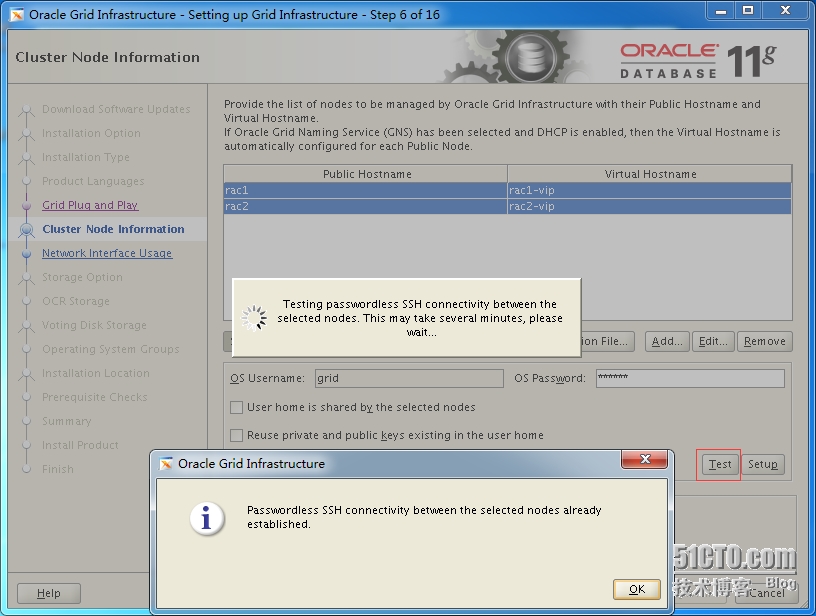
[INS-40912] Virtual host name: rac1-vip is assigned to another system on the network.
如果出现上面的报错信息,看下/etc/hosts里面的Virtual IP是否存在,ping一下

参考:https://community.oracle.com/thread/2594182
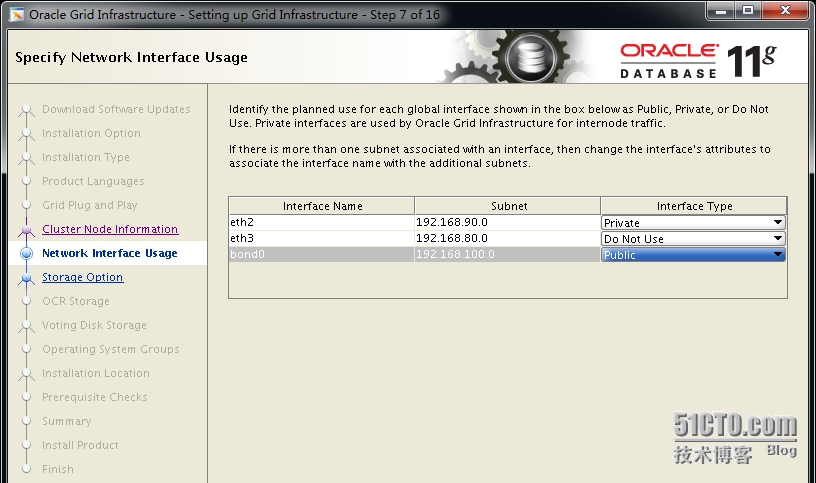
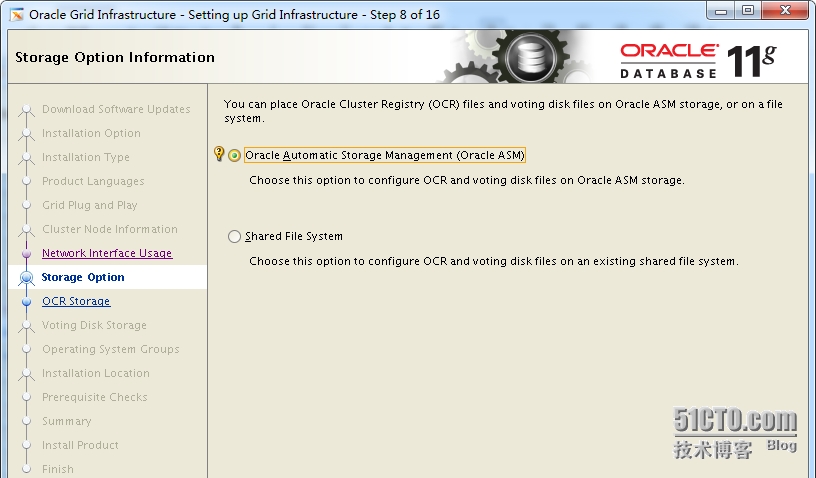
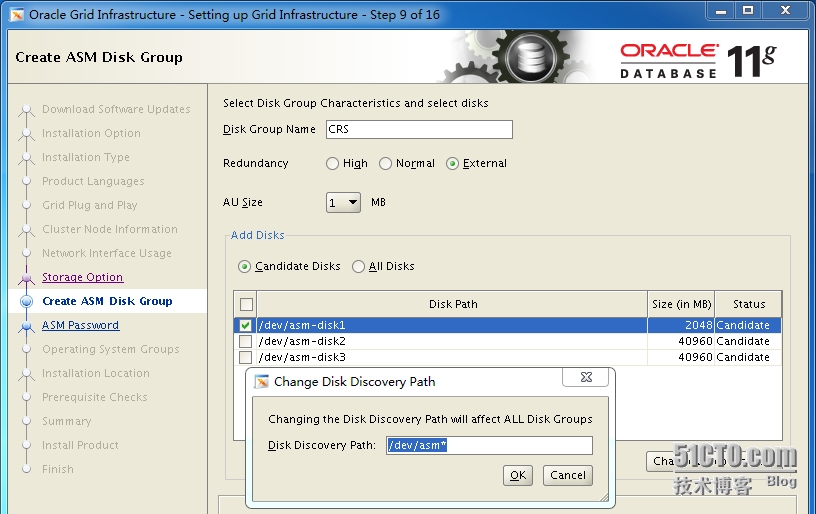

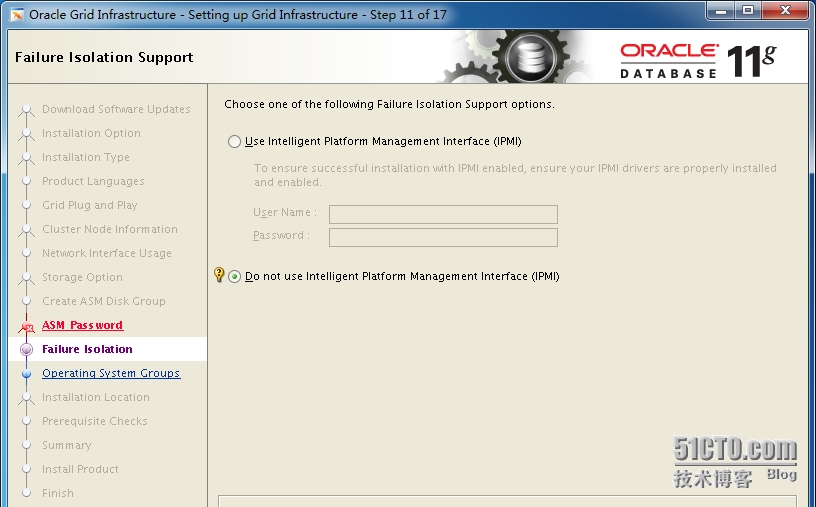

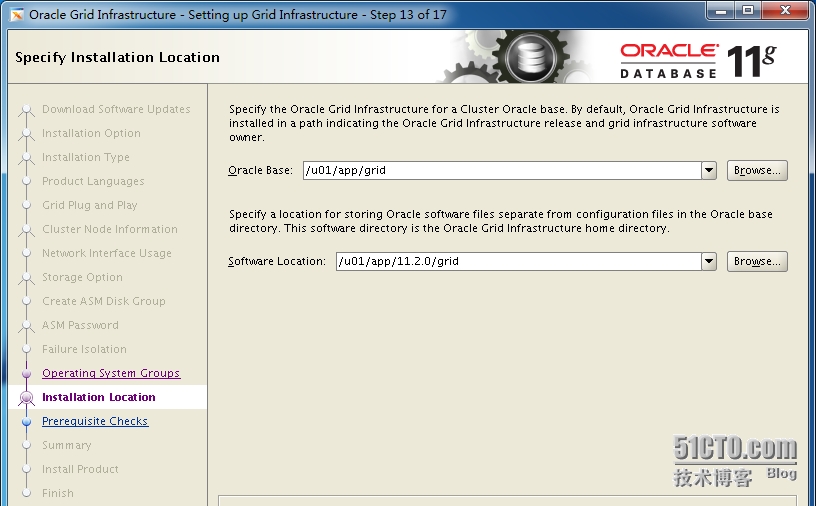
在grid用户的环境变量,$ORACLE_HOME不能是$ORACLE_BASE子目录,否则会报错:
ORACLE 11G RAC [INS-32026] The Software Location specified should not

这里使用是的udev绑定,可以忽略

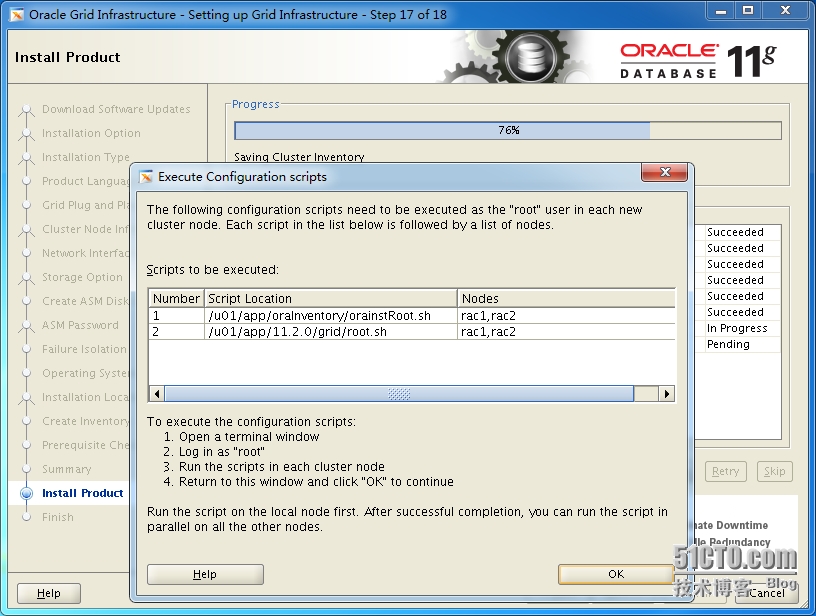
[[email protected] ~]# /u01/app/oraInventory/orainstRoot.sh
Changing permissions of /u01/app/oraInventory.
Adding read,write permissions for group.
Removing read,write,execute permissions for world.
Changing groupname of /u01/app/oraInventory to oinstall.
The execution of the script is complete.
[[email protected] ~]#
[[email protected] ~]# /u01/app/11.2.0/grid/root.sh
执行上面这个脚本如果报下面的错误
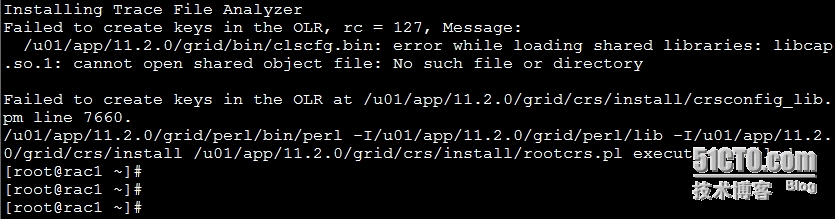
解决方法:
[[email protected] ~]# yum -y install compat-libcap1*
再执行/u01/app/11.2.0/grid/root.sh就没问题了
在rac1和rac2上都执行下↑↑↑(/u01/app/oraInventory/orainstRoot.sh和/u01/app/11.2.0/grid/root.sh)
在Install Product过程中如果出现下面的情况:(忽略)
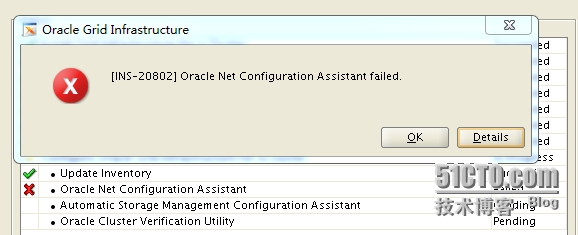
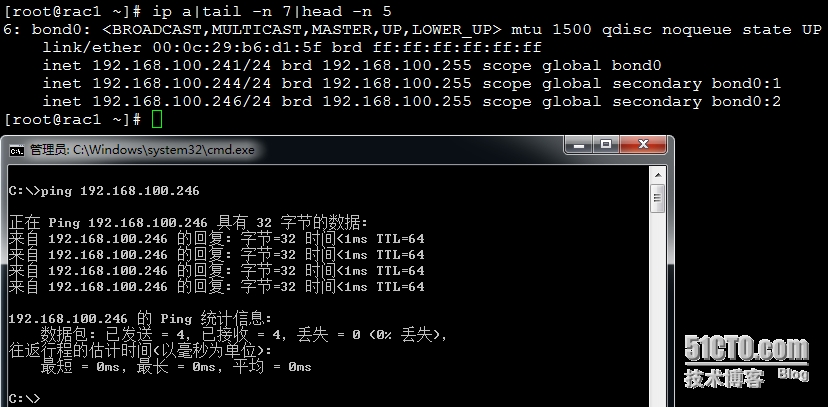
如果出现这个错误且能ping通racscan地址(192.168.100.246),则可忽略


[[email protected] grid]$ crsctl check crs             //检查crs状态
CRS-4638: Oracle High Availability Services is online
CRS-4537: Cluster Ready Services is online
CRS-4529: Cluster Synchronization Services is online
CRS-4533: Event Manager is online
[[email protected] grid]$ olsnodes -n                //打印节点编号和节点名
rac11
rac22
[[email protected] grid]$ crsctl check ctss          //检测ctss状态
CRS-4701: The Cluster Time Synchronization Service is in Active mode.
CRS-4702: Offset (in msec): 0
[[email protected] grid]$ srvctl status asm -a        //显示指定数据库当前状态
ASM is running on rac2,rac1
ASM is enabled.
[[email protected] grid]$ ocrcheck                    //显示注册Oracle集群的健康状态
Status of Oracle Cluster Registry is as follows :
  Version                  :          3
  Total space (kbytes)     :     262120
  Used space (kbytes)      :       2592
  Available space (kbytes) :     259528
  ID                       : 1975731354
  Device/File Name         :       +CRS
                                    Device/File integrity check succeeded
                                    Device/File not configured
                                    Device/File not configured
                                    Device/File not configured
                                    Device/File not configured
  Cluster registry integrity check succeeded
  Logical corruption check bypassed due to non-privileged user
[[email protected] grid]$ crsctl query css votedisk          //查看votedisk磁盘位置
##  STATE    File Universal Id                File Name Disk group
--  -----    -----------------                --------- ---------
 1. ONLINE   65b9ef5913044fdbbff0d1b75e91172e (/dev/asm-disk1) [CRS]
Located 1 voting disk(s).
[[email protected] grid]$
grid用户登录:
[[email protected] ~]$ export DISPLAY=192.168.100.251:0.0
[[email protected] ~]$ xhost +
access control disabled, clients can connect from any host
[[email protected] ~]$ asmca
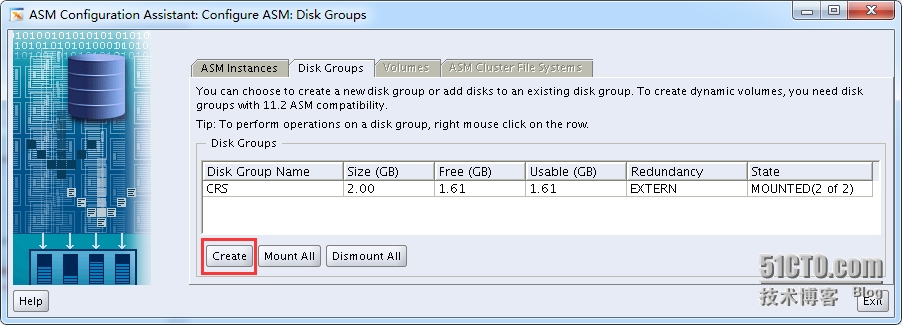


用Oracle用户登录:
[[email protected] ~]$ export DISPLAY=192.168.100.251:0.0
[[email protected] ~]$ xhost +
access control disabled, clients can connect from any host
[[email protected] ~]$ cd /software/database
[[email protected] database]$ ./runInstaller


做Oracle用户SSH互信(按照之前grid用户一样做互信)
[[email protected] sshsetup]$ ./sshUserSetup.sh -user oracle -hosts rac2.example.com -advanced -exverify -confirm -noPromptPassphrase
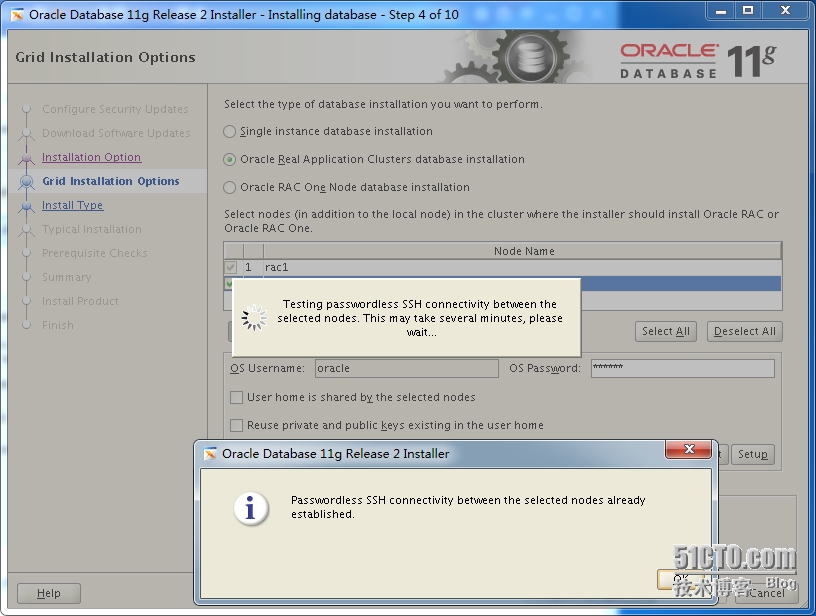
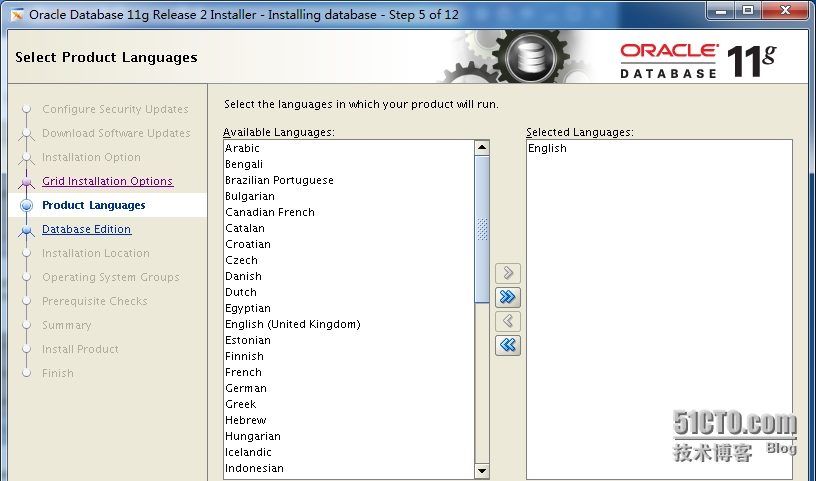

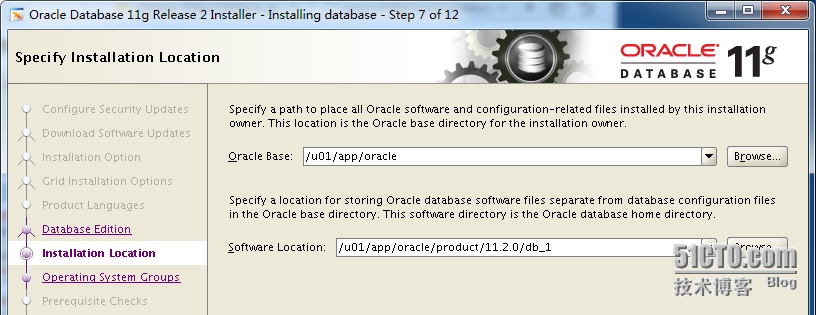
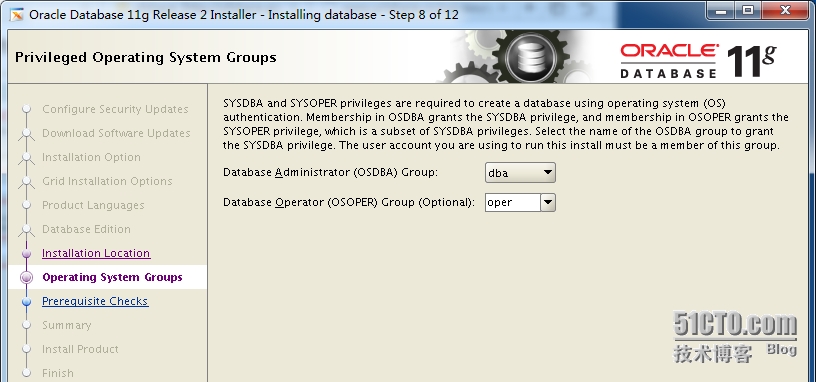

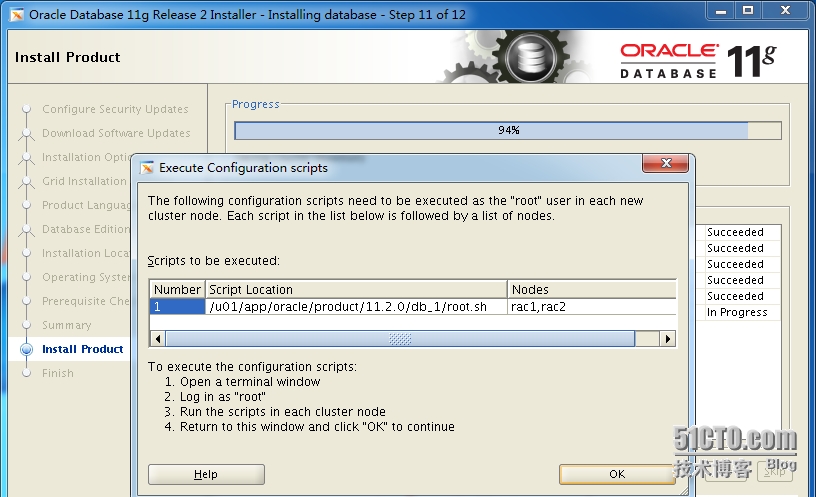
节点rac1和节点rac2都执行下面的脚本
[[email protected] ~]# /u01/app/oracle/product/11.2.0/db_1/root.sh
Performing root user operation for Oracle 11g
The following environment variables are set as:
    ORACLE_OWNER= oracle
    ORACLE_HOME=  /u01/app/oracle/product/11.2.0/db_1
Enter the full pathname of the local bin directory: [/usr/local/bin]:
The contents of "dbhome" have not changed. No need to overwrite.
The contents of "oraenv" have not changed. No need to overwrite.
The contents of "coraenv" have not changed. No need to overwrite.
Entries will be added to the /etc/oratab file as needed by
Database Configuration Assistant when a database is created
Finished running generic part of root script.
Now product-specific root actions will be performed.
Finished product-specific root actions.
[[email protected] ~]#

[[email protected] ~]# su - grid
[[email protected] ~]$ crs_stat  -t -v
Name           Type           R/RA   F/FT   Target    State     Host
----------------------------------------------------------------------
ora.CRS.dg     ora....up.type 0/5    0/     ONLINE    ONLINE    rac1
ora.FRA.dg     ora....up.type 0/5    0/     ONLINE    ONLINE    rac1
ora....ER.lsnr ora....er.type 0/5    0/     ONLINE    ONLINE    rac1
ora....N1.lsnr ora....er.type 0/5    0/0    ONLINE    ONLINE    rac1
ora....DATA.dg ora....up.type 0/5    0/     ONLINE    ONLINE    rac1
ora.asm        ora.asm.type   0/5    0/     ONLINE    ONLINE    rac1
ora.cvu        ora.cvu.type   0/5    0/0    ONLINE    ONLINE    rac1
ora.gsd        ora.gsd.type   0/5    0/     OFFLINE   OFFLINE
ora....network ora....rk.type 0/5    0/     ONLINE    ONLINE    rac1
ora.oc4j       ora.oc4j.type  0/1    0/2    ONLINE    ONLINE    rac1
ora.ons        ora.ons.type   0/3    0/     ONLINE    ONLINE    rac1
ora....SM1.asm application    0/5    0/0    ONLINE    ONLINE    rac1
ora....C1.lsnr application    0/5    0/0    ONLINE    ONLINE    rac1
ora.rac1.gsd   application    0/5    0/0    OFFLINE   OFFLINE
ora.rac1.ons   application    0/3    0/0    ONLINE    ONLINE    rac1
ora.rac1.vip   ora....t1.type 0/0    0/0    ONLINE    ONLINE    rac1
ora....SM2.asm application    0/5    0/0    ONLINE    ONLINE    rac2
ora....C2.lsnr application    0/5    0/0    ONLINE    ONLINE    rac2
ora.rac2.gsd   application    0/5    0/0    OFFLINE   OFFLINE
ora.rac2.ons   application    0/3    0/0    ONLINE    ONLINE    rac2
ora.rac2.vip   ora....t1.type 0/0    0/0    ONLINE    ONLINE    rac2
ora.scan1.vip  ora....ip.type 0/0    0/0    ONLINE    ONLINE    rac1
[[email protected] ~]$
安装数据库:(用oracle用户登录)
[[email protected] ~]$ export DISPLAY=192.168.100.251:0.0
[[email protected] ~]$ xhost +
access control disabled, clients can connect from any host
[[email protected] ~]$ dbca


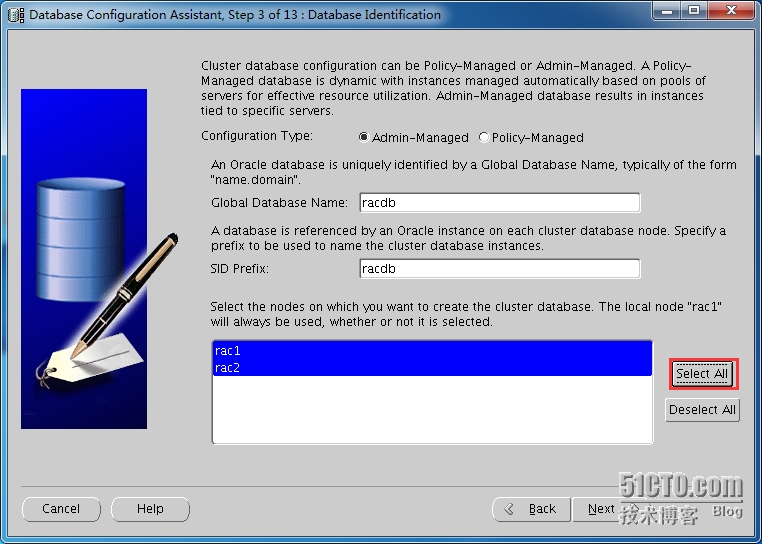


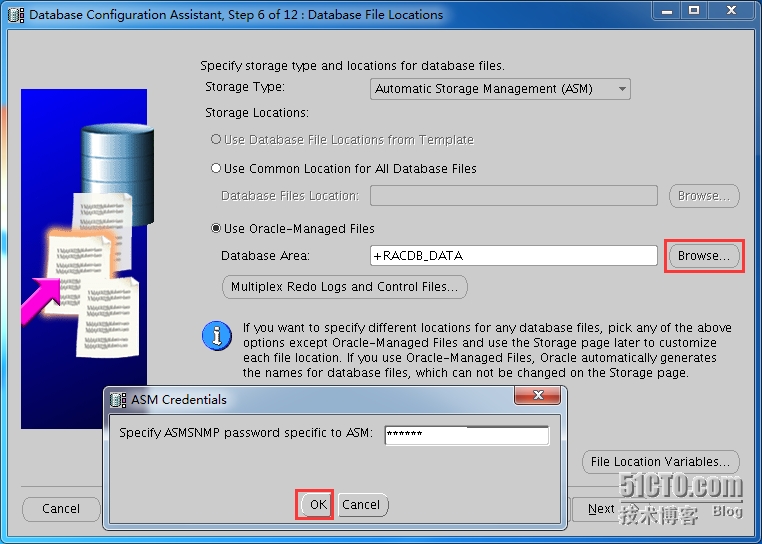


如果SGA and PGA内存不够在安装数据库时会出现下面的错误:
ORA-00838: Specified value of MEMORY_TARGET is too small, needs to be at least 1408M
ORA-01078:failure in processing system parameters
参考:http://yfshare.blog.51cto.com/8611708/1671927


如果安装到85%报上面这个错,查看到闪回区没空间了

解决方法:删除多余的归档文件,或设置较大的db_recovery_file_dest_size

检查集群运行状态:
srvctl status database -d racdb
crs_stat -t -v


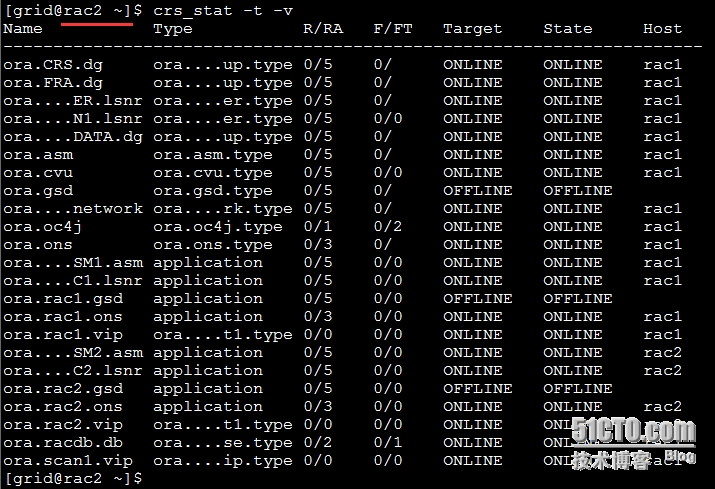
[[email protected] ~]$ lsnrctl status
LSNRCTL for Linux: Version 11.2.0.4.0 - Production on 11-JUL-2015 01:07:17
Copyright (c) 1991, 2013, Oracle.  All rights reserved.
Connecting to (ADDRESS=(PROTOCOL=tcp)(HOST=)(PORT=1521))
STATUS of the LISTENER
------------------------
Alias                     LISTENER
Version                   TNSLSNR for Linux: Version 11.2.0.4.0 - Production
Start Date                10-JUL-2015 15:38:11
Uptime                    0 days 9 hr. 29 min. 6 sec
Trace Level               off
Security                  ON: Local OS Authentication
SNMP                      OFF
Listener Parameter File   /u01/app/11.2.0/grid/network/admin/listener.ora
Listener Log File         /u01/app/grid/diag/tnslsnr/rac1/listener/alert/log.xml
Listening Endpoints Summary...
  (DESCRIPTION=(ADDRESS=(PROTOCOL=ipc)(KEY=LISTENER)))
  (DESCRIPTION=(ADDRESS=(PROTOCOL=tcp)(HOST=192.168.100.244)(PORT=1521)))
  (DESCRIPTION=(ADDRESS=(PROTOCOL=tcp)(HOST=192.168.100.241)(PORT=1521)))
Services Summary...
Service "+ASM" has 1 instance(s).
  Instance "+ASM1", status READY, has 1 handler(s) for this service...
Service "racdb" has 1 instance(s).
  Instance "racdb1", status READY, has 1 handler(s) for this service...
Service "racdbXDB" has 1 instance(s).
  Instance "racdb1", status READY, has 1 handler(s) for this service...
The command completed successfully
[[email protected] ~]$
[[email protected] ~]$ sqlplus / as sysdba
SQL> select status from v$instance;
STATUS
------------
OPEN
SQL>
如果启动EM web界面管理工具,出现下面的问题,则使用emca -config dbcontrol db重建EM

重建EM:
用oracle用户登录
[[email protected] ~]$ export DISPLAY=192.168.100.251:0.0
[[email protected] ~]$ xhost +
access control disabled, clients can connect from any host
[[email protected] ~]$ dbca
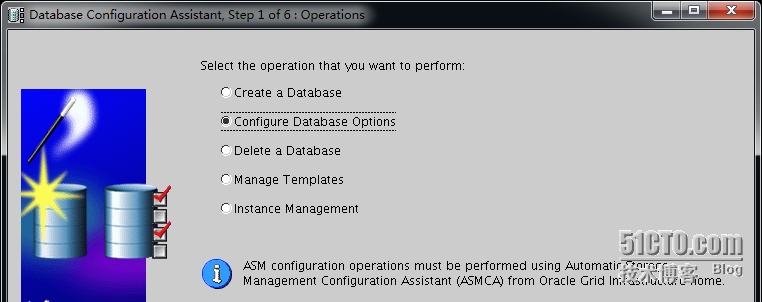


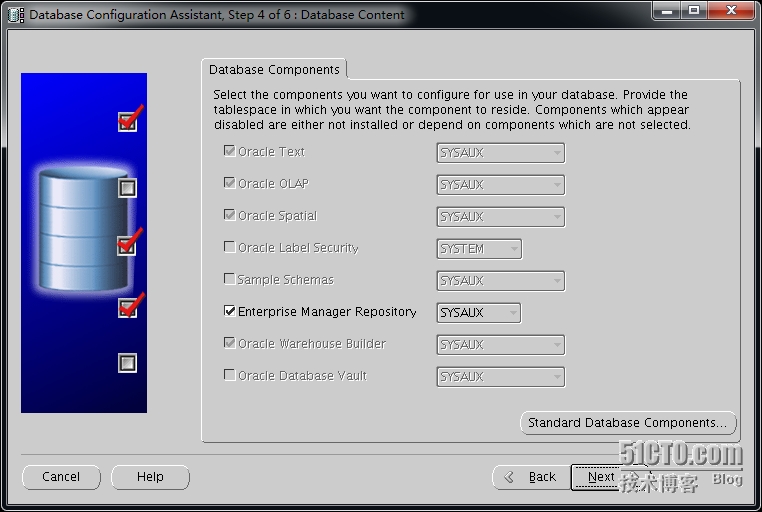

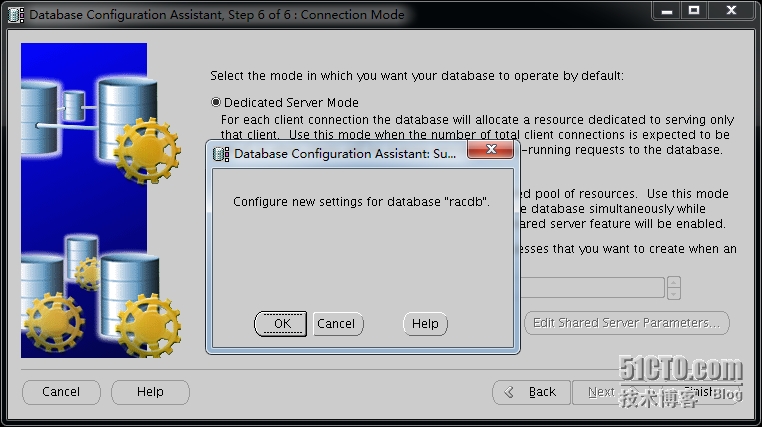
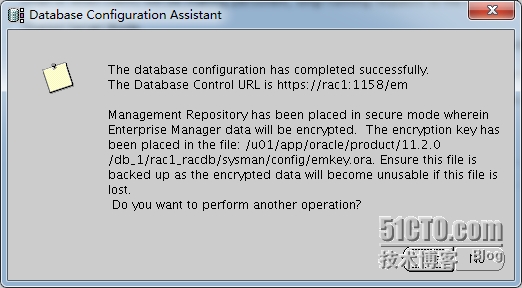


注:
[[email protected] ~]$emctl status dbconsole
Environment variable ORACLE_UNQNAME not defined. Please set ORACLE_UNQNAME to database unique name.
[[email protected] ~]$
如果报上面的错误,是oracle用户的ORACLE_UNQNAME环境变量未设置。如果报下面的错误,则是ORACLE_UNQNAME设置不正确

正确设置:


OK,oracle RAC安装完成
oracle RAC集群默认是开机自启。根据配置不同,花费的时间不一样
使用PL/SQL登录oracle RAC
安装plsql+ora10client
C:\Ora10InstantClient\network\admin\tnsnames.ora(在ora10client安装目录下新建network/admin目录,在RAC服务器上把$ORACLE_HOME/network/admin/tnsnames.ora文件放到ora10client安装目录下的admin目录下)
[[email protected] ~]# grep racscan /etc/hosts
192.168.100.246 racscan
[[email protected] ~]#
格式为:把HOST = racscan改为HOST = racscan对应的地址
RACDB =
(DESCRIPTION =
(ADDRESS = (PROTOCOL =TCP)(HOST = 192.168.100.246)(PORT= 1521))
(CONNECT_DATA =
(SERVER = DEDICATED)
(SERVICE_NAME = racdb)
)
)
打开PL/SQL--->Tools--->Preferences--->Connection


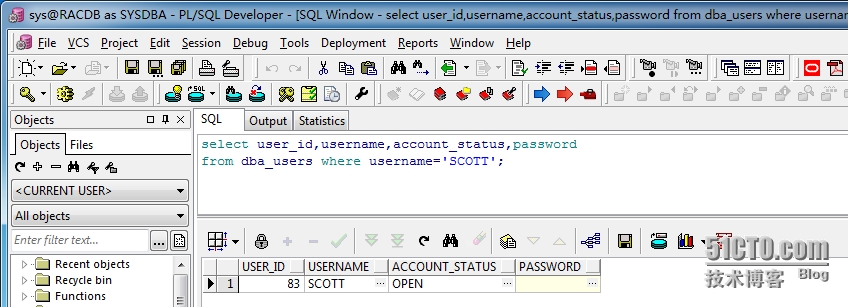
转载于:https://blog.51cto.com/yfshare/1673717