【问题标题】:How to draw a border around DropdownButton like the TextFormField border?如何在 DropdownButton 周围绘制边框,如 TextFormField 边框?
【发布时间】:2021-03-26 20:54:22
【问题描述】:

StackOverflow 上有很多解释如何在小部件周围绘制边框的答案。但是,我正在寻找类似 TextFormField 的东西。

普通的 DropdownButton 仅具有 underline 属性,但我正在寻找类似以下设计的东西:

正如您在此处看到的,下拉列表有一个边框和一个标题。 我可以从 DropdownButton 小部件中删除 underline 属性,但是是否有任何自定义小部件可以用来包装 DropdownButton?

【问题讨论】:

    标签: flutter flutter-dropdownbutton


    【解决方案1】:

    您可以使用PopupMenuButton 复制它或将其包裹在InputDecorator 下,然后使用DropdownButtonHideUnderline 隐藏下划线

    /// Flutter code sample for DropdownButton
    
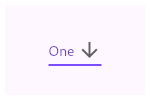
    // This sample shows a `DropdownButton` with a large arrow icon,
    // purple text style, and bold purple underline, whose value is one of "One",
    // "Two", "Free", or "Four".
    //
    // ![](https://flutter.github.io/assets-for-api-docs/assets/material/dropdown_button.png)
    
    import 'package:flutter/material.dart';
    
    void main() => runApp(const MyApp());
    
    /// This is the main application widget.
    class MyApp extends StatelessWidget {
      const MyApp({Key? key}) : super(key: key);
    
      static const String _title = 'Flutter Code Sample';
    
      @override
      Widget build(BuildContext context) {
        return MaterialApp(
          title: _title,
          home: Scaffold(
            appBar: AppBar(title: const Text(_title)),
            body: const Center(
              child: MyStatefulWidget(),
            ),
          ),
        );
      }
    }
    
    /// This is the stateful widget that the main application instantiates.
    class MyStatefulWidget extends StatefulWidget {
      const MyStatefulWidget({Key? key}) : super(key: key);
    
      @override
      _MyStatefulWidgetState createState() => _MyStatefulWidgetState();
    }
    
    /// This is the private State class that goes with MyStatefulWidget.
    class _MyStatefulWidgetState extends State<MyStatefulWidget> {
      String dropdownValue = 'One';
    
      @override
      Widget build(BuildContext context) {
        return InputDecorator(
              decoration: InputDecoration(
                contentPadding: EdgeInsets.symmetric(
                    horizontal: 20.0, vertical: 15.0),
                labelText: 'Label',
                border:
                    OutlineInputBorder(borderRadius: BorderRadius.circular(5.0)),
              ),
          
          child: DropdownButtonHideUnderline( child:DropdownButton<String>(
          value: dropdownValue,
          icon: const Icon(Icons.arrow_drop_down),
          iconSize: 24,
          elevation: 16,
          style: const TextStyle(color: Colors.deepPurple),
        
          onChanged: (String? newValue) {
            setState(() {
              dropdownValue = newValue!;
            });
          },
          items: <String>['One', 'Two', 'Free', 'Four']
              .map<DropdownMenuItem<String>>((String value) {
            return DropdownMenuItem<String>(
              value: value,
              child: Text(value),
            );
          }).toList(),
          ),  ),
        );
      }
    }
    

    【讨论】:

    【解决方案2】:

    我不知道还有一个专门创建用于表单的小部件。 DropdownButtonFormField 是小部件,它不需要@flakerimi 提到的所有额外行。

    这是我的示例代码,想看的人可以看看。

    DropdownButtonFormField<String>(
          validator: (value) =>
              dropdownValue == null ? S.of(context).general_make_selection : null,
          autovalidateMode: AutovalidateMode.onUserInteraction,
          value: dropdownValue,
          decoration: InputDecoration(
            labelText: S.of(context).bill_obj_type,
            filled: true,
          ),
          icon: const Icon(Icons.arrow_drop_down),
          iconSize: 24,
          elevation: 16,
          isExpanded: true,
          style: Theme.of(context)
              .textTheme
              .subtitle1
              .copyWith(color: AppColors.neutral1),
          onChanged: (String newValue) {
            setState(() {
              dropdownValue = newValue;
              vm.objectionType = newValue;
            });
          },
          items: _getDropdownMenuItems(),
        );
    

    【讨论】:

    • 是的,但是您要求专门设置 DropdownButton 的样式,并回答了这个问题。 : /
    • @flakerimi,你是对的。我批准了你的。
    猜你喜欢
    • 2011-01-19
    • 2023-03-13
    • 1970-01-01
    • 1970-01-01
    • 1970-01-01
    • 1970-01-01
    • 1970-01-01
    • 2015-01-10
    • 1970-01-01
    相关资源
    最近更新 更多