在尝试调整 CheckboxListFile 的大小时,Google 似乎实际上建议创建自定义 Tile 小部件并使用 Checkbox 小部件。
https://api.flutter.dev/flutter/material/CheckboxListTile-class.html#material.CheckboxListTile.3
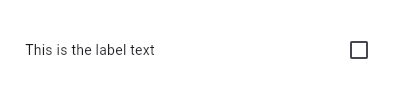
查看已创建的 LabeledCheckbox 小部件。您可以非常轻松地修改所有组件以满足您的需求。例如,如果您希望 Widget 本身更小,您现在可以将其包装在 Container 中
/// Flutter code sample for CheckboxListTile
// 
//
// Here is an example of a custom LabeledCheckbox widget, but you can easily
// make your own configurable widget.
import 'package:flutter/material.dart';
void main() => runApp(const MyApp());
/// This is the main application widget.
class MyApp extends StatelessWidget {
const MyApp({Key? key}) : super(key: key);
static const String _title = 'Flutter Code Sample';
@override
Widget build(BuildContext context) {
return MaterialApp(
title: _title,
home: Scaffold(
appBar: AppBar(title: const Text(_title)),
body: const Center(
child: MyStatefulWidget(),
),
),
);
}
}
class LabeledCheckbox extends StatelessWidget {
const LabeledCheckbox({
Key key,
@required this.label,
@required this.padding,
@required this.value,
@required this.onChanged,
}) : super(key: key);
final String label;
final EdgeInsets padding;
final bool value;
final Function onChanged;
@override
Widget build(BuildContext context) {
return InkWell(
onTap: () {
onChanged(!value);
},
child: Container(
padding: padding,
child: Row(
children: <Widget>[
Expanded(child: Text(label)),
Checkbox(
value: value,
onChanged: (bool newValue) {
onChanged(newValue);
},
),
],
),
),
);
}
}
/// This is the stateful widget that the main application instantiates.
class MyStatefulWidget extends StatefulWidget {
const MyStatefulWidget({Key? key}) : super(key: key);
@override
State<MyStatefulWidget> createState() => _MyStatefulWidgetState();
}
/// This is the private State class that goes with MyStatefulWidget.
class _MyStatefulWidgetState extends State<MyStatefulWidget> {
bool _isSelected = false;
@override
Widget build(BuildContext context) {
return LabeledCheckbox(
label: 'This is the label text',
padding: const EdgeInsets.symmetric(horizontal: 20.0),
value: _isSelected,
onChanged: (bool newValue) {
setState(() {
_isSelected = newValue;
});
},
);
}
}