1.   Sysprep

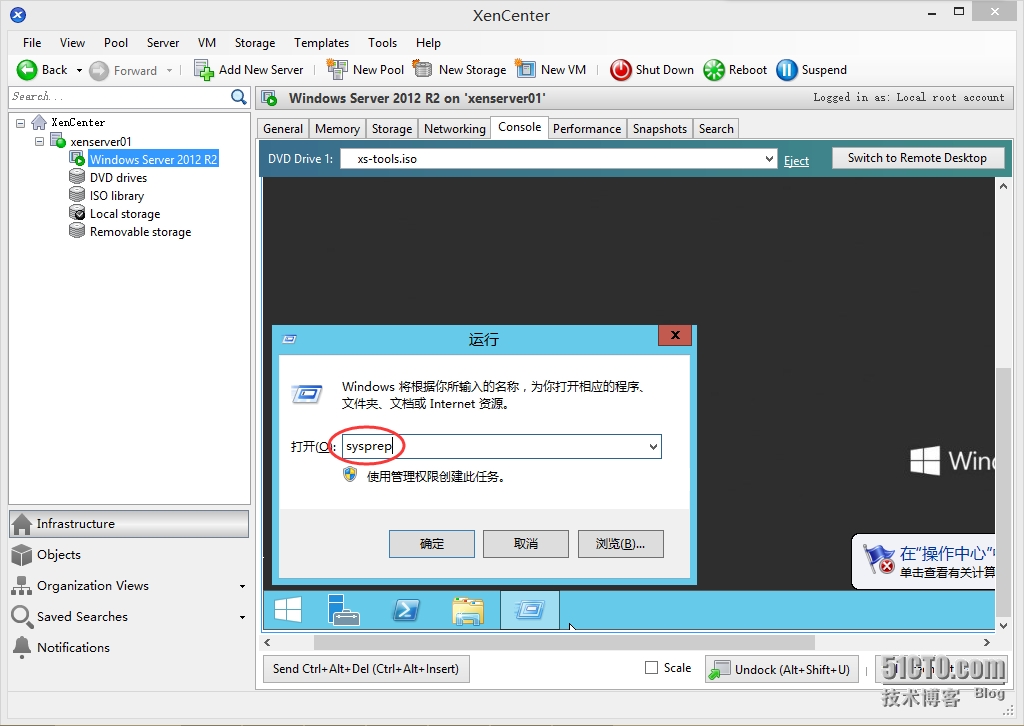
1.1 将VM准备好后需要对系统进行Sysprep,在运行中输入”Sysprep”,点击“确定”
XenServer 6.5实战系列之八:Creating a VM Template from an Existing VM

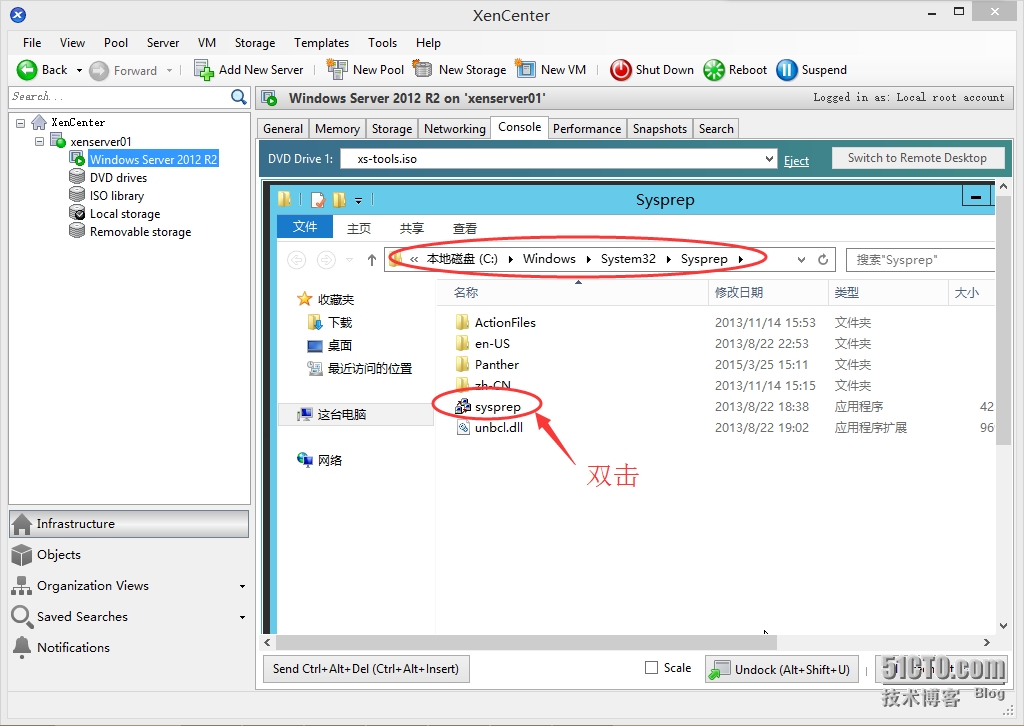
1.2 双击运行“sysprep”

XenServer 6.5实战系列之八:Creating a VM Template from an Existing VM

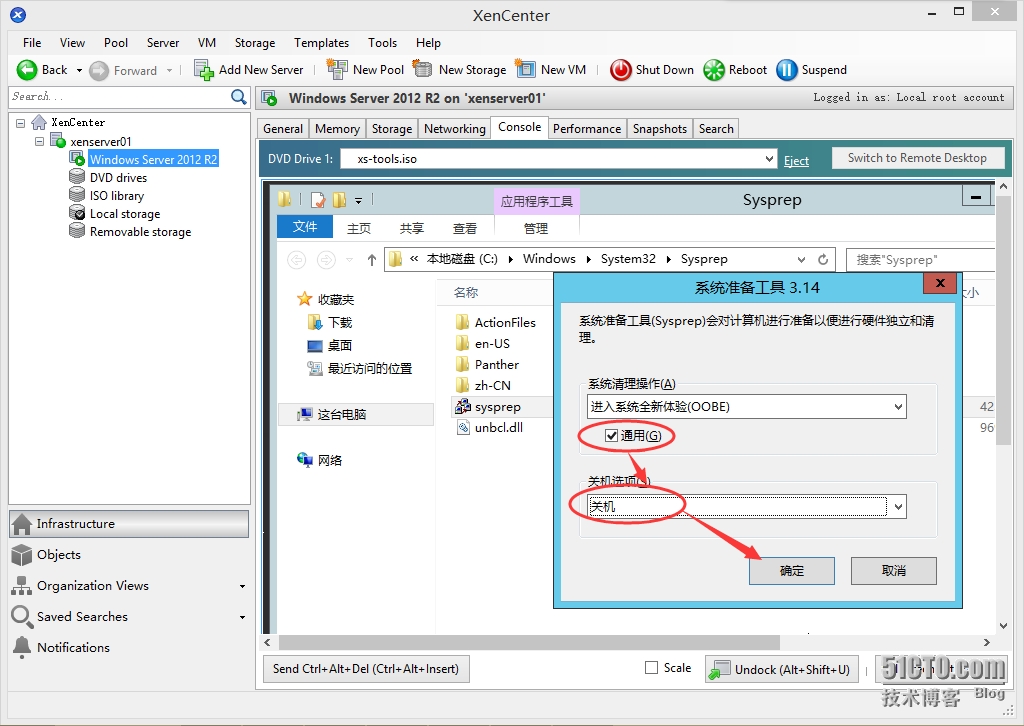
1.3 勾选“通用”,在关机选项中选择“关机”,点击“确定”

XenServer 6.5实战系列之八:Creating a VM Template from an Existing VM

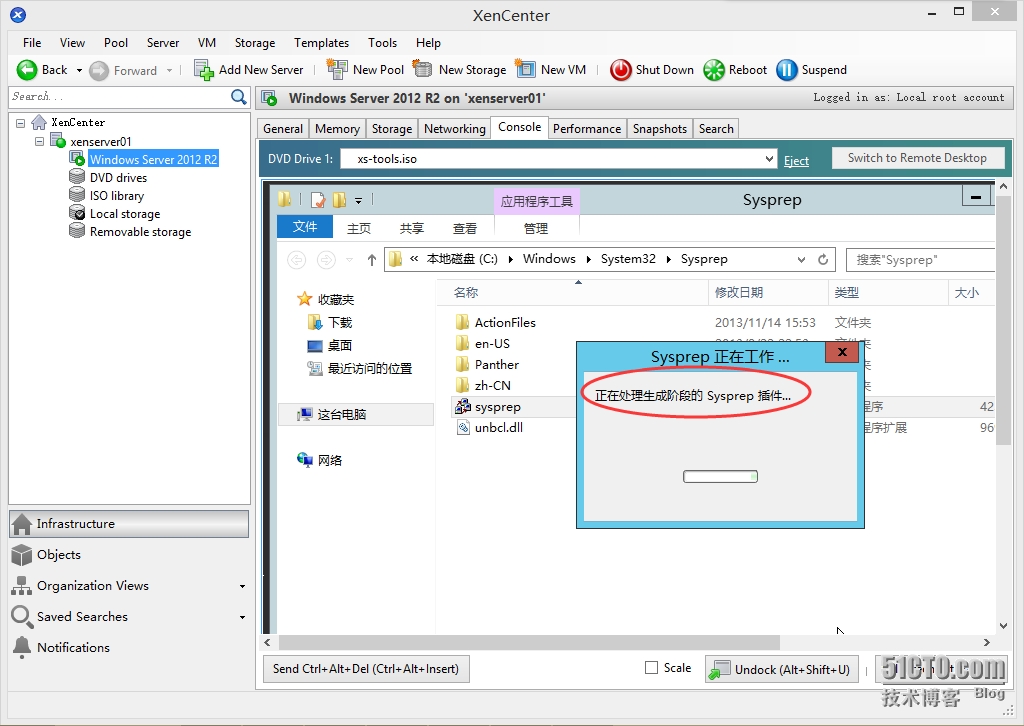
1.4 Sysprep正在工作…

XenServer 6.5实战系列之八:Creating a VM Template from an Existing VM

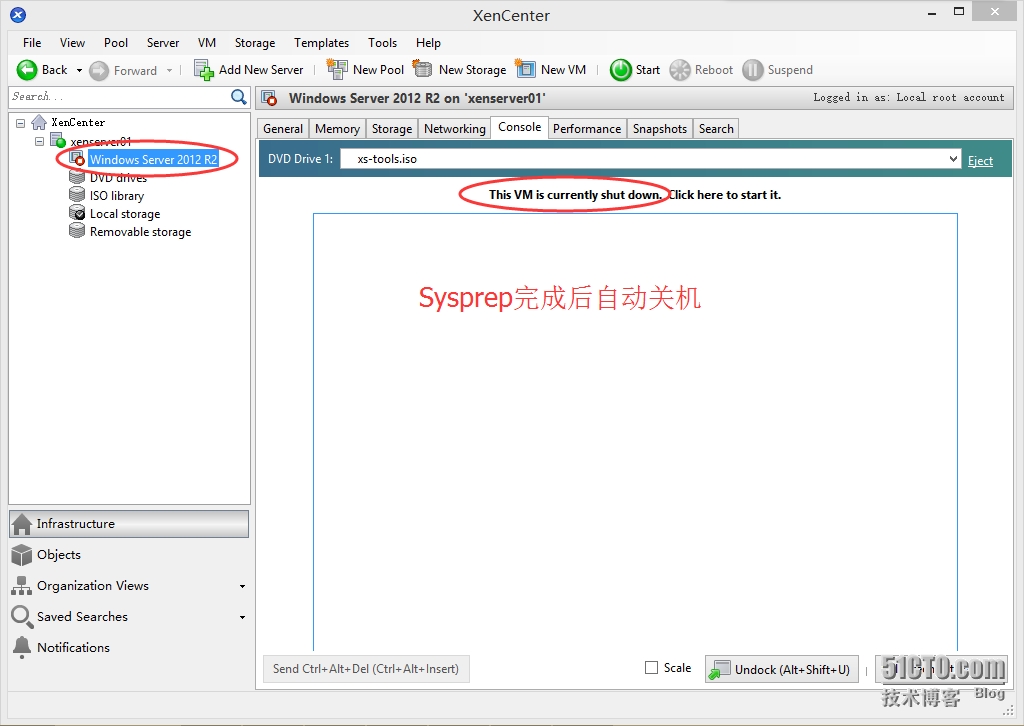
 1.5 Sysprep完成后自动关机

XenServer 6.5实战系列之八:Creating a VM Template from an Existing VM

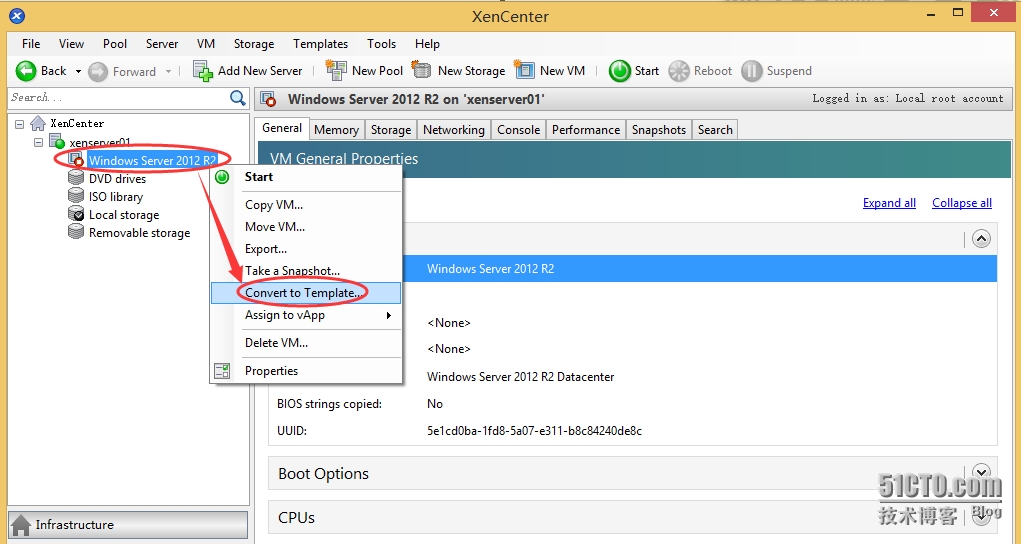
2.   Make a VM template

2.1 等待即将转换为模板的虚拟机Sysprep和关机完成

2.2 右击对应的虚拟机”Windows Server 2012 R2à”Convert toTemplate”

XenServer 6.5实战系列之八:Creating a VM Template from an Existing VM

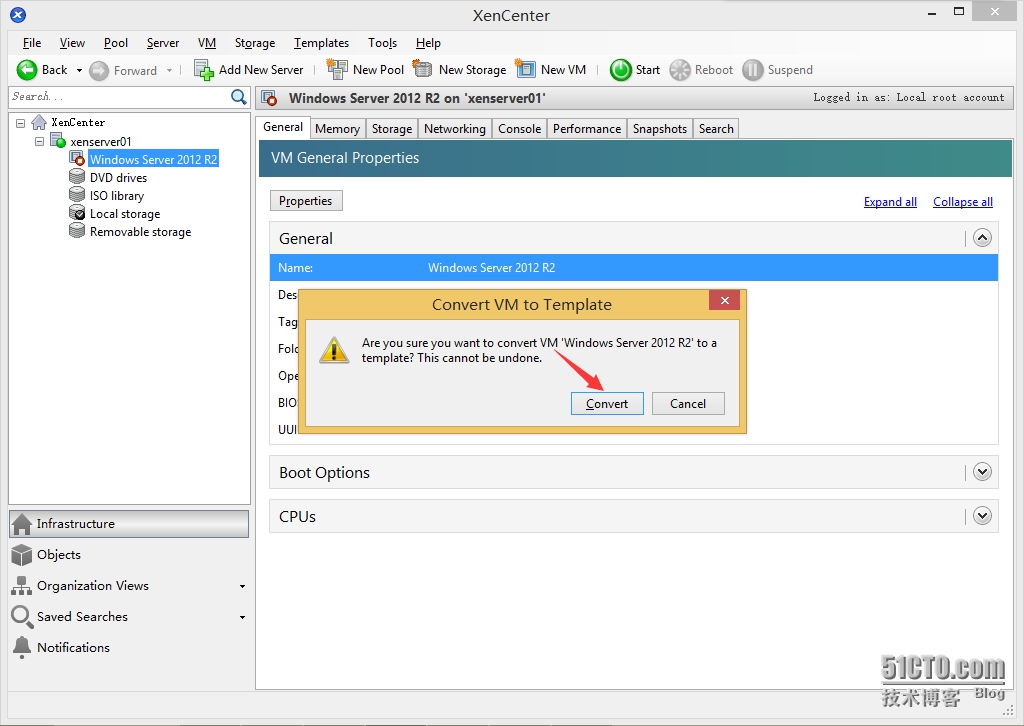
2.3  在确认对话框中点击“Convert”即可成功将VM转换为Template
XenServer 6.5实战系列之八:Creating a VM Template from an Existing VM


本文转自 Stephen_huang 51CTO博客,原文链接:http://blog.51cto.com/stephen1991/1656663,如需转载请自行联系原作者

相关文章:

  • 2021-08-30
  • 2022-01-18
  • 2021-12-15
  • 2021-12-08
  • 2021-11-09
  • 2021-05-19
猜你喜欢
  • 2021-11-25
  • 2021-07-12
  • 2021-10-02
  • 2021-07-08
相关资源
相似解决方案