Column attribute can be applied to properties of a class. Default Code First convention creates a column name same as the property name. Column attribute overrides this default convention. EF Code-First will create a column with a specified name in Column attribute for a given property.
Consider the following example.
using System.ComponentModel.DataAnnotations.Schema;

public class Student
{
    public Student()
    {

    }
    public int StudentID { get; set; }

    [Column("Name")]
    public string StudentName { get; set; }

}
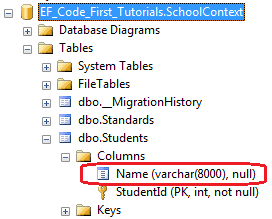
As you can see in the above example, Column attribute is applied to StudentName property of Student class. So, Code-First will override default conventions and create Name column instead of StudentName column in the Student table, as shown below.
You can also specify an order and type of the column using Column attribute, as shown below.
using System.ComponentModel.DataAnnotations.Schema;

public class Student
{
    public Student()
    {

    }
    public int StudentID { get; set; }

    [Column("Name", Order=1, TypeName="varchar")]
    public string StudentName { get; set; }

}
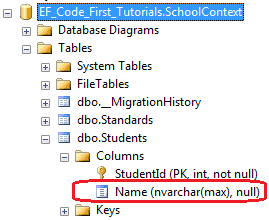
The above code creates Name column of varchar type as a first column in Student, as shown below.