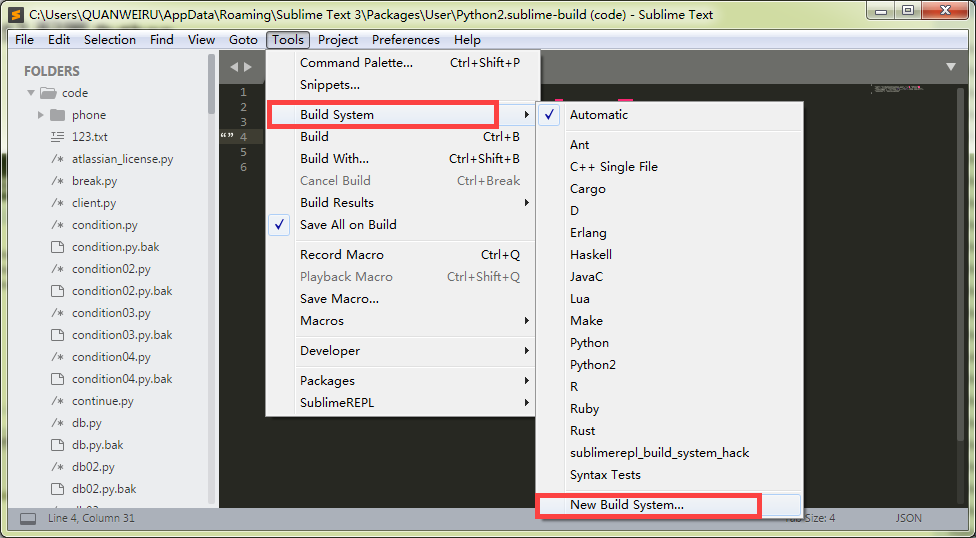
Sublime Text3 配置 Python2 Python3

{

"cmd": "C:/Python27/python.exe", "-u", "$file"],

"file_regex": "^[]*File \"(...*?)\", line ([0-9]*)",

"selector": "source.python"

}
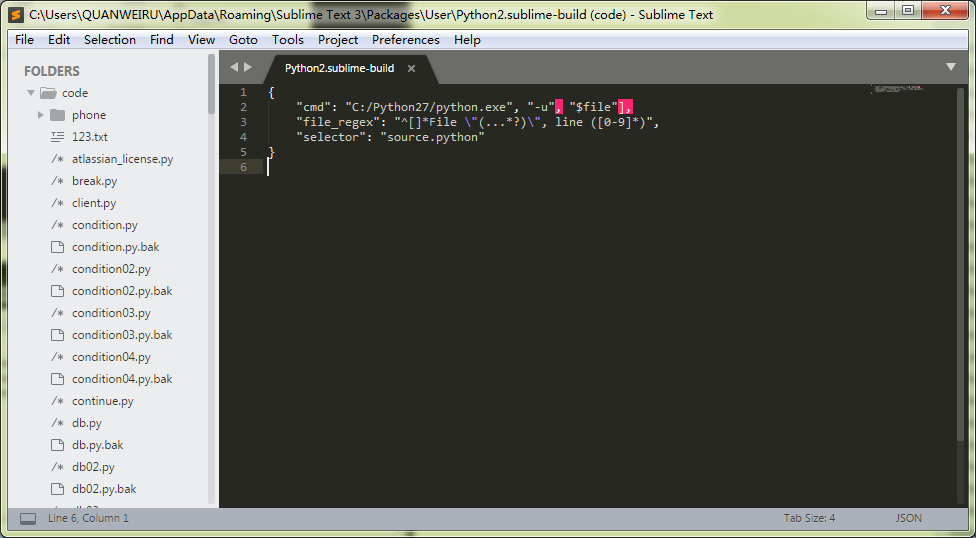
Sublime Text3 配置 Python2 Python3

Sublime Text3 配置 Python2 Python3

Python3 与 Python2建立的方法一样

{

"cmd": "C:/Python36/python.exe", "-u", "$file"],

"file_regex": "^[]*File \"(...*?)\", line ([0-9]*)",

"selector": "source.python"

}
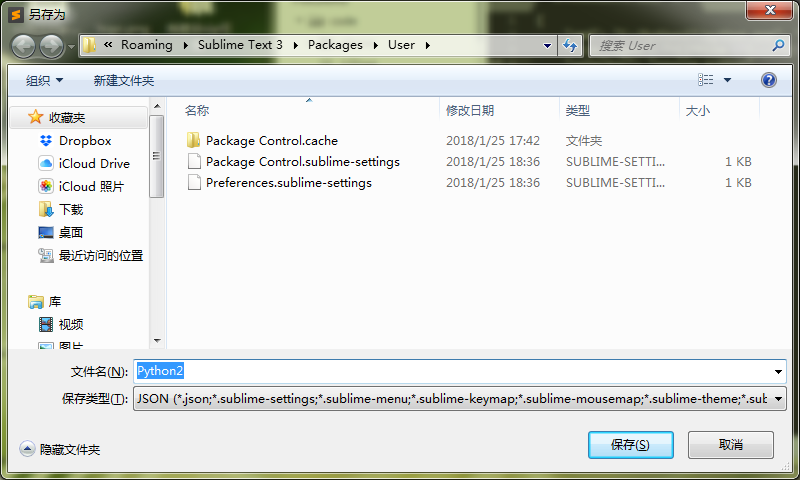
Sublime Text3 配置 Python2 Python3

相关文章:

  • 2021-11-19
  • 2021-10-08
  • 2021-08-08
  • 2021-12-06
  • 2022-12-23
  • 2022-12-23
  • 2021-10-26
  • 2021-04-28
猜你喜欢
  • 2021-11-19
  • 2021-09-23
  • 2021-11-19
  • 2021-04-05
  • 2022-12-23
  • 2021-10-17
  • 2021-11-20
相关资源
相似解决方案