使用远程桌面登录,连接一台win2003服务器,出现一个异常:
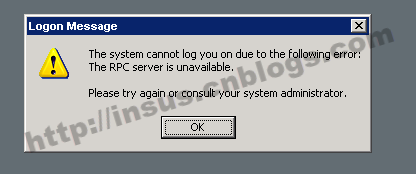
The system cannot log you on due to the following error: The RPC server is unavailable.


windows的相关服务均是正常启动,如:
The system cannot log you on due to the following error: The RPC server is unavailable.

 
还有Net Logon, DNS Client, Terminal Services, Computer Browser, Secondary Logon,等等,均是正常启动的或是重启过。

问题依然无法解决。


后来在网上找一个方法:

在注册表添加dword键来解决的。如下
路径:HKEY_LOCAL_MACHINE\SYSTEM\CurrentControlSet\Control\Terminal Server
添加一个Dword,名字为IgnoreRegUserConfigErrors,其值为1


相关文章:

  • 2021-06-25
  • 2021-07-31
  • 2021-06-28
  • 2022-12-23
  • 2022-01-15
  • 2022-12-23
猜你喜欢
  • 2022-12-23
  • 2022-12-23
  • 2022-12-23
  • 2021-08-15
  • 2021-05-20
  • 2022-12-23
  • 2022-12-23
相关资源
相似解决方案
