原文:http://garmoncheg.blogspot.com/2012/06/pretty-git-log.html (墙)
Git的传统log如下所示,你喜欢吗?
看看下面这个你喜不喜欢?(点击图片看大图)
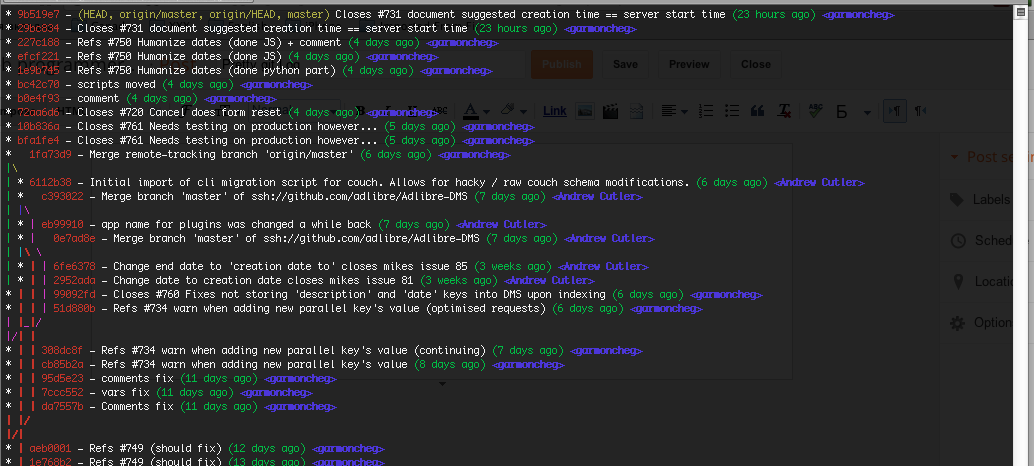
要做到这样,命令行如下:
|
1
|
git log --graph --pretty=
format
:
'%Cred%h%Creset -%C(yellow)%d%Creset %s %Cgreen(%cr) %C(bold blue)<%an>%Creset'
--abbrev-commit --
|
这样有点长了,我们可以这样:
|
1
|
git config --global
alias
.lg
"log --color --graph --pretty=format:'%Cred%h%Creset -%C(yellow)%d%Creset %s %Cgreen(%cr) %C(bold blue)<%an>%Creset' --abbrev-commit --"
|
然后,我们就可以使用这样的短命令了:
|
1
|
git lg
|
如果你想看看git log –pretty=format的参数,你可以看看这篇文章。
(全文完)
转载于:https://my.oschina.net/dochong/blog/68300