测试框架
|
1
2
3
4
5
|
mirrors.redking.com 192.168.188.10master.redking.com 192.168.188.20agent.redking.com 192.168.188.30 |
Puppet 要求所有机器有完整的域名(FQDN),如果没有 DNS 服务器提供域名的话,可以在两台机器上设置主机名(注意要先设置主机名再安装 Puppet,因为安装 Puppet 时会把主机名写入证书,客户端和服务端通信需要这个证书),因为我配置了DNS,所以就不用改hosts了,如果没有就需要改hosts文件指定。
1.关闭selinux,iptables,并设置ntp
采用CentOS-6.6-x86_64.iso进行minimal最小化安装
关闭selinux
|
1
2
3
4
5
6
7
8
9
10
11
12
13
14
15
16
17
18
19
20
21
22
23
24
25
26
27
28
29
30
31
32
33
34
35
36
37
38
39
40
41
42
43
44
45
46
47
|
[[email protected] ~]# cat /etc/selinux/config
# This file controls the state of SELinux on the system. # SELINUX= can take one of these three values: # enforcing - SELinux security policy is enforced. # permissive - SELinux prints warnings instead of enforcing. # disabled - No SELinux policy is loaded. SELINUX=enforcing # SELINUXTYPE= can take one of these two values: # targeted - Targeted processes are protected, # mls - Multi Level Security protection. SELINUXTYPE=targeted [[email protected] ~]# sed -i '/SELINUX/ s/enforcing/disabled/g' /etc/selinux/config
[[email protected] ~]# cat /etc/selinux/config
# This file controls the state of SELinux on the system. # SELINUX= can take one of these three values: # enforcing - SELinux security policy is enforced. # permissive - SELinux prints warnings instead of enforcing. # disabled - No SELinux policy is loaded. SELINUX=disabled # SELINUXTYPE= can take one of these two values: # targeted - Targeted processes are protected, # mls - Multi Level Security protection. SELINUXTYPE=targeted [[email protected] ~]# setenforce 0
|
停止iptables
|
1
2
3
4
5
6
7
8
9
10
11
12
13
14
15
16
17
18
19
20
21
22
23
24
25
26
27
|
[[email protected] ~]# chkconfig --list |grep tables
ip6tables 0:off 1:off 2:on 3:on 4:on 5:on 6:off iptables 0:off 1:off 2:on 3:on 4:on 5:on 6:off [[email protected] ~]# chkconfig ip6tables off
[[email protected] ~]# chkconfig iptables off
[[email protected] ~]# service ip6tables stop
ip6tables: Setting chains to policy ACCEPT: filter [ OK ] ip6tables: Flushing firewall rules: [ OK ] ip6tables: Unloading modules: [ OK ] [[email protected] ~]# service iptables stop
iptables: Setting chains to policy ACCEPT: filter [ OK ] iptables: Flushing firewall rules: [ OK ] iptables: Unloading modules: [ OK ] [[email protected] ~]#
|
设置ntp
|
1
2
3
4
5
6
7
8
9
10
11
12
13
14
15
|
[[email protected] ~]# ntpdate pool.ntp.org
[[email protected] ~]# chkconfig --list|grep ntp
ntpd 0:off 1:off 2:off 3:off 4:off 5:off 6:off ntpdate 0:off 1:off 2:off 3:off 4:off 5:off 6:off [[email protected] ~]# chkconfig ntpd on
[[email protected] ~]# service ntpd start
Starting ntpd: [ OK ] [[email protected] ~]#
|
创建软件仓库
1.在mirrors.redking.com软件仓库服务器上安装EPEL源及yum-downloadonly和createrepo软件包
|
1
2
3
4
5
6
7
8
9
10
11
|
[[email protected] ~]# rpm -ivh http://mirrors.sohu.com/fedora-epel/6Server/x86_64/epel-release-6-8.noarch.rpm
Retrieving http://mirrors.sohu.com/fedora-epel/6Server/x86_64/epel-release-6-8.noarch.rpm
warning: /var/tmp/rpm-tmp.2hQx2e: Header V3 RSA/SHA256 Signature, key ID 0608b895: NOKEY
Preparing... ########################################### [100%]
1:epel-release ########################################### [100%]
[[email protected] ~]# yum -y install yum-downloadonly createrepo
|
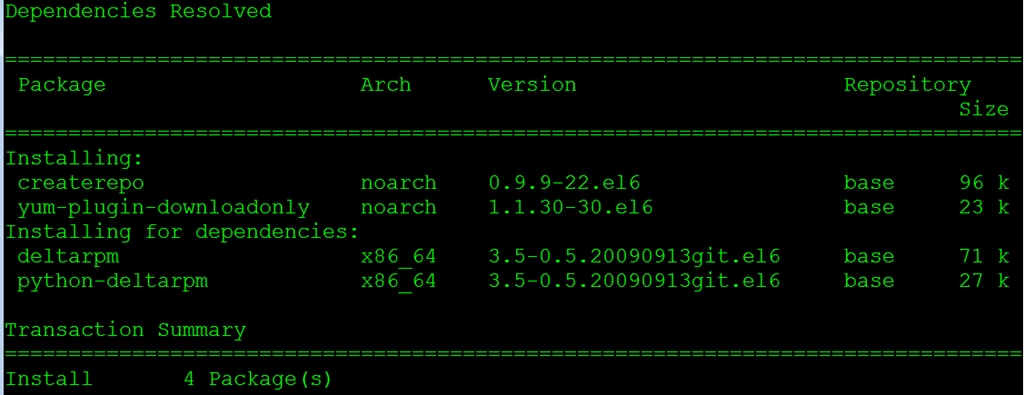
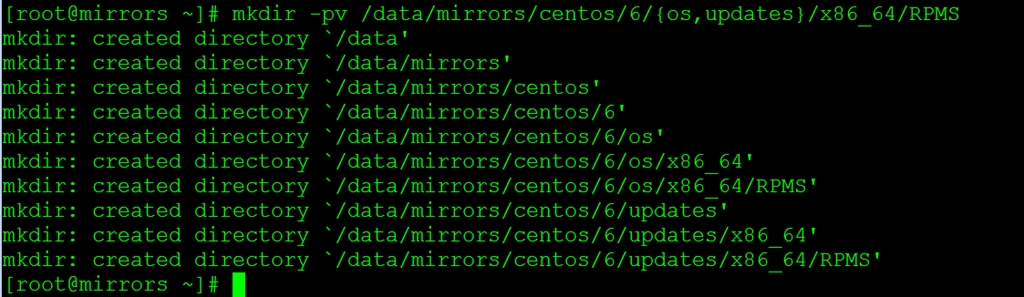
2.创建软件仓库地址,选择/data/mirrors目录作为软件仓库目录
|
1
2
3
4
5
6
7
8
9
10
11
12
13
14
15
16
17
18
19
20
21
|
[[email protected] ~]# mkdir -pv /data/mirrors/centos/6/{os,updates}/x86_64/RPMS
mkdir: created directory `/data'
mkdir: created directory `/data/mirrors'
mkdir: created directory `/data/mirrors/centos'
mkdir: created directory `/data/mirrors/centos/6'
mkdir: created directory `/data/mirrors/centos/6/os'
mkdir: created directory `/data/mirrors/centos/6/os/x86_64'
mkdir: created directory `/data/mirrors/centos/6/os/x86_64/RPMS'
mkdir: created directory `/data/mirrors/centos/6/updates'
mkdir: created directory `/data/mirrors/centos/6/updates/x86_64'
mkdir: created directory `/data/mirrors/centos/6/updates/x86_64/RPMS'
|
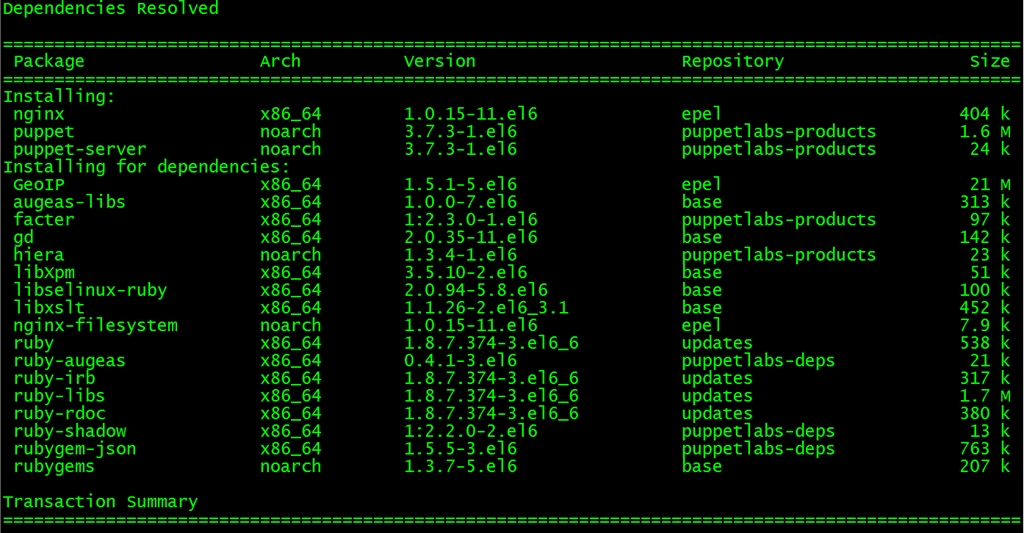
3.将Nginx、Puppet软件包存放到软件仓库,采用downloadonly的方式进行更新
puppet不在CentOS的基本源中,需要加入 PuppetLabs 提供的官方源
|
1
2
3
|
[[email protected] ~]# rpm -ivh http://yum.puppetlabs.com/el/6/products/x86_64/puppetlabs-release-6-7.noarch.rpm
[[email protected] ~]# yum install nginx puppet-server puppet -y --downloadonly --downloaddir=/data/mirrors/centos/6/updates/x86_64/RPMS/
|
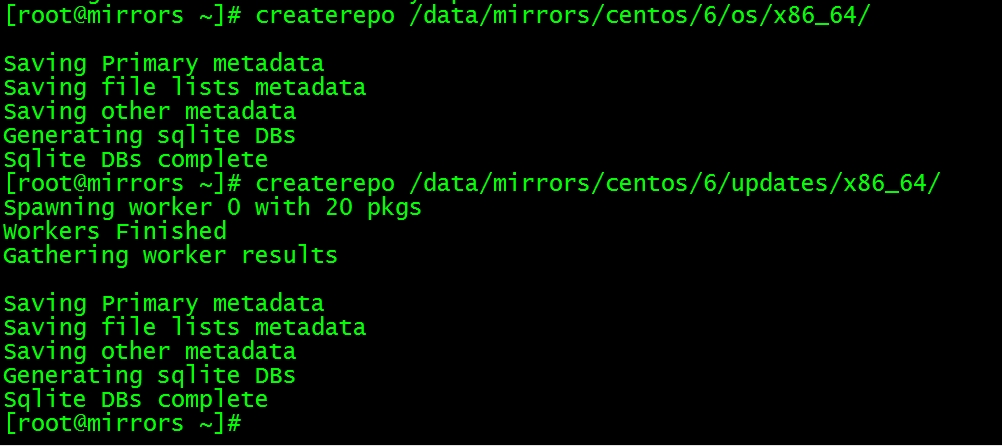
4.采用createrepo创建仓库文件,如果软件包比较多时可以通过--update参数进行更新
|
1
2
3
|
[[email protected] ~]# createrepo /data/mirrors/centos/6/os/x86_64/
[[email protected] ~]# createrepo /data/mirrors/centos/6/updates/x86_64/
|
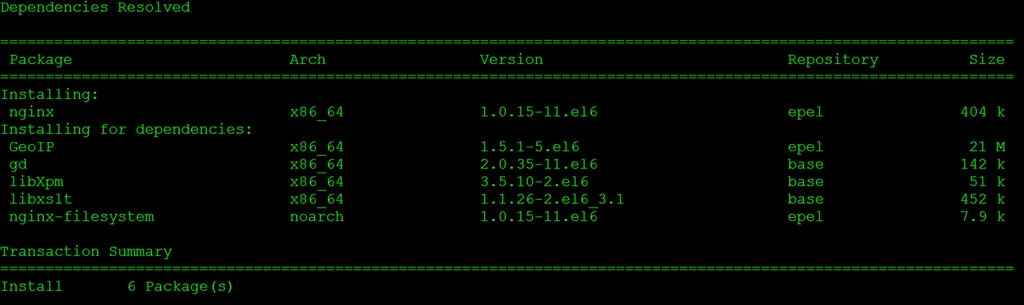
5.在软件仓库服务器前端安装配置Nginx Web来处理安装包请求
|
1
2
3
4
5
|

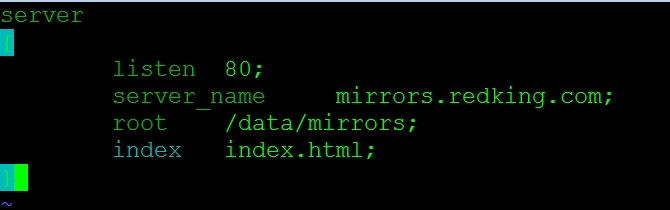
6.为软件仓库配置mirrors.redking.com虚拟机
|
1
2
3
4
5
6
7
8
9
10
11
12
13
14
15
16
17
|
[[email protected] ~]# vim /etc/nginx/conf.d/mirrors.redking.com.conf
server{listen 80;server_name mirrors.redking.com;root /data/mirrors;
index index.html;}[[email protected] ~]# service nginx restart
|
通过上面6步就成功搭建本地软件仓库,在客户端只需要配置repo文件就可以安装此软件仓库中的软件包。
配置YUM本地源
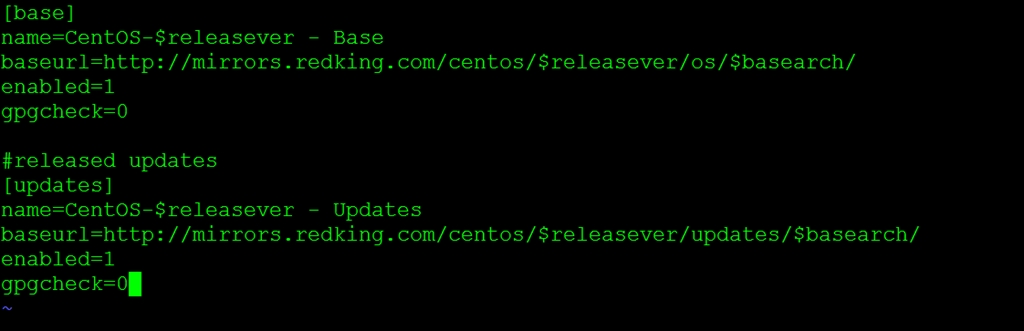
客户端配置mirrors.repo文件,我们也可以使用Puppet的yumrepo资源来指定yum源
|
1
2
3
4
5
6
7
8
9
10
11
12
13
14
15
16
17
18
19
20
21
22
23
24
|
[[email protected] ~]# vim /etc/yum.repos.d/mirrors.repo
[base]name=CentOS-$releasever - Basebaseurl=http://mirrors.redking.com/centos/$releasever/os/$basearch/
enabled=1gpgcheck=0#released updates[updates]name=CentOS-$releasever - Updatesbaseurl=http://mirrors.redking.com/centos/$releasever/updates/$basearch/
enabled=1gpgcheck=0 |
|
1
2
3
4
5
|
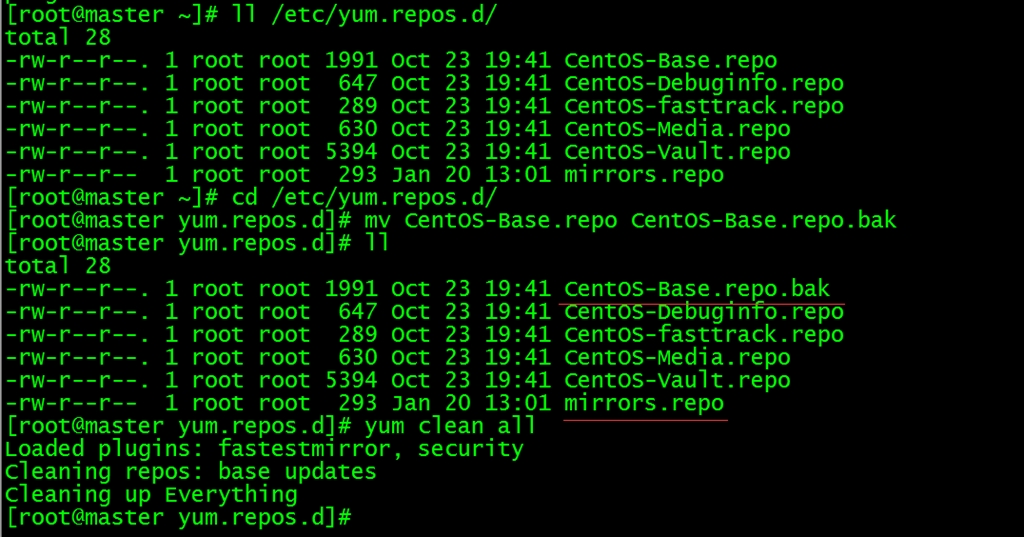
[[email protected] ~]# cd /etc/yum.repos.d/
[[email protected] yum.repos.d]# mv CentOS-Base.repo CentOS-Base.repo.bak
[[email protected] yum.repos.d]# yum clean all
|
安装Puppet
1.Puppet Master服务器端安装puppet-server,自动匹配安装Facter等相关依赖包
|
1
2
3
4
5
|
[[email protected] ~]# yum install -y puppet-server
[[email protected] ~]# chkconfig puppetmaster on
[[email protected] ~]# service puppetmaster start
|

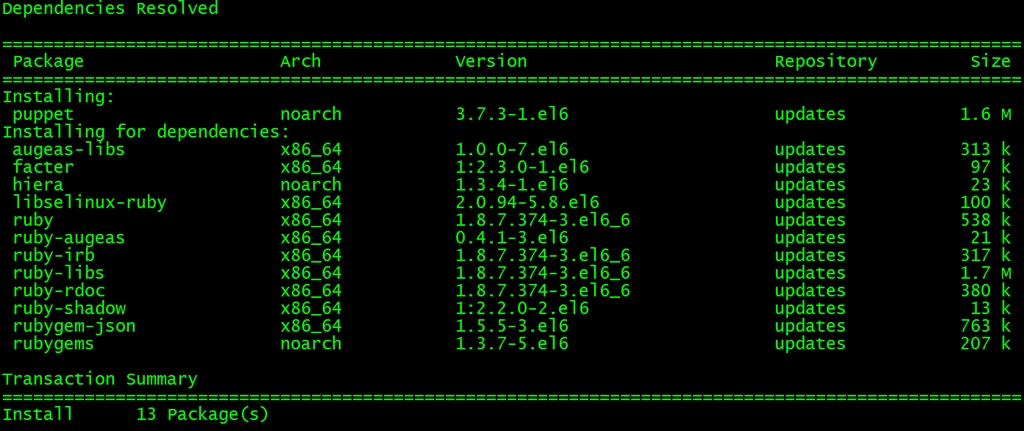
2.Puppet agent客户端安装puppet
|
1
2
3
4
5
|
[[email protected] yum.repos.d]# yum install -y puppet
[[email protected] yum.repos.d]# chkconfig puppet on
[[email protected] yum.repos.d]# service puppet start
|
=============================END=====================================
本文转自redking51CTO博客,原文链接:http://blog.51cto.com/redking/1612567,如需转载请自行联系原作者