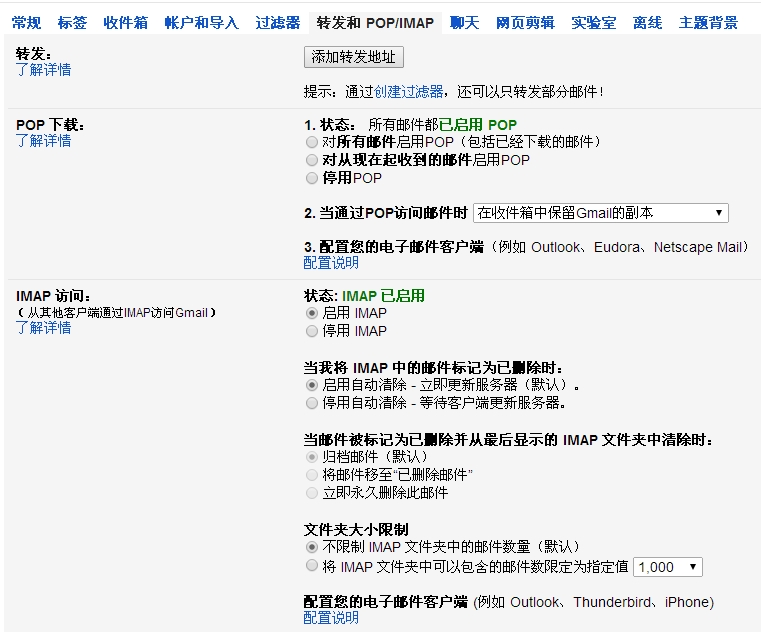
1. 开启GMAIL的POP3 IMAP
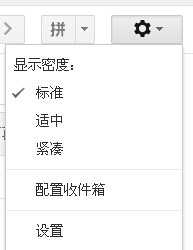
点设置
2. 安全

应用专用密码可以填入phpmail里.
==================================================
错误提示:
SMTP -> ERROR:Password not accepted from server.
Code: 535
Reply: 535-5.7.1 Please log in with your web browser and then try again.
SMTP -> ERROR: Password not accepted from server: 534-5.7.14
Please log 534-5.7.14 in via your web browser and then try again. 534-5.7.14 Learn more at https://support.google.com/mail/bin/answer.py?answer=787 534 5.7.14 54 tr10sm54899095pbc.22 - gsmtp
https://accounts.google.com/b/0/DisplayUnlockCaptcha
gmail 问了防止别人**密码 即便密码正确 也会封, 比如服务器的ip变了。
==================================================
论坛发邮件提示错误:Couldn't get mail server response codes
解决办法:
修改Sources/Subs-Post.php里:
// EHLO could be understood to mean encrypted hello...

//		if (server_parse('EHLO ' . $modSettings['smtp_host'], $socket, null) == '250')
if (server_parse('EHLO ' . 'localhost', $socket, null) == '250')本文转自hbyh 51CTO博客,原文链接:http://blog.51cto.com/norman20000/1274324,如需转载请自行联系原作者