JDK+Eclipse+EclipseME安装详解3Windows XP


三、安装Eclipse

Windows XP下安装Eclipse Standard 4.3

1.下载安装程序,地址:

http://www.eclipse.org/downloads/

Eclipse Standard 4.3 安装详解(Windows XP)

选择Windows 32bit下载

2.安装(Eclipse算不上是安装,仅仅解压缩后就可以了)

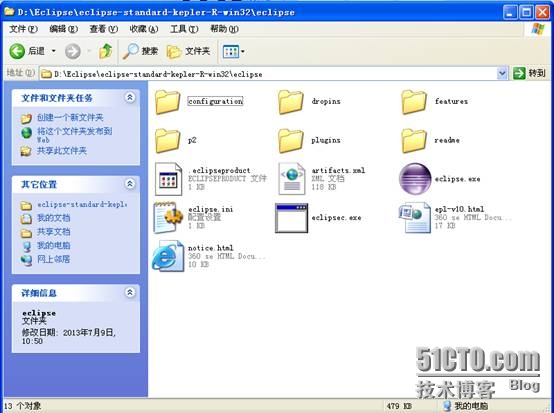
对安装包进行解压,解压后出现以下内容:
Eclipse Standard 4.3 安装详解(Windows XP)


3.双击“eclipse.exe

Eclipse Standard 4.3 安装详解(Windows XP)


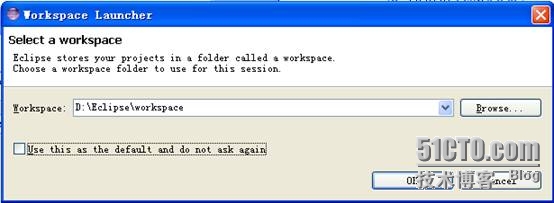
4.选择workspace,自己选择路径,点击“ok

Eclipse Standard 4.3 安装详解(Windows XP)


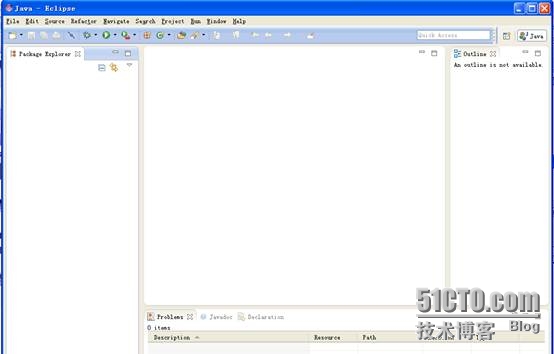
5.关闭出现的欢迎界面,出现以下界面

Eclipse Standard 4.3 安装详解(Windows XP)


至此,eclipse安装完成


转载于:https://blog.51cto.com/carrie1314/1253448

相关文章:

  • 2021-08-23
  • 2021-10-04
  • 2022-02-07
  • 2021-06-04
  • 2021-05-17
  • 2021-11-13
  • 2021-06-01
猜你喜欢
  • 2021-10-09
  • 2021-12-11
  • 2022-12-23
  • 2022-12-23
  • 2022-12-23
  • 2022-12-23
  • 2022-12-23
相关资源
相似解决方案