Zabbix is an open source software for networks and application monitoring. Zabbix provides agents to monitor remote hosts as well as Zabbix includes support for monitoring via SNMP, TCP and ICMP checks. Click here to know more about zabbix.
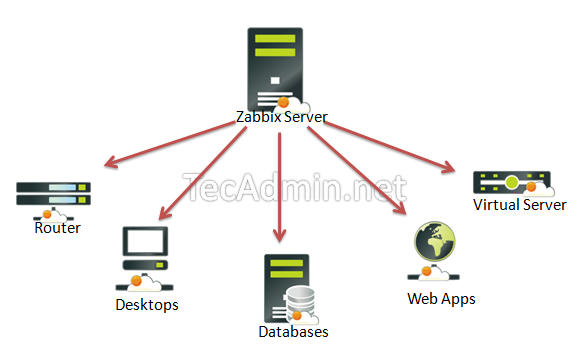
This article will help you to step by step install Zabbix 3.0 Server on CentOS/RHEL 7/6/5 and Fedora Systems. Before starting installation read below basic requirements to run Zabbix 3.0 LTS.
- Apache: 1.3.12 or later.
- PHP: 5.4.0 or later (PHP 7 not supported).
- MySQL: 5.0.3 or later.
- OpenIPMI: Required for IPMI support.
- libssh2: Required for SSH support. Version 1.0 or higher.
- fping: Required for ICMP ping items.
- libcurl: Required for web monitoring.
- libiksemel: Required for Jabber support.
- net-snmp: Required for SNMP support.
Step 1 – SetUp Apache, MySQL and PHP
In order to use Zabbix we required a Web Server, database server and PHP to work. In this steps we are going to set up these services, You many skip this step if you have already configured it.
Install All Services
# yum install httpd httpd-devel
# yum install mysql mysql-server
# yum install php php-cli php-common php-devel php-pear php-gd php-mbstring php-mysql php-xml
Start All Services
# service httpd start
# service mysqld start
MySQL Initial Setup
Run following command to setup mysql initially and secure it
# mysql_secure_installation
Step 2 – Configure Yum Repository
You can file zabbix repositories package on zabbix official website. You can also use one of following commands to add zabbix repository in your system.
CentOS/RHEL 7:
Step 3 – Install Zabbix Server with MySQL
You have added zabbix yum repository in above step. Now use following command to install Zabbix server with mysql database support packages on your system.
# yum install zabbix-server-mysql zabbix-web-mysql zabbix-agent zabbix-java-gateway
Step 4 – Setup Zabbix Apache Configuration
Zabbix creates its own apache configuration file /etc/httpd/conf.d/zabbix.conf. Edit this file and just update timezone. More timezone’s
php_value date.timezone Asia/Kolkata
After changing value restart Apache service.
# service httpd restart
Step 5 – Create Zabbix MySQL Database
This installation is using mysql as backend of zabbix, So we need to create MySQL database and User for zabbix installation.
# mysql -u root -p

mysql> CREATE DATABASE zabbixdb CHARACTER SET UTF8;
mysql> GRANT ALL PRIVILEGES on zabbixdb.* to [email protected] IDENTIFIED BY 'password';
mysql> FLUSH PRIVILEGES;
mysql> quit
After creating database restore the default mysql database provided by zabbix. These files can be found at /usr/share/doc/zabbix-server-mysql-<version>/create/ directory.
# cd /usr/share/doc/zabbix-server-mysql-3.0.0/create


# mysql -u zabbix -p zabbixdb < schema.sql
# mysql -u zabbix -p zabbixdb < images.sql
# mysql -u zabbix -p zabbixdb < data.sql
Step 6 – Start Zabbix Server
After completing above setup, let’s start Zabbix server using following command.
# service zabbix-server start
After starting zabbix service, let’s go to Zabbix web installer and finish the installation.
Step 7 – Start Zabbix Web Installer
Zabbix web installer can be access using following url, Change FQDN as per you setup.
http://svr1.tecadmin.net/zabbix/
and follow the steps as per given screen shots below.
Zabbix Setup Welcome Screen
This is welcome screen of zabbix web installer. Go forward by click on next button.
Check for pre-requisities
Check if your system have all required packages, if everything is ok click next.
Configure DB Connection
Enter database details created in Step #4 and click Next step.
Zabbix Server Details
Pre-Installation Summary
In this step will show the summary you have entered previous steps, so simply click next.
Install Zabbix
Zabbix Login Screen
Login to Zabbix using below default credentials.
Username: admin
Password: zabbix
After successful login you will get zabbix dashboard like below.
Congratulation! Your Zabbix setup has been completed. Read our next article to install zabbix agent and add host in zabbix server.