入职新公司的第一天,带我的哥们就分配给我一个任务,让我装一个lnmp,并且写成脚本,这不是so easy 吗,于是我马上就开搞了,现在把我的脚本分享一下给大家。
|
1
2
3
4
5
6
7
8
9
10
11
12
13
14
15
16
17
18
19
20
21
22
23
24
25
26
27
28
29
30
31
32
33
34
35
36
37
38
39
40
41
42
43
44
45
46
47
48
49
50
51
52
53
54
55
56
57
58
59
60
61
62
63
64
65
66
67
68
69
70
71
72
73
74
75
76
77
78
79
80
81
82
83
84
85
86
87
88
89
90
91
92
93
94
95
96
97
98
99
100
101
102
103
104
105
106
107
108
109
110
111
112
113
|
#lnmp安装脚本#Email:[email protected]#autor:fujinzhou#create time: 2016-11-29yum -y install vim-enhanced ncurses-devel elinks gcc gcc-c++ flex bison autoconf automake gzip net-snmp-devel net-snmp ncurses-devel pcre pcre-devel libjpeg-devel libpng-devel libtiff-devel freetype-devel libXpm-devel gettext-devel pam-devel libtool libtool-ltdl openssl openssl-devel fontconfig-devel libxml2-devel curl-devel libicu libicu-devel libmcrypt libmcrypt-devel libmhash libmhash-devel
#添加nginx用户user='nginx'
group='nginx'
user_exists=$(id -nu $user)
if [ ! $user_exists ]; then
/usr/sbin/groupadd -f $group
/usr/sbin/useradd -g $group $user -s /sbin/nologin -M
fi#安装nginxwget http://nginx.org/download/nginx-1.8.1.tar.gz
tar -zxf nginx-1.8.1.tar.gz && cd nginx-1.8.1
./configure --prefix=/usr/local/nginx --pid-path=/usr/local/nginx/nginx.pid --user=nginx --group=nginx \
--with-http_ssl_module --with-http_flv_module --with-http_stub_status_module --with-http_gzip_static_module --http-client-body-temp-path=/usr/local/nginx/client \
--http-proxy-temp-path=/usr/local/nginx/proxy --http-fastcgi-temp-path=/usr/local/nginx/fcgi --http-uwsgi-temp-path=/usr/local/nginx/uwsgi --http-scgi-temp-path=/usr/local/nginx/scgi --with-pcre
make && make install
#启动nginx/usr/local/nginx/sbin/nginx#配置nginxsed -i '56a\location ~ \.php$ {\n\ root html;\n\ fastcgi_pass 127.0.0.1:9000;\n\ fastcgi_index index.php;\n\ fastcgi_param SCRIPT_FILENAME /usr/local/nginx/html$fastcgi_script_name;\n\ include fastcgi_params;\n\}\n' /usr/local/nginx/conf/nginx.conf
/usr/local/nginx/sbin/nginx -s reload
echo -e '<?php\n echo "nginx and PHP is OK";\n?>\n' >/usr/local/nginx/html/index.php
#添加mysql用户user='mysql'
group='mysql'
user_exists=$(id -nu $user)
if [ ! $user_exists ]; then
/usr/sbin/groupadd -f $group
/usr/sbin/useradd -g $group $user -s /sbin/nologin -M
fi#安装Mysqlwget http://mirrors.sohu.com/mysql/MySQL-5.6/mysql-5.6.33-linux-glibc2.5-x86_64.tar.gz
tar -xf mysql-5.6.33-linux-glibc2.5-x86_64.tar.gz && mv mysql-5.6.33-linux-glibc2.5-x86_64 /usr/local/mysql
#配置mysqlmkdir -p /data/mysql
chown -R mysql:mysql /data/mysql/
chown -R mysql:mysql /usr/local/mysql/
/usr/local/mysql/scripts/mysql_install_db --basedir=/usr/local/mysql/ --datadir=/data/mysql/ --user=mysql >>/dev/null
cp /usr/local/mysql/support-files/my-default.cnf /etc/my.cnf
cp /usr/local/mysql/support-files/mysql.server /etc/init.d/mysqld
sed -i 's#^datadir=#datadir=/data/mysql#' /etc/init.d/mysqld
sed -i 's#^basedir=#basedir=/usr/local/mysql#' /etc/init.d/mysqld
#启动mysqlservice mysqld startchkconfig mysqld on#添加php用户#添加mysql用户user='www'
group='www'
user_exists=$(id -nu $user)
if [ ! $user_exists ]; then
/usr/sbin/groupadd -f $group
/usr/sbin/useradd -g $group $user -s /sbin/nologin -M
fi#安装phpyum install -y libxml2-devel openssl-devel libcurl-devel libjpeg-devel libpng-devel libicu-devel openldap-devel
wget http://mirrors.sohu.com/php/php-5.6.12.tar.gz
tar -xf php-5.6.12.tar.gz && cd php-5.6.12
./configure --prefix=/usr/local/php --with-config-file-path=/usr/local/php/etc\
--with-mysql=/usr/local/mysql --with-mysqli=/usr/local/mysql/bin/mysql_config\
--enable-fpm\
--enable-mbstring=all\
--enable-soap\
--enable-zip\
--enable-calendar\
--enable-bcmath\
--enable-exif\
--enable-ftp\
--enable-intl\
--with-openssl\
--with-zlib\
--with-curl\
--with-gd\
--with-zlib-dir=/usr/lib\
--with-png-dir=/usr/lib\
--with-jpeg-dir=/usr/lib\
--with-gettext\
--with-mhash\
--with-fpm-user=www\
--with-fpm-group=www
make && make install
#配置phpcp php.ini-development /usr/local/php/etc/php.ini
sed -i 's#^;date.timezone =#date.timezone=Asia/Shanghai#' /usr/local/php/etc/php.ini
cp /usr/local/php/etc/php-fpm.conf.default /usr/local/php/etc/php-fpm.conf
cp sapi/fpm/init.d.php-fpm /etc/init.d/php-fpm
chmod +x /etc/init.d/php-fpm
#启动php-fpmservice php-fpm startchkconfig php-fpm on#删除解压目录rm /root/lnmp/php-5.6.12 -rf
rm /root/lnmp/nginx-1.8.1 -rf
|
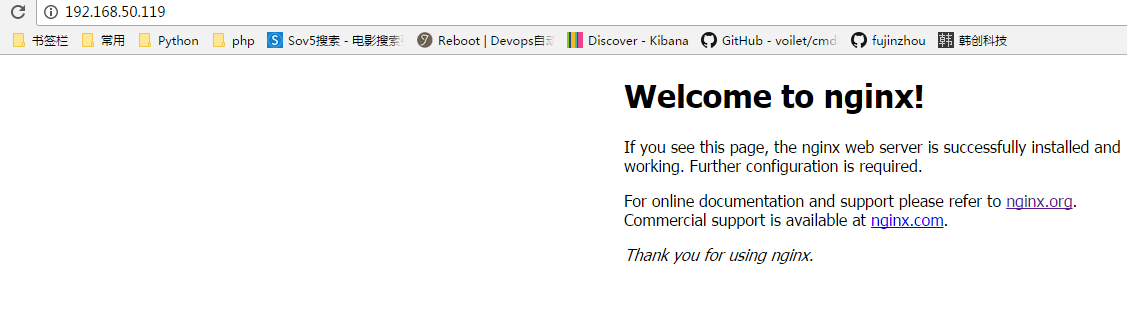
测试访问一下

本文转自 shouhou2581314 51CTO博客,原文链接:http://blog.51cto.com/thedream/1877631,如需转载请自行联系原作者